When you’re running AI systems in production, one question tends to pop up whenever you’re sitting through a monthly budget meeting: Which part of our application is actually burning through our budget?
If you’re building with Gemini API, you’re probably juggling multiple use cases — customer-facing chatbots, internal document processing, automated content generation, maybe some experimental features your team is testing. Each generates API calls and costs money. But without proper instrumentation, they all blur together into a single line item that tells you nothing about where optimization efforts should focus.
Labels — The Hidden Metadata Layer
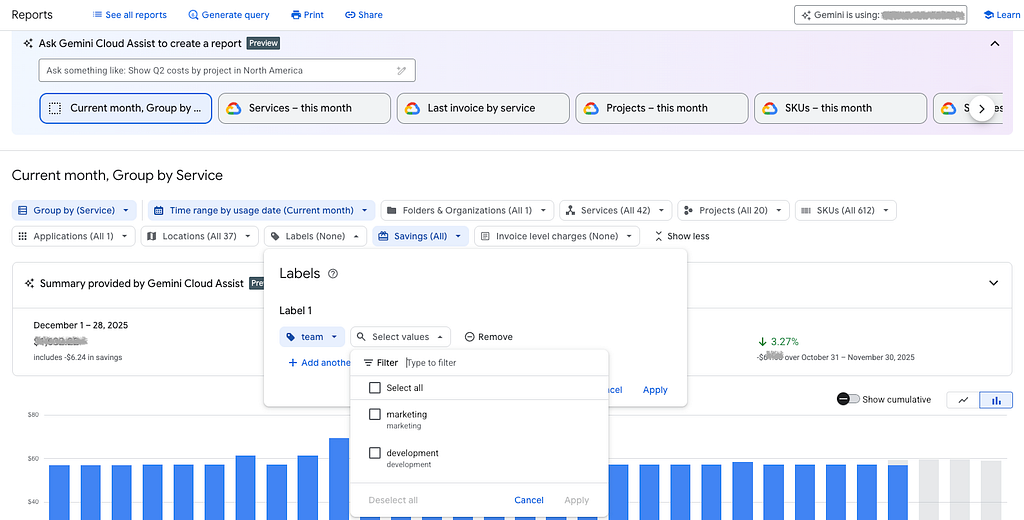
One Gemini API feature that users really don’t use enough is: custom labels on every API request. These labels are integrated into the Google Cloud billing workflow, transforming into searchable attributes within your expenditure reports. Consequently, you can utilize these markers to sort and analyze costs directly from your billing consoles.
The implementation is ridiculously simple. In your API calls, add a labels parameter:
response = client.models.generate_content(
  model="gemini-2.5-flash",
  contents=prompt,
  config={
    "labels": {
    "customer_id": "customer_a",
    "use_case": "contract_analysis",
    "environment": "production",
    "team": "legal_tech"
    }
  }
)
These labels also propagate into BigQuery’s billing export automatically in the “Standard usage cost” export configuration. No additional infrastructure or custom logging. The data is already there — you just need to query it.
The BigQuery Pipeline
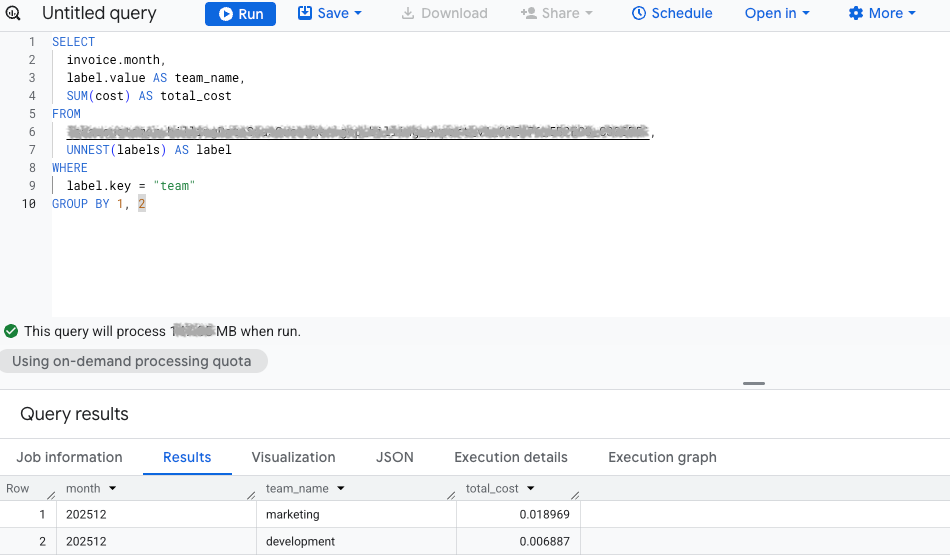
Google Cloud’s billing export dumps your entire spending history into BigQuery tables. With labels in place, you can slice this data by any custom label:
SELECT
invoice.month,
label.value AS team_name,
SUM(cost) AS total_cost
FROM `project.billing_export.gcp_billing_export_v1_*`,
UNNEST(labels) AS label
WHERE
label.key = "team"
GROUP BY 1, 2
This query answers “who’s costing me money” in seconds.
The beauty is in the automation potential. Schedule this query daily. Feed results into your monitoring dashboard or third-party FinOps applications. Set alerts when specific labels cross cost thresholds. Build chargeback systems that invoice internal teams for their AI consumption. The billing data becomes operational telemetry.
With the core framework already in place, achieving structured and verifiable financial monitoring is simply a matter of adding a few lines of code to your API requests.
How to Track Every Cent of Your Gemini API Spend at Scale was originally published in Google Cloud – Community on Medium, where people are continuing the conversation by highlighting and responding to this story.
Source Credit: https://medium.com/google-cloud/how-to-track-every-cent-of-your-gemini-api-spend-at-scale-25b2db18f466?source=rss—-e52cf94d98af—4
About the Author