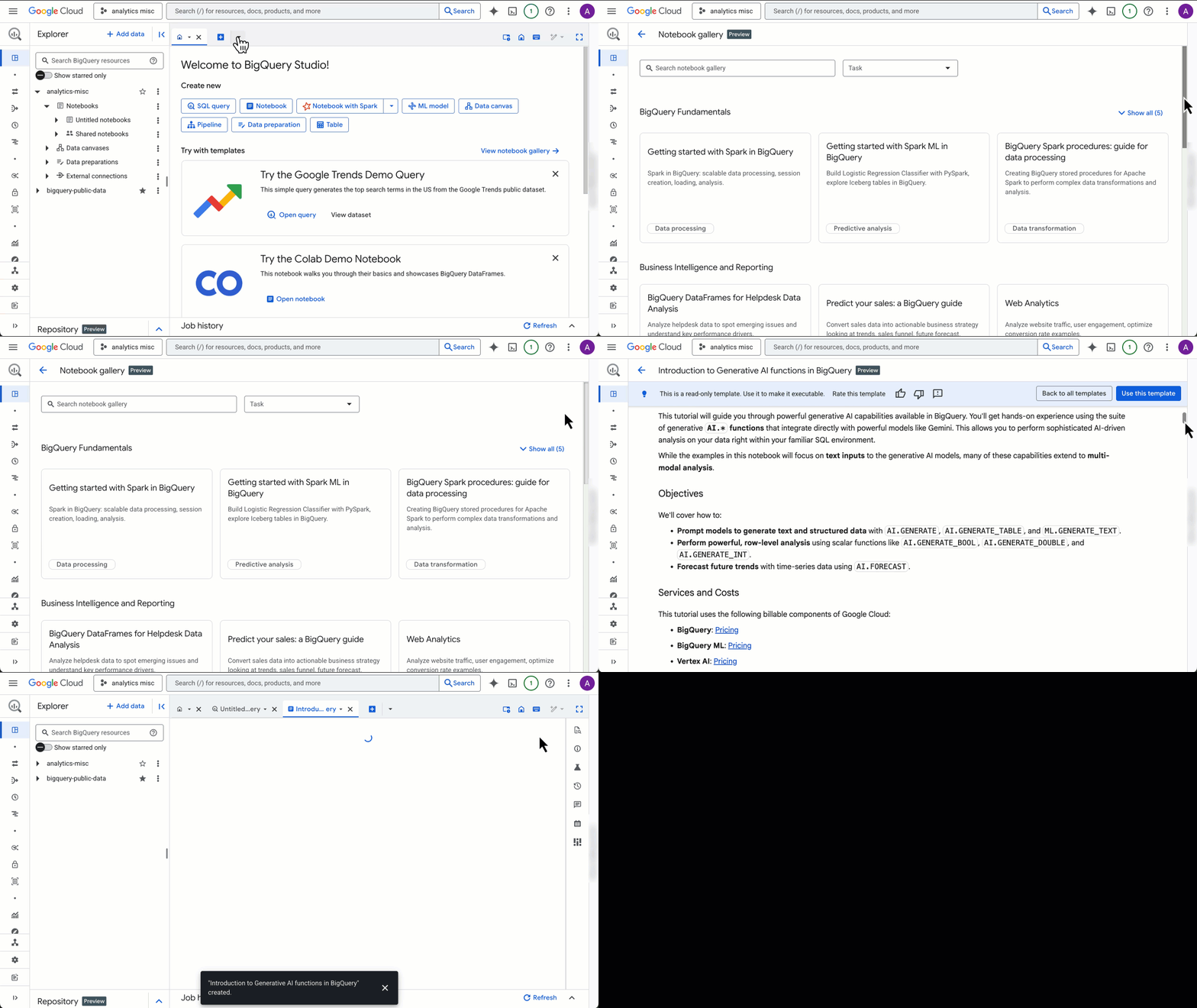
BigQuery Studio notebooks bring the power of Colab Enterprise directly into the BigQuery UI, creating a powerful platform for data exploration, ML model development, and more. They allow you to go from SQL analysis to Python visualization seamlessly, all in one place.
However, starting from an empty notebook can often be the hardest part of any analysis. Instead of staring at a blank slate, you can now use the notebook gallery to find a template that walks you through common patterns and helps you get straight to your analysis.
This post shares three essential templates to get both SQL and Python users comfortable with notebooks quickly. We’ll also show you how to access the complete gallery to discover topics aligned with your specific goals.
A quickstart tour of BigQuery notebooks
For a quick tour that highlights the main functionality across SQL, Python, and visualizations, start with the Introduction to notebooks in BigQuery Studio template.
This notebook guides you through essential tasks, including:
- Querying data from a public dataset using SQL cells (<- these are new!)
- Visualizing query output with using Python’s built-in visualization libraries
- Cleaning and transforming data using Python and the BigQuery DataFrames (pandas) API, which pushes computation down to the BigQuery engine
- Running AI predictions using a BigQuery function (AI.FORECAST) directly on our DataFrame
Click here to open the template ➡️ Introduction to notebooks in BigQuery Studio
An introduction for SQL users
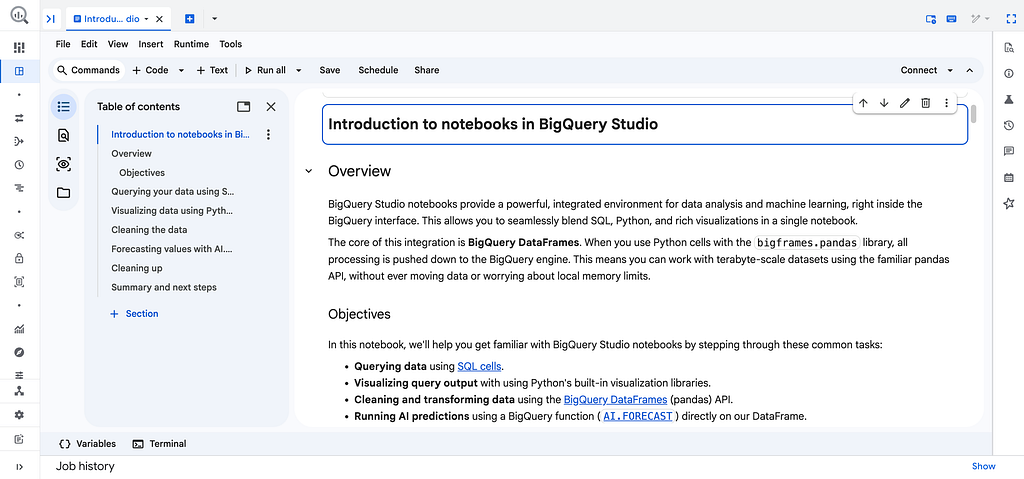
If you’re comfortable with SQL and want to learn how to use notebooks for analysis and workflows, this template is for you. It steps you through the most common tasks:
- Loading and exploring data using SQL cells
- Using Python variables directly in your SQL queries to make them dynamic
- Exploring and visualizing your query output with the built-in results viewer and Visualization cells (<- these are new too!)
- Storing query results in a DataFrame for further analysis
To make things hands-on, the notebook walks you through joining and analyzing two public datasets, San Francisco 311 service requests and the NOAA GSOD weather dataset, to explore and discover correlations between the two.
Click here to open the template ➡️ Getting started with notebooks for SQL users

An introduction for Python users
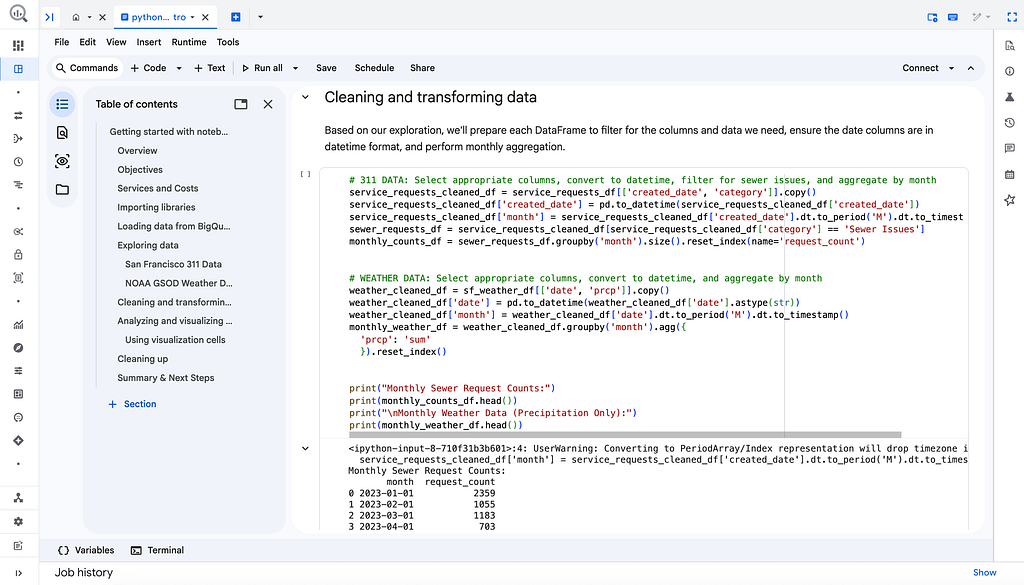
We also have a template for those who prefer working with Python and pandas. This notebook guides you through a similar data exploration workflow, but with a Python-centric approach. You’ll learn how to:
- Load data from BigQuery into pandas DataFrames using the %%bigquery magic command
- Explore data using familiar pandas functions like .info() and .head()
- Clean, transform, and merge the datasets into a single, analysis-ready DataFrame
- Analyze and visualize your findings by calculating correlations and creating plots
Just like the SQL notebook, this template also investigates the San Francisco 311 service requests and the NOAA GSOD weather datasets, giving you a great side-by-side comparison of how to tackle the same problem with different tools.
Click here to open the template ➡️ Getting started with notebooks for Python users
How to access the notebook gallery
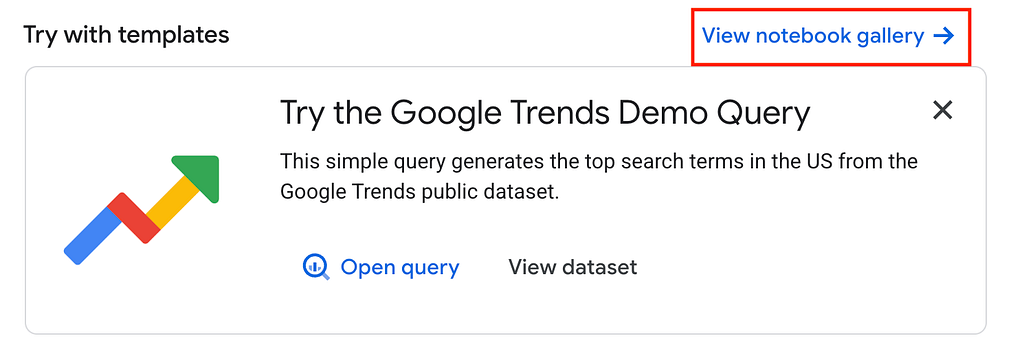
Ready to try them out? You can find the notebook gallery in a couple of places in the BigQuery Studio console:
- From the Welcome to BigQuery Studio page, click the View notebook gallery link.
2. Alternatively, click the (+) icon to create a new asset, select Notebook, and then choose All templates to open the gallery.
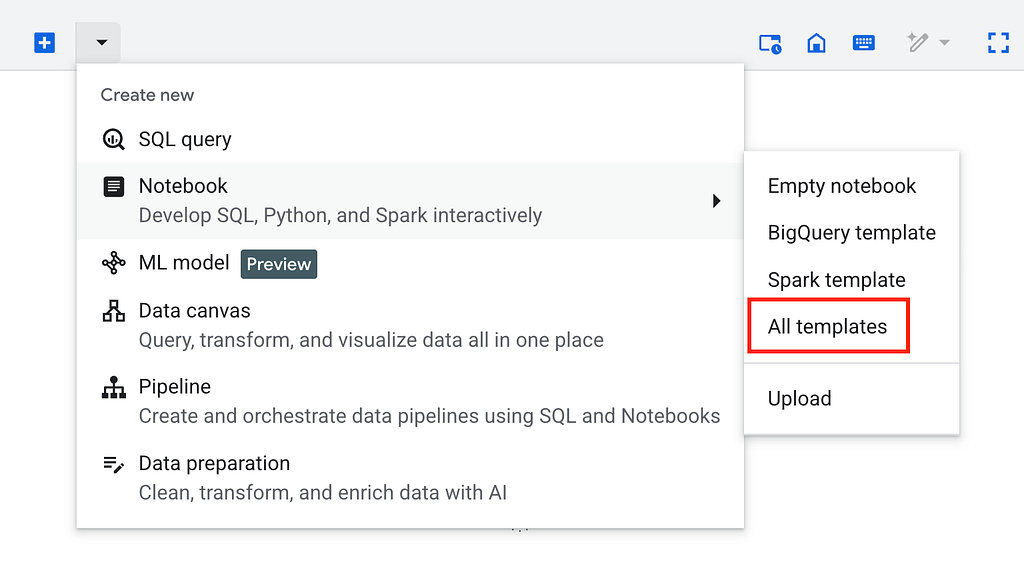
Once in the gallery, you can browse through different categories, filter by task (like “Data analysis” or “Geospatial analysis”), or search for a specific template. When you find one you like, just click on it to open a read-only version. If it looks right for your use case, click Use this template, and a copy will be added to your project for you to run and modify.
Next Steps
Now that you know about the notebook gallery, you’re equipped to get started with your data analysis in BigQuery Studio even faster.
Want to learn more through the documentation? Check out these resources:
- BigQuery Studio notebooks introduction
- BigQuery Studio notebook gallery documentation
Feel free to share your experiences and ask any questions in the comments!
Jumpstart your BigQuery analysis with notebook templates was originally published in Google Cloud – Community on Medium, where people are continuing the conversation by highlighting and responding to this story.
Source Credit: https://medium.com/google-cloud/jumpstart-your-bigquery-analysis-with-notebook-templates-a8d9373bbf13?source=rss—-e52cf94d98af—4
About the Author