TL;DR: Moving a monolithic service took me from several hours of runtime on big batches of heavy conversions to less than a minute by using Cloud Workflows and Cloud Run. Keeping the cost to $10 per every 1 million steps
Recently, I took upon modernizing the architecture and setup for a file processing service that was part of a monolithic app used by all of our users.
There were a few challenges that we faced with the old legacy way. Mainly, the bottlenecking of the system when too many conversions were requested at once.
On top of that, being able to handle even the big peak of requests meant having all of our web apps request way more compute resources that it needs to use on the regular, resulting in bigger clusters and increased costs.
This was not scalable nor future proof. There were too many “empty pockets” and we needed to be able to quickly scale up rapidly without emptying the wallet.
When I looked into solving this issue my very first thought was: Cloud Run! Scale to thousands of containers in less than 10 seconds and scale to zero.
I wanted an async service that scales fast and cuts down on cost. Quickly, I ran into some blocking questions:
? — How can I best track each individual request and troubleshoot should issues arise?
? — What about making custom logic based on where the requests came from? (e.g. for GDPR compliance)
? — How to handle multi-tenancy best?
It was clear that only Cloud Run wasn’t going to cut it. I needed a way to orchestrate with high flexibility to quickly implement changes and carry out testing.
This is how I came across Google Cloud Workflows
What are workflows?
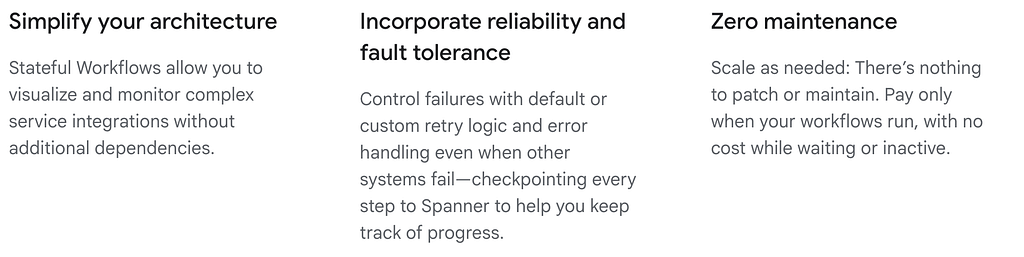
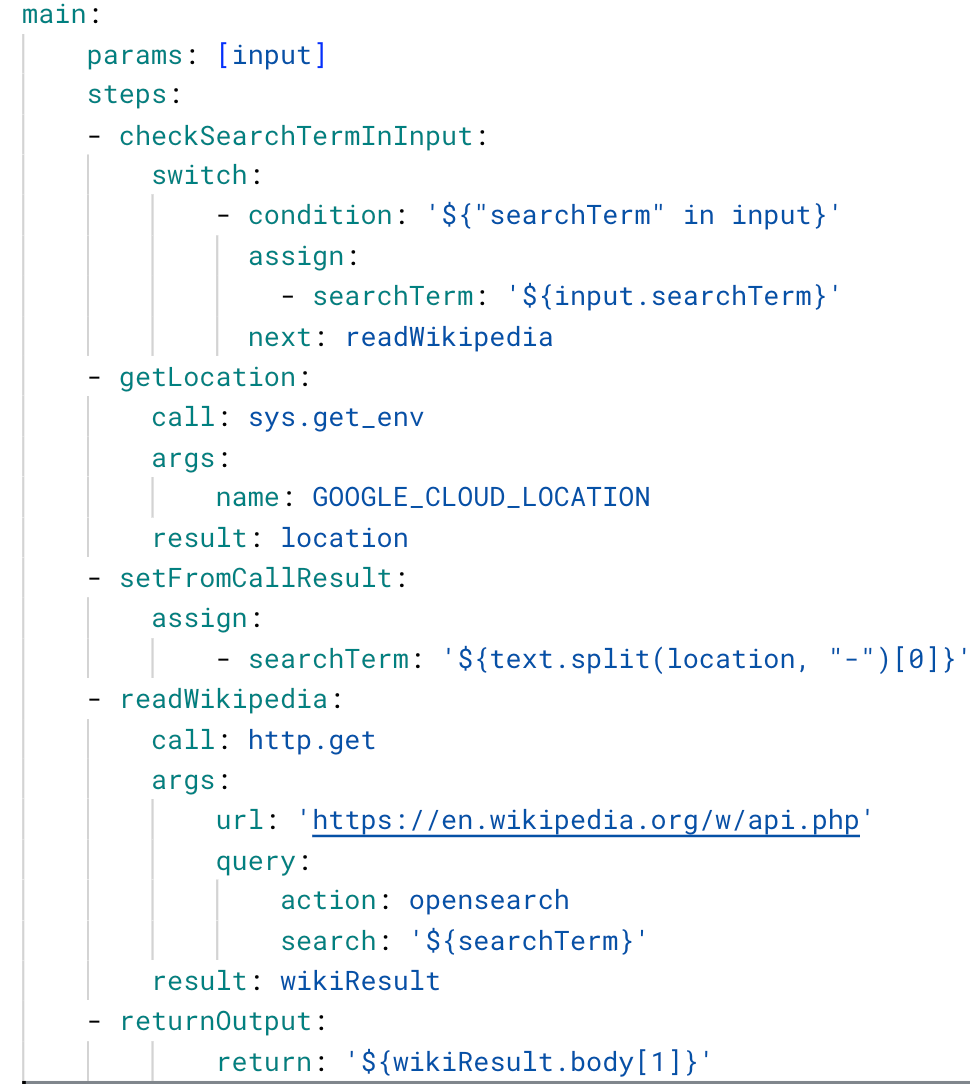
Google Cloud Workflows is a serverless orchestration service that lets you design, automate, and integrate business processes and microservices by connecting Google Cloud services (like Cloud Functions, Run, BigQuery) with external APIs, handling complex sequences, errors, and data flow in a visual, stateful way. It acts as a central coordinator, defining logic in YAML/JSON, ensuring reliability with retries and error handling, and enabling long-running, event-driven, or batch operations without managing servers.
How did I use Workflows?
Workflows was instrumental for me in three major ways:
- Orchestrating the entire lifecycle of all conversion request
- Error handling and flexibility
- Keeping cost at a minimum
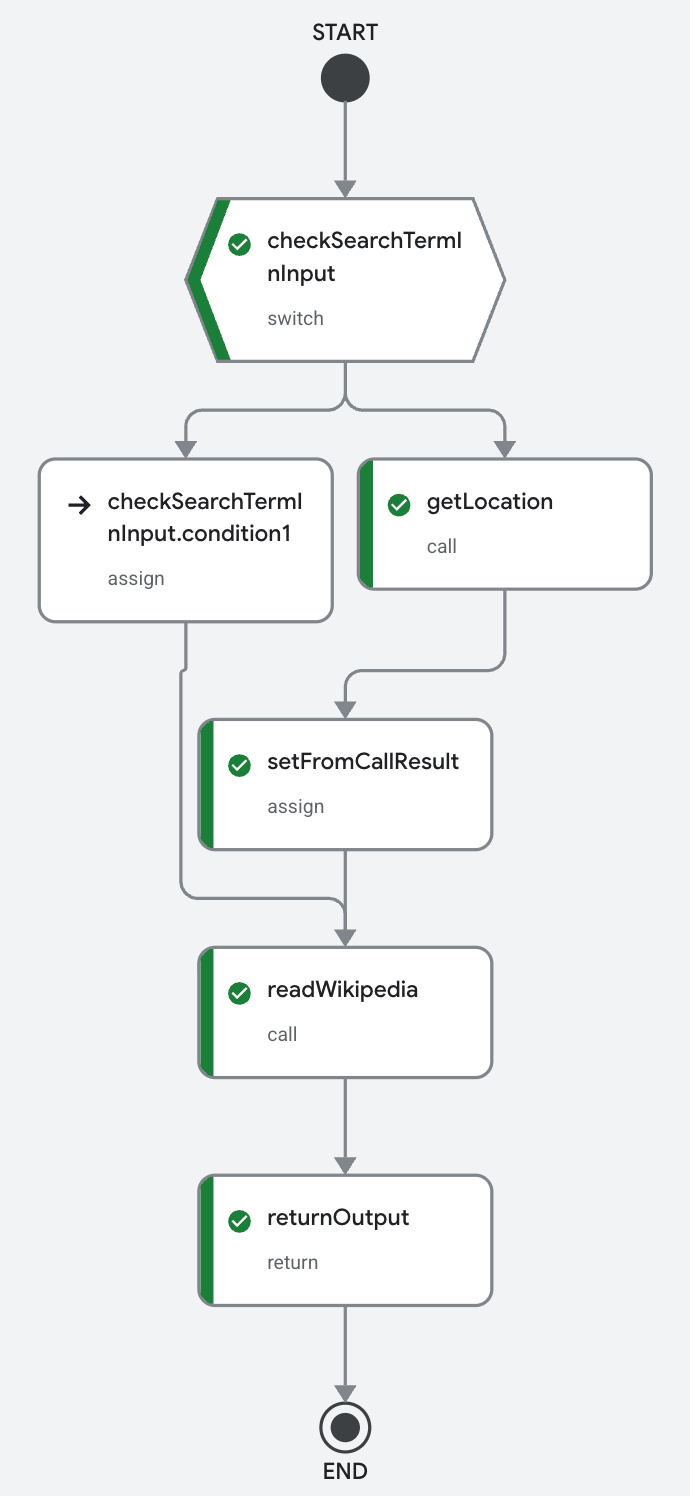
Workflows provides high detail on each of its received request by the use of unique execution IDs where you can view the logs, follow the steps it took and the logic that executed.
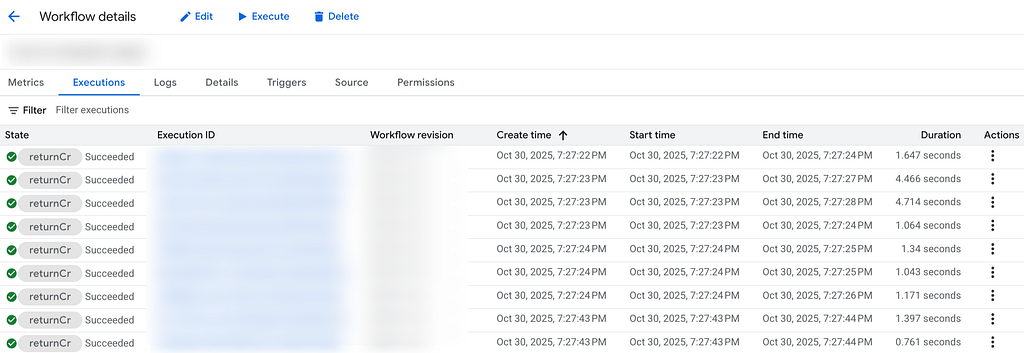
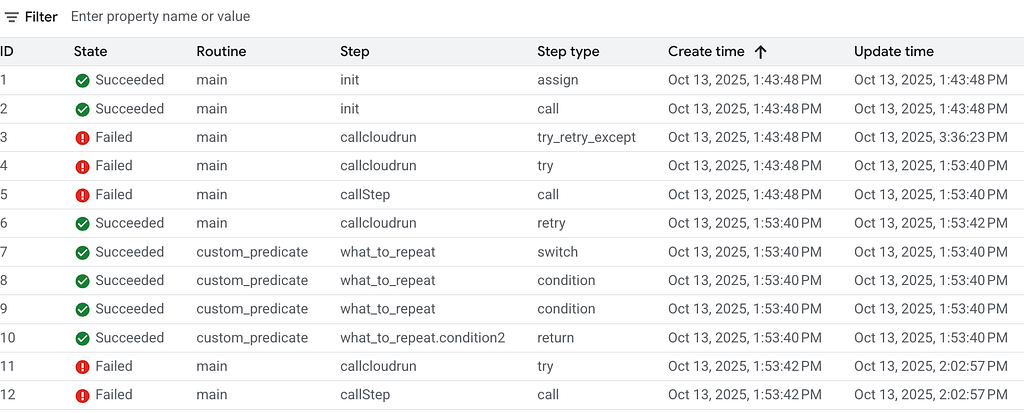
By having certain logic be executed in the decoupled workflow rather than the monolith app it allowed for rapid changes and improvements rather than having to push a new production update that impacts the whole system.
Handling cloud run errors. Cloud run, being a serverless service could sometimes have random fleeting errors due to unavailability of resources, network issues and more. These are easily solved with some backoff retries. Usually they fix at the first retry 2 seconds after.
For any other errors it is reported back to the main app via a Pub/Sub messages where the custom logic there can try to fix it or report on the issue as fully failed.
Taking from the official documentation I set up a very simple but effective error handling.
custom_predicate:
  params: [e]
  steps:
    - what_to_repeat:
        switch:
          - condition: ${not("HttpError" in e.tags)}
            return: false
          - condition: ${e.code == 500 or e.code == 429 or e.code == 503 or e.code == 502}
            return: true
          - condition: ${"ConnectionError" in e.tags}
            return: true
    - otherwise:
        return: false

Another bump I came across was that there is a timeout of 30 min for the http requests in Workflows which I solved easily by setting the timeout of requests to 15 min and sending those heavy long conversions to a Cloud Run Jobs container that is also double of the compute capacity which can take 24h if needed.
        retry:
          predicate: ${custom_predicate}
          max_retries: 10
          backoff:
            initial_delay: 2
            max_delay: 60
            multiplier: 2

        except:
          as: cr_response
          steps:
            - checkError:
                switch:
                  - condition: ${"TimeoutError" in cr_response.tags}
                    next: upload_object_media
Results
Performance:
Moving from a maximum runtime of hours in single thread/tenant to a maximum of a few minutes where we can be running thousands of containers in parallel with also “unlimited” clients without raising how long it takes to process.
Maintenance:
Thanks to using Workflows as an orchestrator we can easily keep track of each request by its unique ID. Check how long it takes in each step, if it failed and why. As well as getting a nice visual on metrics on how many requests we take a time and how Cloud Run scales.
Pricing:
The sweetest part.
I was pleasantly surprised to see when I wanted to check how much one million workflow steps costed and seeing it was less than $10.

For Cloud Run, thanks to request-based billing, each millisecond that a container was not serving a request, starting up or shutting down, it costs nothing , even when the instance is still alive. Meaning there is a huge opportunity on savings. The rapid scaling up also removed the need to have any warm instances.
All of this combined plus some of the included free tiers meant a robust, flexible and blazing fast architecture with a total cost that is incredibly cheap.
Modernizing a file processing service using Google Cloud Workflows and Cloud Run was originally published in Google Cloud – Community on Medium, where people are continuing the conversation by highlighting and responding to this story.
Source Credit: https://medium.com/google-cloud/modernizing-a-file-processing-service-using-google-cloud-workflows-and-cloud-run-ba3252cd693d?source=rss—-e52cf94d98af—4
About the Author