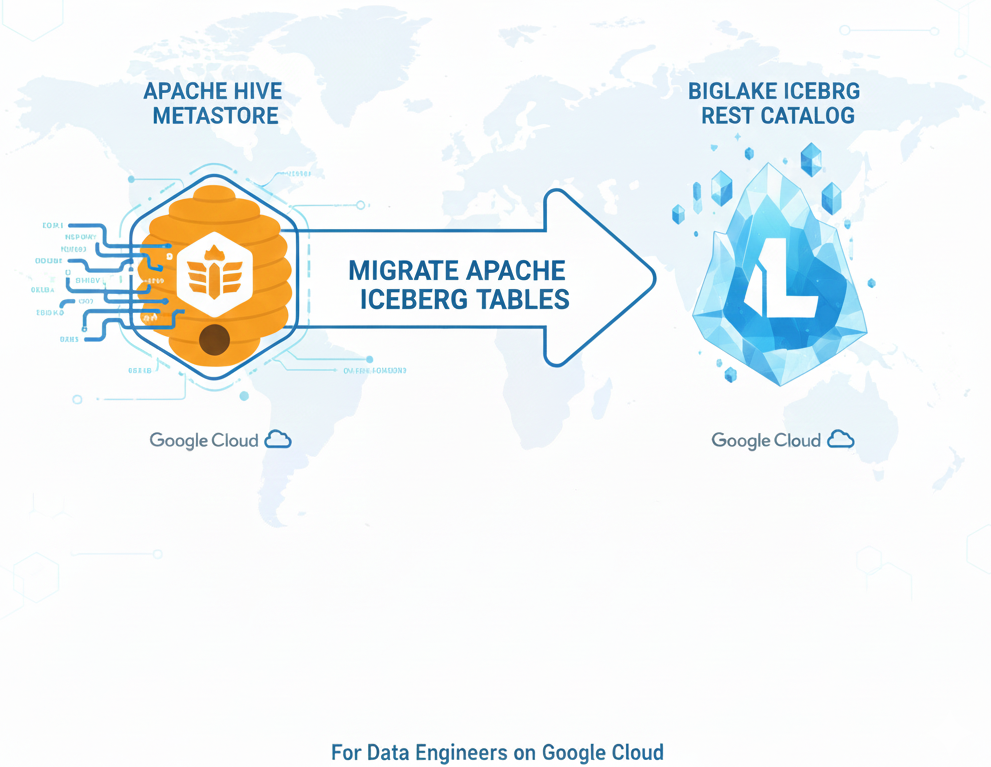
This blog post is intended for Data Engineers currently managing Apache Iceberg tables within a Hive Metastore (HMS) on Google Cloud who have already decided to migrate to Google’s BigLake Metastore.
Problem definition
The objective is straightforward: move the table management from a legacy Dataproc Metastore (or self-managed HMS) to the BigLake Iceberg REST catalog.
Crucially, this migration must be strictly a metadata operation. We want to register existing data files in the new catalog without rewriting the underlying data or metadata files, ensuring zero data duplication and minimal migration time.
In this tutorial, we will execute the migration using serverless Spark within BigQuery Notebooks.
Architecture Components:
- Hive Metastore v3 (HMS): A legacy metastore running on GCP within a Virtual Private Cloud (VPC), currently serving as the catalog for the source Iceberg tables.
- Google Cloud Storage (GCS): The object storage where the actual Iceberg tables are stored.
- BigLake Iceberg REST catalog (BigLake): The target Google-managed Iceberg REST catalog.
- BigQuery Notebooks: The serverless Spark environment where we will execute the migration logic.
Connect to HMS and BigLake from BigQuery Notebooks
To perform this migration, we need a compute environment that can “speak” to both the legacy world (HMS) and the modern world (BigLake) simultaneously. We will use BigQuery Notebooks with Spark, which provides a serverless PySpark environment directly within the BigQuery console.
To get started, navigate to the BigQuery section in the Google Cloud Console and select “Notebooks with Spark”.
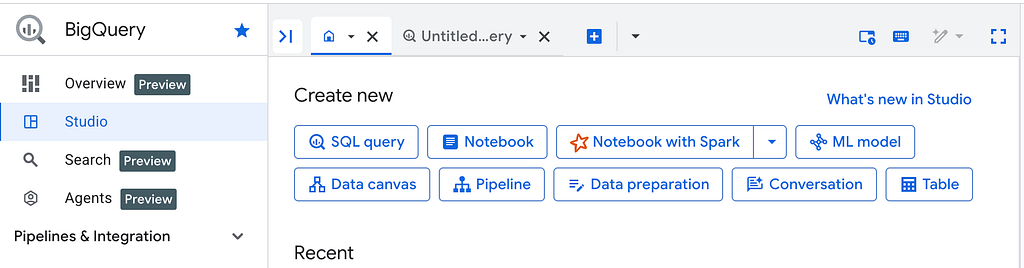
The core of this migration script relies on configuring two distinct Iceberg catalogs within a single Spark session. This allows us to query metadata from the source and register it in the destination without restarting the context.
import google.auth
import pyspark
from google.cloud.dataproc_spark_connect import DataprocSparkSession
from google.cloud.dataproc_v1 import Session

gcp_project_id = google.auth.default()[1] # Get current GCP project id
biglake_uri = "https://biglake.googleapis.com/iceberg/v1/restcatalog"
hms_uri = "thrift://10.128.0.109:9083"
gcs_bucket = "gs://my_gcs_bucket"

catalog_hms = "iceberg_hms"
catalog_google = "iceberg_google"

session = Session()
session.runtime_config.properties = {
  "spark.sql.extensions":"org.apache.iceberg.spark.extensions.IcebergSparkSessionExtensions",

  f"spark.sql.catalog.{catalog_hms}":"org.apache.iceberg.spark.SparkCatalog",
  f"spark.sql.catalog.{catalog_hms}.type":"hive",
  f"spark.sql.catalog.{catalog_hms}.uri":hms_uri,

  f"spark.sql.catalog.{catalog_google}":"org.apache.iceberg.spark.SparkCatalog",
  f"spark.sql.catalog.{catalog_google}.type":"rest",
  f"spark.sql.catalog.{catalog_google}.rest.auth.type":"org.apache.iceberg.gcp.auth.GoogleAuthManager",
  f"spark.sql.catalog.{catalog_google}.uri":biglake_uri,
  f"spark.sql.catalog.{catalog_google}.warehouse":gcs_bucket,
  f"spark.sql.catalog.{catalog_google}.header.x-goog-user-project":gcp_project_id,
  f"spark.sql.catalog.{catalog_google}.io-impl":"org.apache.iceberg.gcp.gcs.GCSFileIO",
}

spark = (
   DataprocSparkSession.builder
     .appName("HMS and BigLake connection")
     .dataprocSessionConfig(session)
     .getOrCreate()
)

spark.sql(f"show namespaces in {catalog_hms}").show(truncate=False)
spark.sql(f"show namespaces in {catalog_google}").show(truncate=False)
Since your Hive Metastore likely resides within a private VPC you will need to add the following config with `subnetwork_name`, for more details please refer to the documentation at https://cloud.google.com/bigquery/docs/use-spark.
session.environment_config.execution_config.subnetwork_uri = "<subnetwork_name>"
Create the target Namespace in BigLake
Now that our Spark session is connected to both catalogs, we can begin setting up the migration structure. Since our goal is a “metadata-only” migration — leaving the heavy data files untouched — we must ensure that the namespace for these tables exists in BigLake and points to the correct Google Cloud Storage location.
First, we inspect the source namespace in Hive Metastore to retrieve its properties, specifically the location.
namespace_name = "notebook_namespace_1"

spark.sql(f"describe namespace {catalog_hms}.{namespace_name}").show(truncate=False)

+--------------+---------------------------------------------------------------------+
|info_name     |info_value                                                           |
+--------------+---------------------------------------------------------------------+
|Catalog Name  |iceberg_hms                                                          |
|Namespace Name|notebook_namespace_1                                                 |
|Location      |gs://my_gcs_bucket/iceberg/hms-namespaces/notebook_namespace_1       |
|Owner         |root                                                                 |
+--------------+---------------------------------------------------------------------+
Next, we create the corresponding namespace in BigLake.
Important! The LOCATION property in the new BigLake namespace must match the location where your data currently resides. While you can give the namespace a different name in BigLake if needed (e.g., if finance already exists, you could call it finance_migrated), the underlying storage path must align. Iceberg enforces strict checks between the URIs defined in metadata files and the actual file paths; mismatches here can cause read errors later.
In the code below, we manually take the location retrieved from HMS and create the namespace in BigLake.
spark.sql(f"""
    CREATE NAMESPACE IF NOT EXISTS {catalog_google}.{namespace_name}
    COMMENT 'Namespace for HMS tables'
    LOCATION 'gs://my_gcs_bucket/iceberg/hms-namespaces/{namespace_name}'
""")
For a production migration involving dozens of namespaces, you would likely automate this by looping through all HMS namespaces and programmatically copying over all properties (key-value pairs) to BigLake. For simplicity in this guide, we will focus on migrating a single namespace.
Find Iceberg tables in the source Namespace
A Hive Metastore namespace is often a mixed environment. It may contain legacy Hive tables (Parquet, ORC, CSV) alongside Apache Iceberg tables. Since our migration method relies on Iceberg-specific procedures, we must explicitly filter for Iceberg tables to avoid errors.
There are multiple ways to verify if a table is an Iceberg table:
- SHOW TBLPROPERTIES: Inspect `format` property, can be iceberg/parquet, iceberg/avro, and so on
- DESCRIBE EXTENDED: Check `Provider` field, it must be `iceberg`.
def is_iceberg_table(spark: DataprocSparkSession, full_table_name: str) -> bool:
    try:
        props_rows = spark.sql(f"SHOW TBLPROPERTIES {full_table_name} ('format')").collect()

        for row in props_rows:
            col = row[0]
            val = row[1]
            val = val.lower() if val is not None else ""

            if "format" == col.lower() and val.startswith("iceberg"):
                return True

        return False

    except Exception as e:
        print(f"   [!] ERROR accessing {full_table_name}: {e}")
        return False
Select current metadata location for Iceberg table
To register a table in the new catalog, the full path to the specific metadata.json file is required. While Iceberg supports time-travel (allowing you to register a specific historical version), our goal here is to migrate the table in its current state.
You might be tempted to simply query the metadata_log_entries system table and grab the record with the latest timestamp. However, this approach is flawed. If a rollback_to_snapshot operation was ever performed on the source table, the “latest” metadata file by timestamp might actually point to a discarded timeline rather than the current active state.
A more robust way to identify the correct metadata file is a two-step process:
- Identify the Snapshot: Retrieve the current-snapshot-id from the table’s properties.
- Map to Metadata: Query the metadata_log_entries table to find the specific file (URI) associated with that snapshot id.
Note: It is important to handle edge cases where a table exists but contains no data. In this scenario, the current-snapshot-id will return none (or null).
from typing import Optional

def select_current_metadata_location(spark: DataprocSparkSession, full_table_name: str) -> Optional[str]:
    try:
        props_rows = spark.sql(f"SHOW TBLPROPERTIES {full_table_name} ('current-snapshot-id')").collect()

        for row in props_rows:
            col = row[0]
            current_snapshot = row[1]

            if "current-snapshot-id" == col.lower():
                if current_snapshot is None or "none" == current_snapshot.lower():
                    print(" (table is empty)")

                    log_rows = spark.sql(f"SELECT file FROM {full_table_name}.metadata_log_entries").collect()
                    return log_rows[0][0] if log_rows else None

                snapshot_rows = spark.sql(f"""
                    SELECT file
                    FROM {full_table_name}.metadata_log_entries
                    WHERE latest_snapshot_id = {current_snapshot}
                """).collect()

                return snapshot_rows[0][0] if snapshot_rows else None

        return None

    except Exception as e:
        print(f"   [!] ERROR accessing {full_table_name}: {e}")
        return None
Register tables in BigLake
We now have all the necessary components: a connection to both catalogs, a target namespace in BigLake, and a reliable method to identify the correct metadata file for any given table.
In this step, we bring it all together in a loop. The script iterates through every table in the source HMS namespace, applies our Iceberg filter, and executes the migration.
To register tables we will use register_table, the procedure creates only a pointer to the table and doesn’t touch any data or other table files.
In this example, we assume a clean migration where the target namespace is empty. If a table with the same name already exists in the target, the registration will fail. While you could rename the table during registration (e.g., register_table(‘target_db.new_table_name’, …)), we will keep the names identical to ensure transparent application switching.
print(f"HMS [NAMESPACE]: {namespace_name}")

# Schema of SHOW TABLES: | namespace | tableName | isTemporary |
tables = spark.sql(f"SHOW TABLES IN {catalog_hms}.{namespace_name}").collect()

if not tables:
    print("   (No tables found)")

for table_row in tables:
    table_name = table_row[1]
    is_temporary = table_row[2]

    if is_temporary:
        continue

    full_table_name = f"{catalog_hms}.{namespace_name}.{table_name}"

    if is_iceberg_table(spark, full_table_name):
        metadata_location = select_current_metadata_location(spark, full_table_name)

        if metadata_location:
            print(f"Table {full_table_name} has metadata location: {metadata_location}")

            target_table_full_name = f"{catalog_google}.{namespace_name}.{table_name}"

            register_sql = f"""
                CALL {catalog_google}.system.register_table(
                    table => '{target_table_full_name}',
                    metadata_file => '{metadata_location}'
                )
            """

            spark.sql(register_sql).show(truncate=False)
Now we can execute the entire BigQuery Notebook. Once it succeeded, verify that all the tables are available in the BigLake Iceberg REST catalog.
tables_count = spark.sql(f"show tables in {catalog_google}.{namespace_name}").count()
print(f"Migrated tables: {tables_count}")
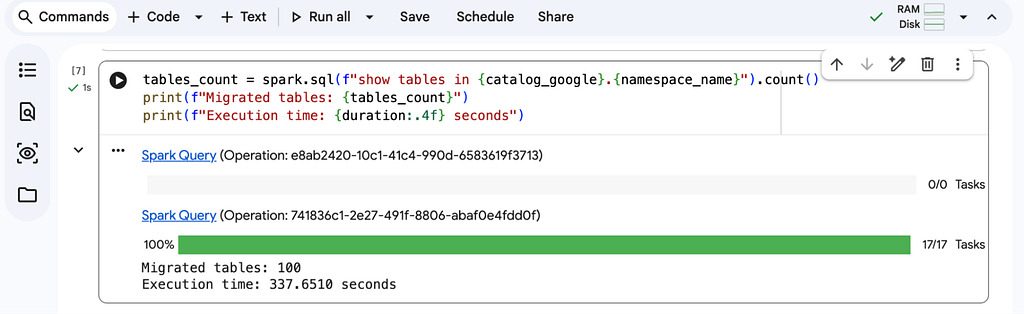
Moreover, all the migrated tables are now accessible not only from Spark but directly from BigQuery Studio (see the official documentation for details).
Handling long-running migration
While the PySpark script above might register 1,000 tables in a matter of minutes, a real-world migration involves much more than just catalog pointers. You also need to migrate upstream ingestion pipelines and downstream BI queries. Consequently, the overall migration project can span days, weeks, or even months.
During this migration period, your tables will exist in both the HMS and BigLake Iceberg REST catalog. This introduces a critical operational risk.
If you write to a table via HMS, the HMS snapshot advances. If you write to the same table via BigLake, the BigLake snapshot advances. These changes will not automatically sync. The result is a “split brain” scenario where the catalogs point to diverging versions of the data.
Best Practices for Coexistence:
- Single writer: Ensure that at any given time, only one catalog acts as the writer for a specific table.
- Minimize transition window: Plan your pipeline cutovers to minimize the time a table is active in both systems.
If you must continue writing to HMS during the migration but need those changes reflected in BigLake for testing or read-only consumers, you cannot simply re-run the registration script. As of January 2026, the register_table procedure does not support an overwrite parameter. This parameter is in the Iceberg REST catalog specification, so it should be added eventually to the procedure.
For now, it will be required to drop the table and register it again with a new metadata.json.
Conclusion
In this article was demonstrated a metadata-only migration from Hive Metastore to BigLake using serverless Spark. This approach allows you to “lift and shift” your catalog without rewriting a single data file.
With your tables now in the BigLake REST catalog, you gain native integration with BigQuery and a fully managed environment. Just ensure you strictly manage the “split-brain” risk during the transition.
Migrate Apache Iceberg tables from Hive Metastore to BigLake Iceberg REST catalog was originally published in Google Cloud – Community on Medium, where people are continuing the conversation by highlighting and responding to this story.
Source Credit: https://medium.com/google-cloud/migrate-apache-iceberg-tables-from-hive-metastore-to-biglake-iceberg-rest-catalog-adb27edcccac?source=rss—-e52cf94d98af—4
About the Author