Taking the BigQuery Data Engineering Agent to the Next Level: Planning, Optimization and Troubleshooting
Since my last post exploring the BigQuery Data Engineering Agent, the team has been listening to your feedback and dropping updates that make the agent an even more powerful companion: Plan and Act, Optimizations and Troubleshooting. These are some of my experiments so far.
Plan and Act
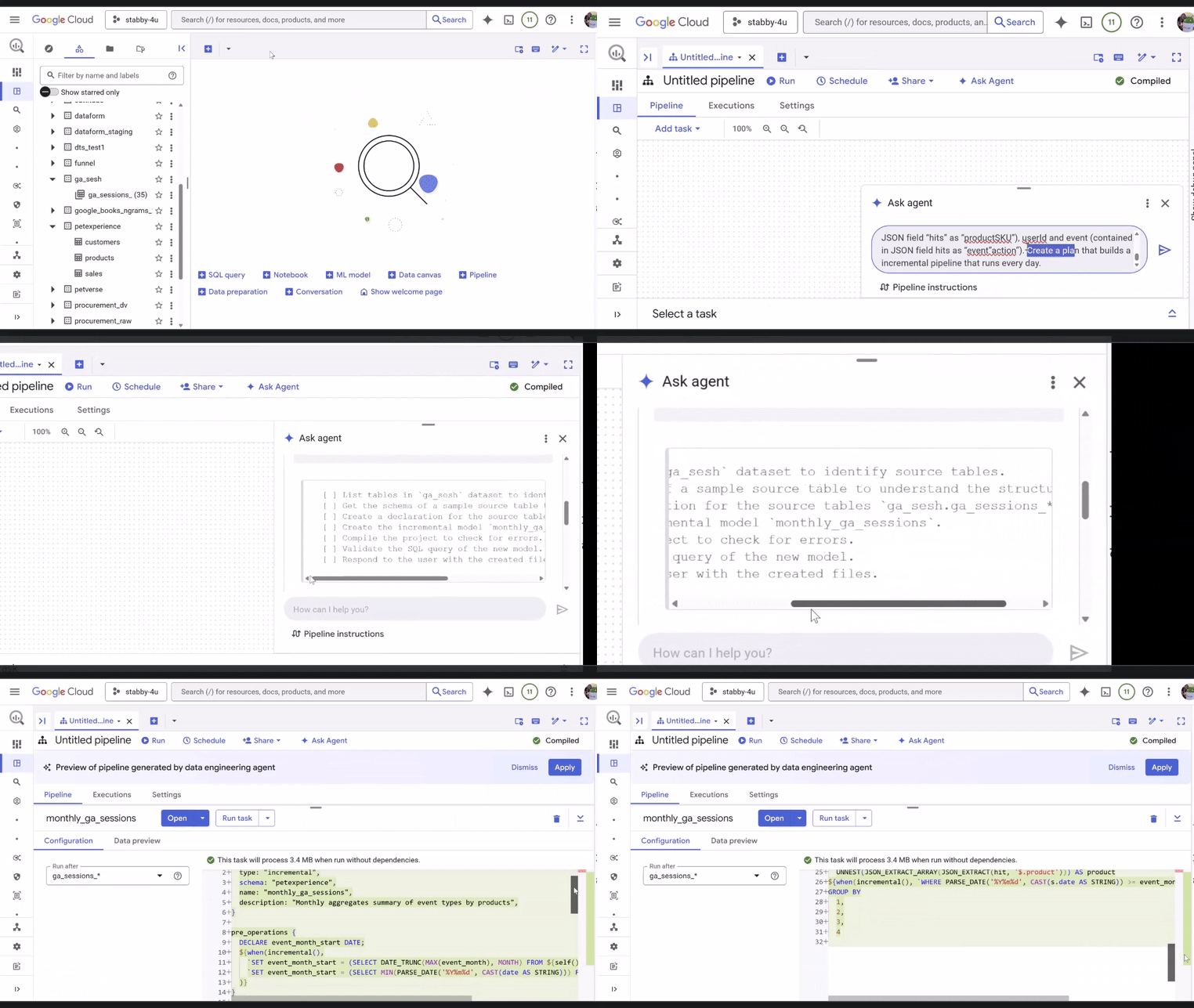
As I started pushing the BigQuery Data Engineering Agent with more complex tasks — like transforming and joining clickstream data from a Google Analytics pet-store site with CRM sales records — I noticed a shift. The agent now enters Planning Mode.
Instead of just spitting out code, it creates a roadmap upfront, giving you visibility into its “thought process.” This is huge for complex, longer-horizon tasks where you need to make sure the agent hasn’t lost the plot halfway through.
Prompting Tip: While the agent automatically plans when it sees a tough task, you can force it to put its thinking cap on by including “Create a plan to…” in your prompt.
According to internal results, this mode helps the agent complete complex requests with up to ~30% fewer turns and better semantic quality. Essentially, it spends more time thinking so you spend less time correcting.
Pipeline Optimization
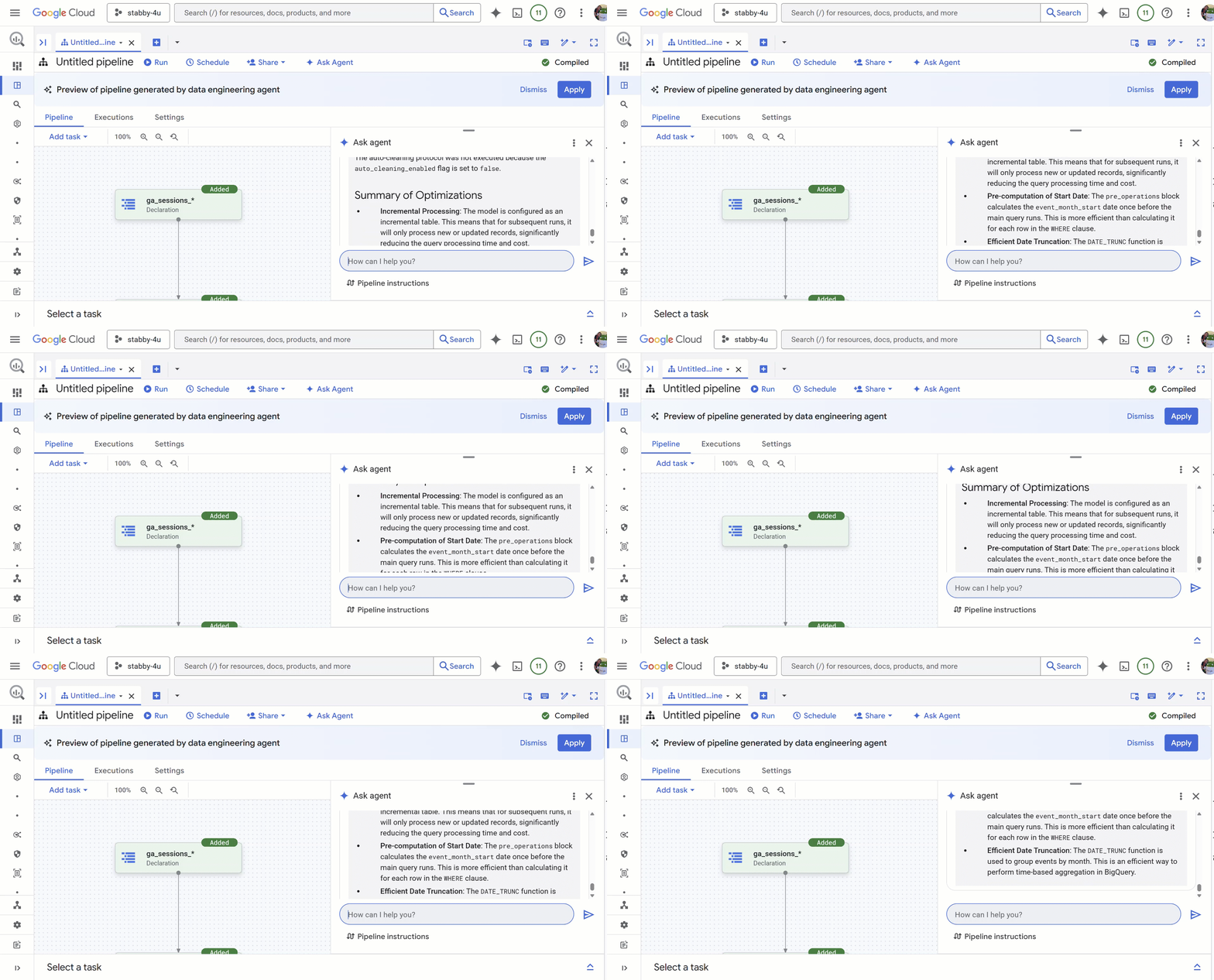
Building the pipeline is step one, but keeping it efficient is where the money is saved. The agent has gotten significantly smarter at optimizing the pipeline using proven BigQuery modeling best-practices.
While executing, you will notice the agents will loop through a multi sub-agent approach to evaluate its design and apply optimizations. It will also propose updates to your pipeline design using best practices for performance tuning. We’re talking about things like smarter partitioning, clustering, or schema tweaks that can lead to up to 20% slot hour improvements.
Troubleshooting
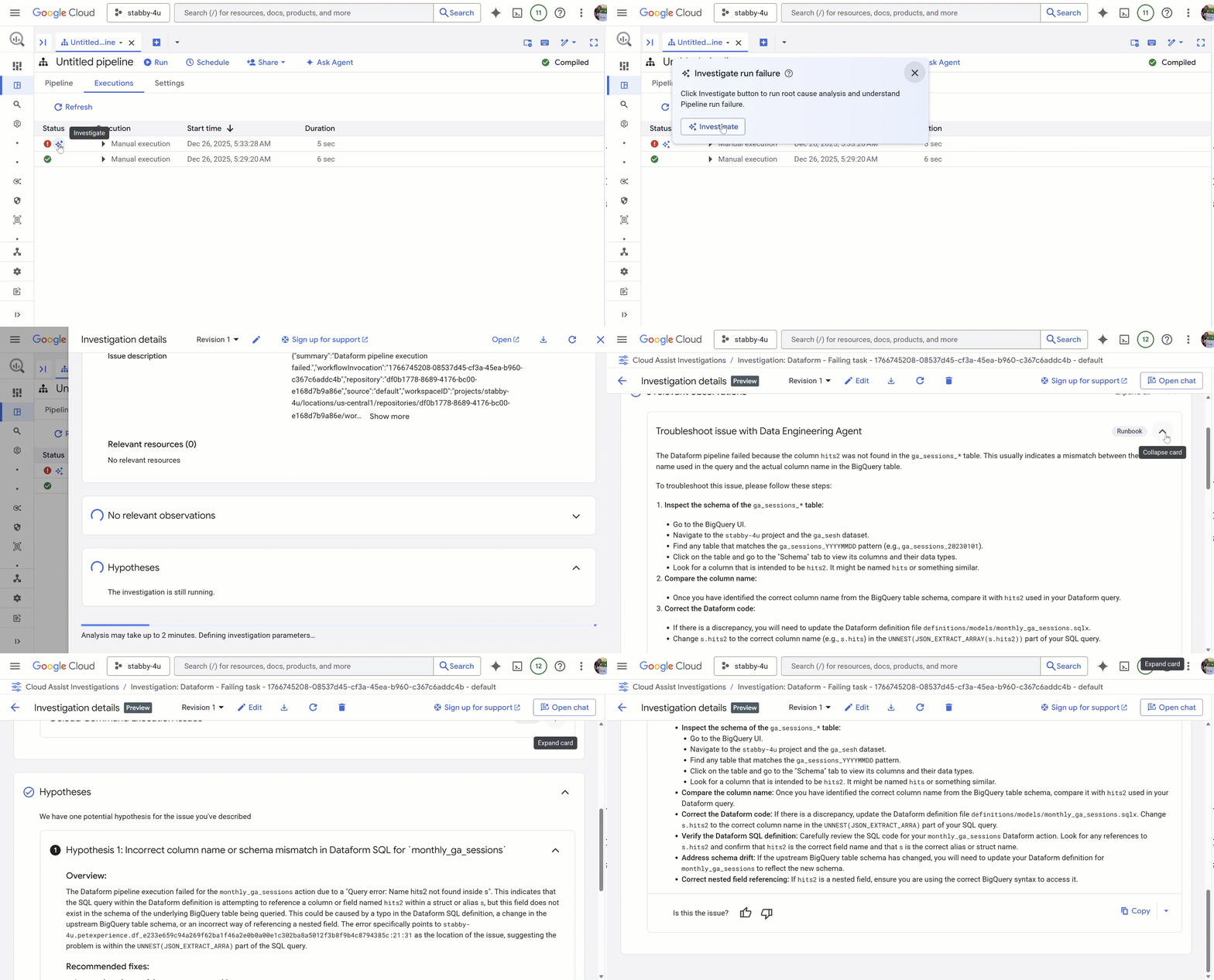
This feature was launched around October but it’s worth a special mention. As you already know, the Data Engineering Agent is creating Dataform repositories with different SQLX artifacts. There will come a time in which you may need to manually modify these definitions in Dataform. It may also happen that an error occurs during the execution of the pipeline..
The integration with Code Assist now helps you find the root cause by formulating hypotheses and listing possible solutions to the issue. You’ll see the “sparkles” next to the error and the option to further investigate the issue.
Give it a try and let me know how it goes
You can see a super short video demonstrating my experiments here. In this specific video, I am using a replication from Google Analytics streaming traffic, clicks and conversions into BigQuery.
You can try this yourself in BigQuery Studio. Just click the context menu to “Create New… Pipeline” and start chatting with the agent.
If you want to check, modify or commit/push to the Dataform repository, you will find “Open pipeline in Dataform” under Settings. The rest of the workflow is the same as any other Dataform workflow.
My next iterations will be on the improved Dataform integrations as some of you have requested. Please let me know if there is anything specific you would like to see.
Let’s stay in touch on TikTok, Instagram or YouTube
Taking the BigQuery Data Engineering Agent to the Next Level: Planning, Optimization and… was originally published in Google Cloud – Community on Medium, where people are continuing the conversation by highlighting and responding to this story.
Source Credit: https://medium.com/google-cloud/taking-the-bigquery-data-engineering-agent-to-the-next-level-planning-optimization-and-15e3b6cebe73?source=rss—-e52cf94d98af—4
About the Author