In a complex cloud environment, knowing that “something” is wrong is only half the battle. Metrics like CPU or latency spikes are excellent for monitoring the general health of the system, however, they often fail to provide more granular and proactive observability.
This is where Log-based alerts step in. They are a powerful feature of Google Cloud’s Operations Suite that bridge the gap between logging and monitoring. Log-based alerts notify you the moment a specific pattern or event appears in your logs — even if it only happens once.
In this blog, we will explore this feature by creating a Log-based alert for whenever a file is uploaded to a specific GCS bucket.
Enable Audit Logs for Cloud Storage
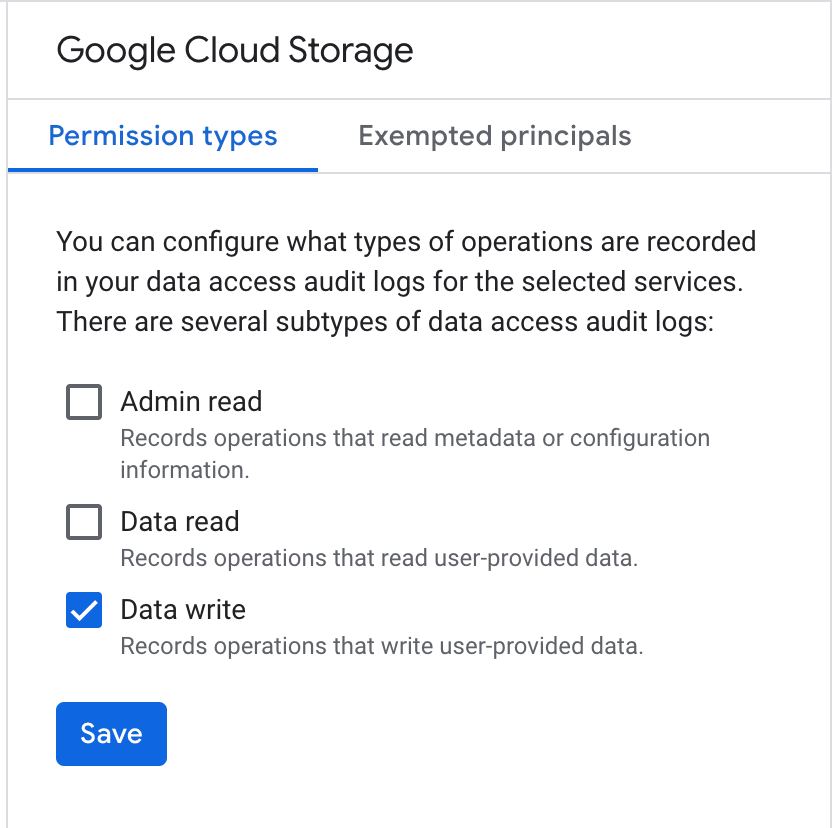
In order to send an alert whenever a file is written to a GCS bucket, we first need to create enable Audit logs for Cloud Storage. We can do this by following these steps:
- Go to IAM & Admin > Audit Logs.
- Search for Google Cloud Storage.
- In the right-hand panel, check the Data Write box and click Save.
Setup Notification Channel
Next, we need to setup the notification channel. Google Cloud offers configurations for various notification channels, including Email, Slack, WebHooks, SMS, Pub/Sub.
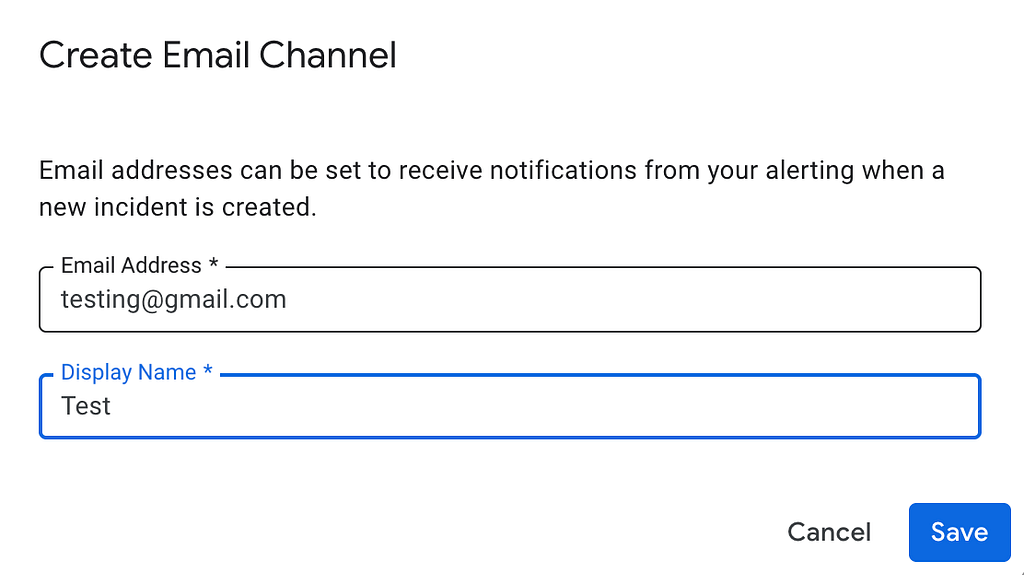
We will setup an email notification channel with the following steps.
- Go to Monitoring > Alerting.
- Click Edit Notification Channels.
- Under Email, click “Add New”
- Enter your email address, Save, and verify if prompted.
Create Alert Policy
We can setup the Alert Policy by following these steps:
- Go to Logging > Logs Explorer.
- Paste the following query in the query builder
resource.type=”gcs_bucket”
resource.labels.bucket_name=”YOUR_BUCKET_NAME”
protoPayload.methodName=”storage.objects.create”
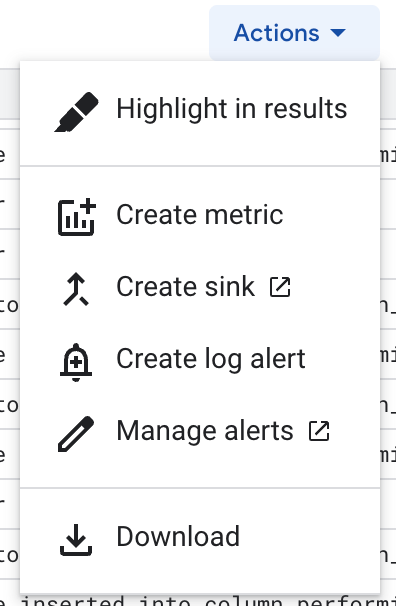
- Click on “Actions” and Select “Create Log Alert”
- Fill in the details such as Log Name and Severity.
- Set the notification frequency (5 minutes) and autoclose duration as required.
- Finally, in “Notification Channel”, Select your email ID, and Click Save.
Test the Policy
Upload any file in the Cloud Storage bucket that you mentioned in the last step. In a couple of minutes, you will recieve a log-based alert in your Inbox like the following:

Next Steps
Log-based alerting is a powerful tool in GCP’s Observability Suite. We can create logs ranging from very specific events to broad behaviour. Refer to the attached documentation for more in-depth details.
Happy Logging!
Proactive Observability: How to Setup Log-Based Alerts in your GCP Project was originally published in Google Cloud – Community on Medium, where people are continuing the conversation by highlighting and responding to this story.
Source Credit: https://medium.com/google-cloud/proactive-observability-how-to-setup-log-based-alerts-in-your-gcp-project-d2d0754ac3f9?source=rss—-e52cf94d98af—4
About the Author