Skills in Agentic AI
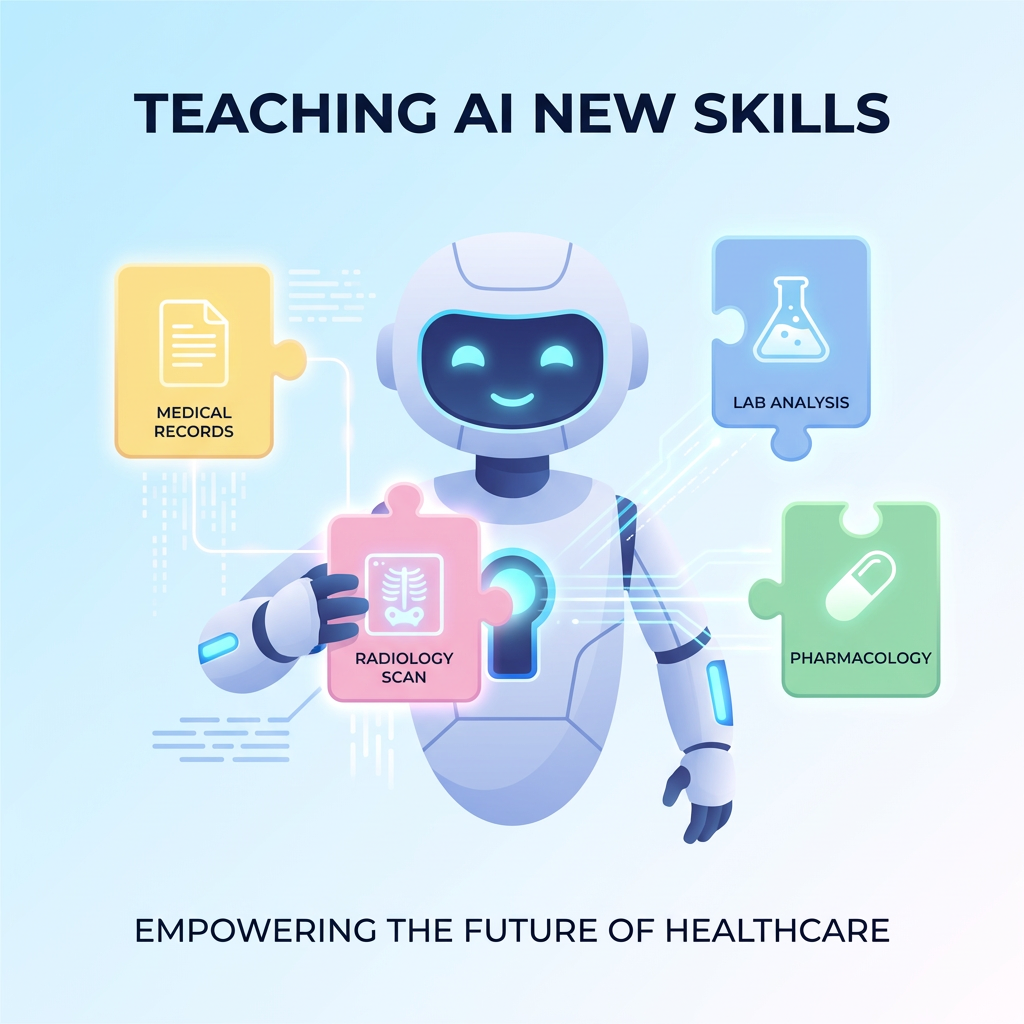
As AI agents move from demos to production, a recurring challenge emerges: how do you teach an agent specialized knowledge without bloating every interaction with instructions it does not need?
The industry standard emerging for this problem is Skills — modular instruction packages that an agent loads on demand. A skill is not a tool. It does not execute code or call an API. It is a knowledge package: a set of instructions, reference material, and templates that tells the agent how to behave for a specific type of task.
Anthropic recently published The Complete Guide to Building Skills for Claude, formalizing this pattern as an open standard. The core idea is progressive disclosure:
- First level (metadata): Always visible to the agent. Just the skill name and description — enough to know when to use it.
- Second level (instructions): Loaded only when the agent decides the skill is relevant to the current query.
- Third level (references and assets): Additional files the agent fetches only as needed — glossaries, templates, documentation.
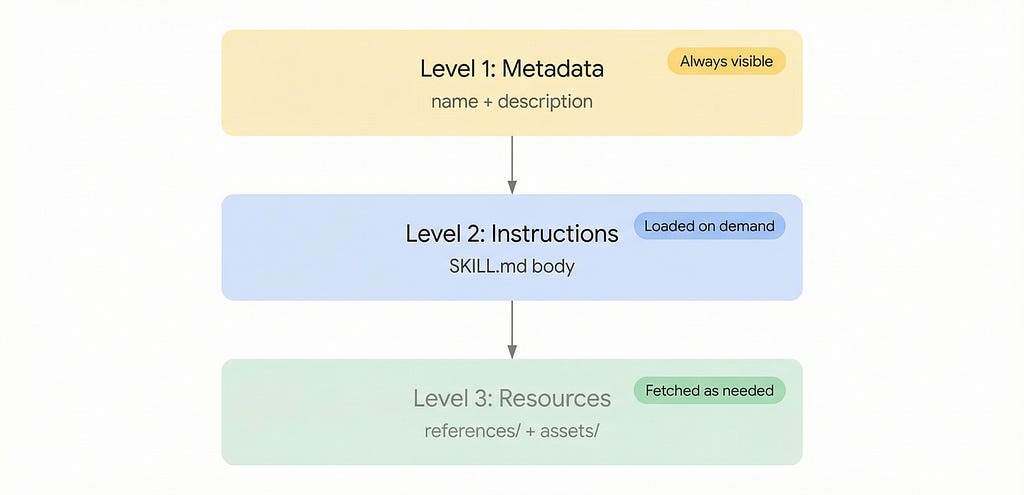
This three-level system minimizes token usage while maintaining deep specialization. The agent sees the full catalog of what it could do, but only pays the context cost for what it actually does in a given conversation.
The pattern applies regardless of the underlying framework. Anthropic has standardized it for Claude. And now, Google’s Agent Development Kit (ADK) has adopted the same concept through SkillToolset.
Skills in Google ADK
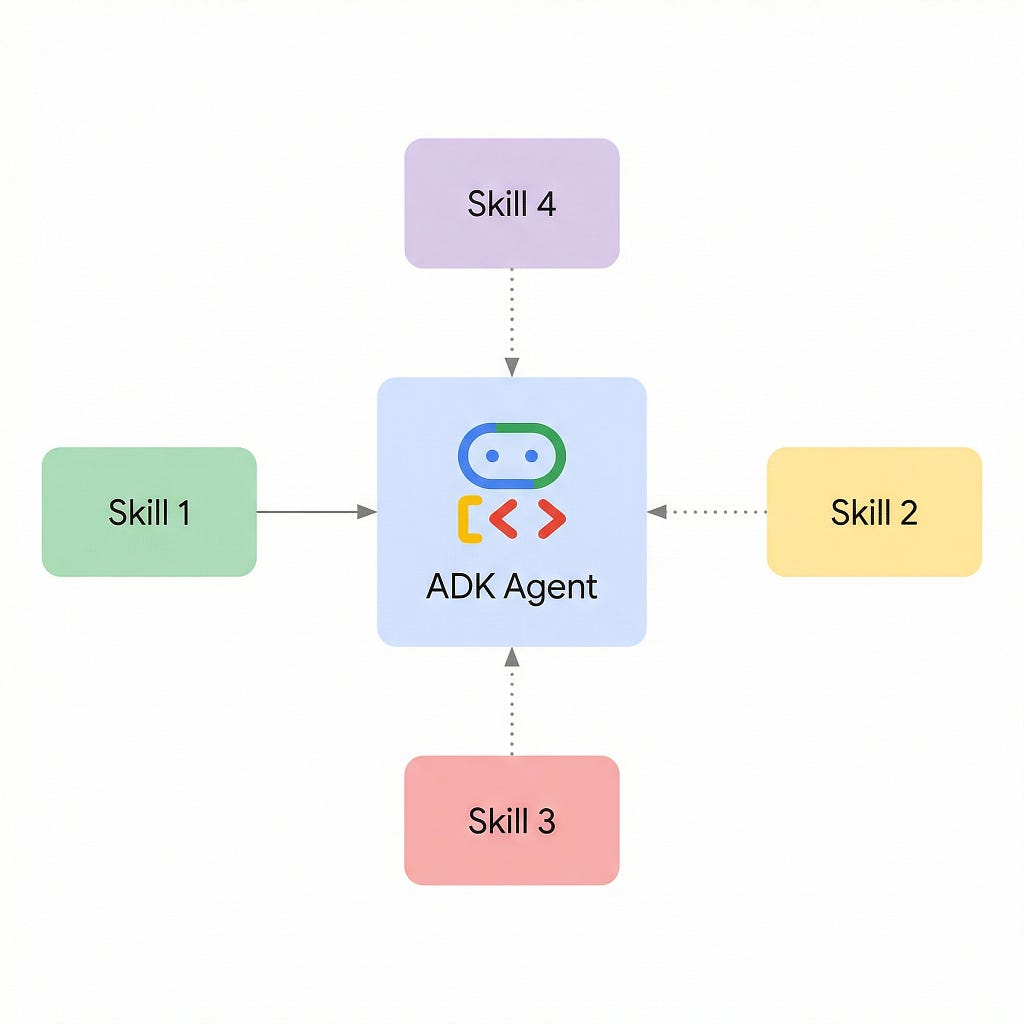
ADK implements Skills through the SkillToolset class. You package instructions, references, and assets into a directory, and the toolset handles the progressive disclosure at runtime.
Every skill directory follows this structure:
my_skill/
├── SKILL.md          # Required: YAML frontmatter + markdown instructions
├── references/       # Optional: glossaries, documentation, examples
└── assets/           # Optional: output templates, structured data
The SKILL.md file starts with YAML frontmatter (name, description) followed by markdown instructions:
---
name: medical_simplifier
description: Translates medical terminology into patient-friendly language.
metadata:
  domain: healthcare
  version: "1.0"
---

# Medical Terminology Simplifier

Follow these steps for every user query:

### Step 1: Load the Abbreviation Glossary
Use `load_skill_resource` to retrieve `references/medical_abbreviations.md`.

### Step 2: Load the Output Template
Use `load_skill_resource` to retrieve `assets/summary_template.md`.

### Step 3: Identify and Simplify Medical Jargon
Rewrite the text at a 6th-8th grade reading level...
How it works at runtime
When you attach a SkillToolset to an agent, the toolset injects a lightweight XML index of skill names and descriptions into the system prompt. The agent then has access to two tools:
- load_skill(name) — fetches the full instructions from SKILL.md
- load_skill_resource(skill_name, path) — fetches a specific file from references/ or assets/
The LLM decides which skill to load based on the user's input. No routing code required. This maps directly to the progressive disclosure model — metadata is always present, instructions load on demand, and references load only when the instructions call for them.
A Simple Example: Single-Skill Agent
Here is a minimal agent that uses SkillToolset with one skill — a medical terminology simplifier:
from pathlib import Path
from google.adk import Agent
from google.adk.skills import models
from google.adk.tools import skill_toolset

# Resolve skill directory
skill_dir = Path(__file__).parent / "skills" / "medical_simplifier"
refs_dir = skill_dir / "references"
assets_dir = skill_dir / "assets"

# Read SKILL.md and extract instructions (body after frontmatter)
skill_md = (skill_dir / "SKILL.md").read_text(encoding="utf-8")
parts = skill_md.split("---", 2)
instructions = parts[2].strip()

# Read resource files from disk
references = {
    f.name: f.read_text(encoding="utf-8")
    for f in refs_dir.iterdir() if f.is_file()
}
assets = {
    f.name: f.read_text(encoding="utf-8")
    for f in assets_dir.iterdir() if f.is_file()
}

# Construct the Skill model
medical_skill = models.Skill(
    frontmatter=models.Frontmatter(
        name="medical_simplifier",
        description=(
            "Translates complex medical terminology into "
            "patient-friendly language."
        ),
        metadata={"domain": "healthcare", "version": "1.0"},
    ),
    instructions=instructions,
    resources=models.Resources(
        references=references, assets=assets
    ),
)
# Create the SkillToolset and attach to the agent
medical_skill_toolset = skill_toolset.SkillToolset(
    skills=[medical_skill]
)
root_agent = Agent(
    name="medical_simplifier_agent",
    model="gemini-2.5-flash",
    instruction=(
        "You are a helpful medical language assistant. "
        "Use the medical_simplifier skill to process requests."
    ),
    tools=[medical_skill_toolset],
)
This setup functions correctly: if you send the agent a clinical note, it successfully loads the skill, fetches the abbreviation glossary, applies the output template, and returns a patient-friendly summary.
But there is a problem with this design.
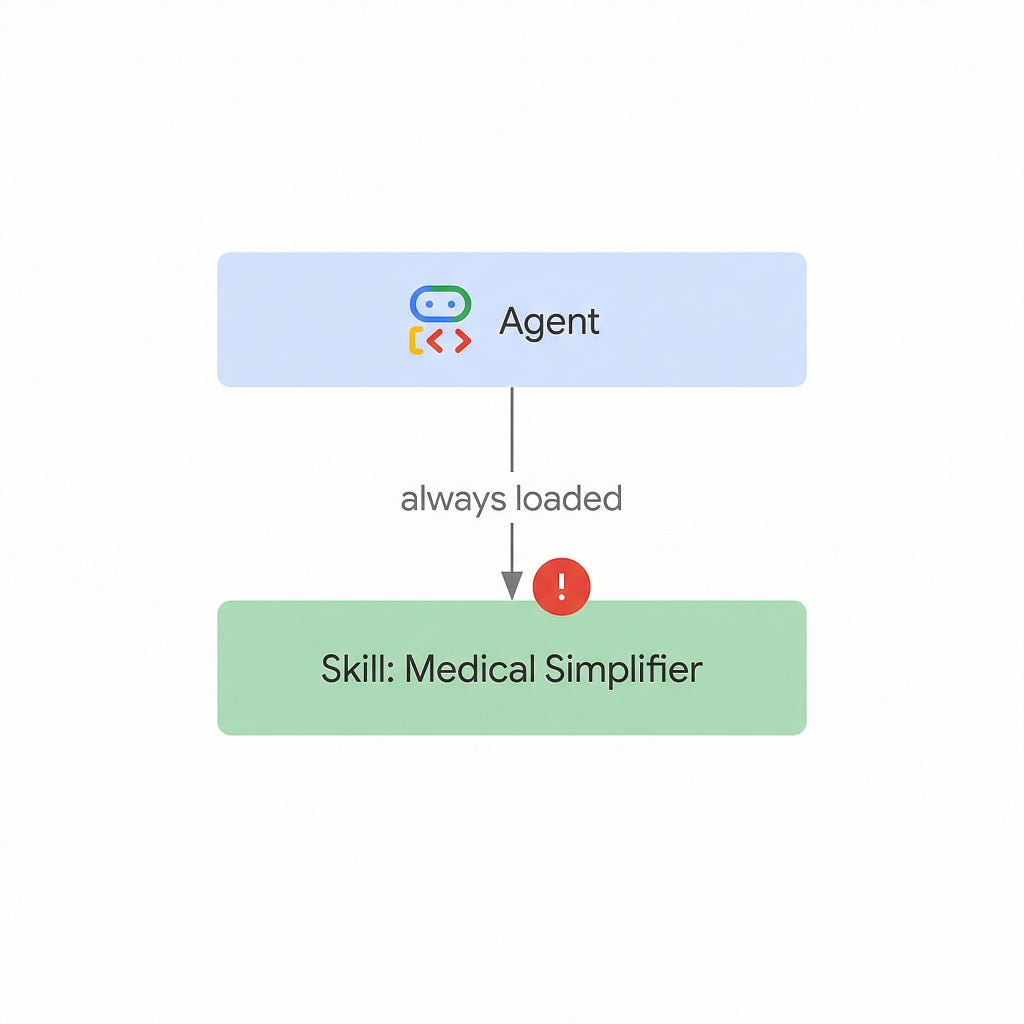
The Problem with This Approach
This agent has one skill and one job. Every user query is a medical text that needs simplifying. Every conversation triggers load_skill("medical_simplifier"). The skill is loaded 100% of the time.
That means the “on-demand” loading mechanism adds overhead without providing any benefit:
- Extra tokens: The skill index XML and the load_skill / load_skill_resource tool declarations are injected into every call — on top of the instructions themselves.
- Extra latency: The agent makes at least one additional LLM round-trip to call load_skill before it can start processing. If it also loads references and assets, that is two or three extra round-trips.
- No selective loading: There is nothing to select from. The agent always loads the same skill.
For a single-skill agent, you are strictly better off inlining the instructions directly in the agent’s instruction parameter. No overhead, no extra round-trips, same result.
So when do skills actually help?
The Right Way: Multi-Skill Architecture
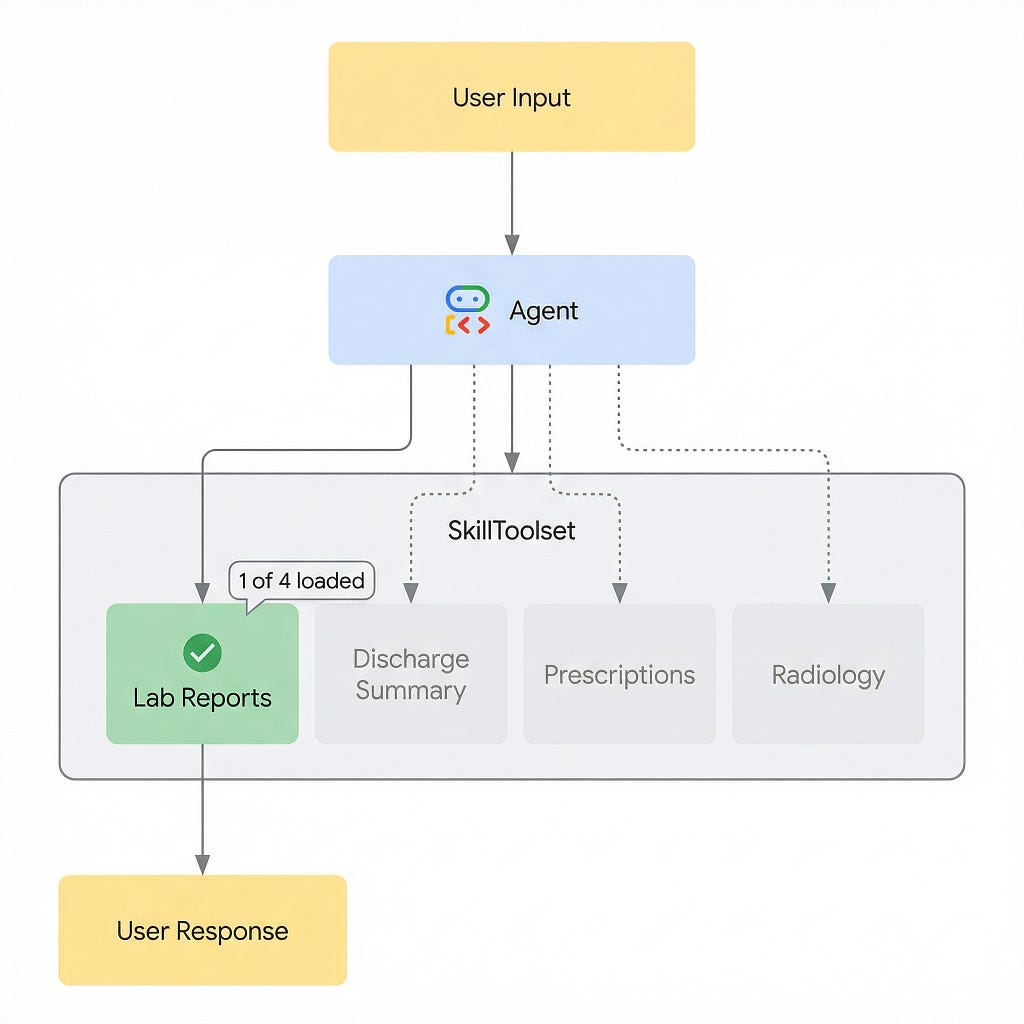
Skills deliver value when an agent is a generalist that goes deep on demand — multiple specialized capabilities, but only one activated per query.
Consider a Medical Document Assistant that handles four types of documents. Each type requires different instructions, different reference material, and a different output template:
medical_document_assistant/
├── agent.py
└── skills/
    ├── lab_report_interpreter/
    │   ├── SKILL.md
    │   ├── references/
    │   │   └── reference_ranges.md
    │   └── assets/
    │       └── lab_report_template.md
    ├── discharge_summary_simplifier/
    │   ├── SKILL.md
    │   ├── references/
    │   │   └── common_procedures.md
    │   └── assets/
    │       └── discharge_template.md
    ├── prescription_explainer/
    │   ├── SKILL.md
    │   ├── references/
    │   │   └── common_medications.md
    │   └── assets/
    │       └── prescription_template.md
    └── radiology_report_reader/
        ├── SKILL.md
        ├── references/
        │   └── imaging_terminology.md
        └── assets/
            └── radiology_template.md
Each skill is a self-contained directory.
- lab_report_interpreter — includes lab reference ranges
- discharge_summary_simplifier — includes a hospital procedures glossary
- prescription_explainer — includes a drug interaction glossary
- radiology_report_reader — includes an imaging terminology reference
- Each skill is self-contained. None share resources.
The agent code
The agent loads all four skills and wraps them in a single SkillToolset. A helper function avoids repeating the loading pattern:
from pathlib import Path
from google.adk import Agent
from google.adk.skills import models
from google.adk.tools import skill_toolset


def _load_skill(skill_dir, name, description, metadata):
    """Read SKILL.md, references/, and assets/ from disk."""
    skill_md = (skill_dir / "SKILL.md").read_text(encoding="utf-8")
    parts = skill_md.split("---", 2)
    instructions = parts[2].strip()

    references = {
        f.name: f.read_text(encoding="utf-8")
        for f in (skill_dir / "references").iterdir()
        if f.is_file()
    }
    assets = {
        f.name: f.read_text(encoding="utf-8")
        for f in (skill_dir / "assets").iterdir()
        if f.is_file()
    }

    return models.Skill(
        frontmatter=models.Frontmatter(
            name=name,
            description=description,
            metadata=metadata,
        ),
        instructions=instructions,
        resources=models.Resources(
            references=references, assets=assets
        ),
    )
With the helper in place, loading four skills is straightforward:
skills_dir = Path(__file__).parent / "skills"

lab_report_skill = _load_skill(
    skills_dir / "lab_report_interpreter",
    name="lab_report_interpreter",
    description="Interprets lab results (CBC, BMP, lipid panels) "
                "against normal reference ranges.",
    metadata={"domain": "healthcare",
              "document_type": "lab_report"},
)

discharge_skill = _load_skill(
    skills_dir / "discharge_summary_simplifier",
    name="discharge_summary_simplifier",
    description="Simplifies hospital discharge summaries into "
                "plain language.",
    metadata={"domain": "healthcare",
              "document_type": "discharge_summary"},
)

prescription_skill = _load_skill(
    skills_dir / "prescription_explainer",
    name="prescription_explainer",
    description="Explains prescriptions — what each medicine does, "
                "dosing, side effects, and warnings.",
    metadata={"domain": "healthcare",
              "document_type": "prescription"},
)

radiology_skill = _load_skill(
    skills_dir / "radiology_report_reader",
    name="radiology_report_reader",
    description="Simplifies radiology reports (X-ray, CT, MRI) "
                "into plain language.",
    metadata={"domain": "healthcare",
              "document_type": "radiology_report"},
)
Wrap them in a single toolset and attach to the agent:
medical_skills = skill_toolset.SkillToolset(
    skills=[lab_report_skill, discharge_skill,
            prescription_skill, radiology_skill]
)

root_agent = Agent(
    name="medical_document_assistant",
    model="gemini-2.5-flash",
    instruction=(
        "You are a medical document assistant. Identify the "
        "type of document and use the appropriate skill. "
        "You do NOT provide medical advice."
    ),
    tools=[medical_skills],
)
Notice the agent's instruction is minimal — four sentences. All domain-specific logic lives in the skills, not the agent prompt.
What happens at runtime
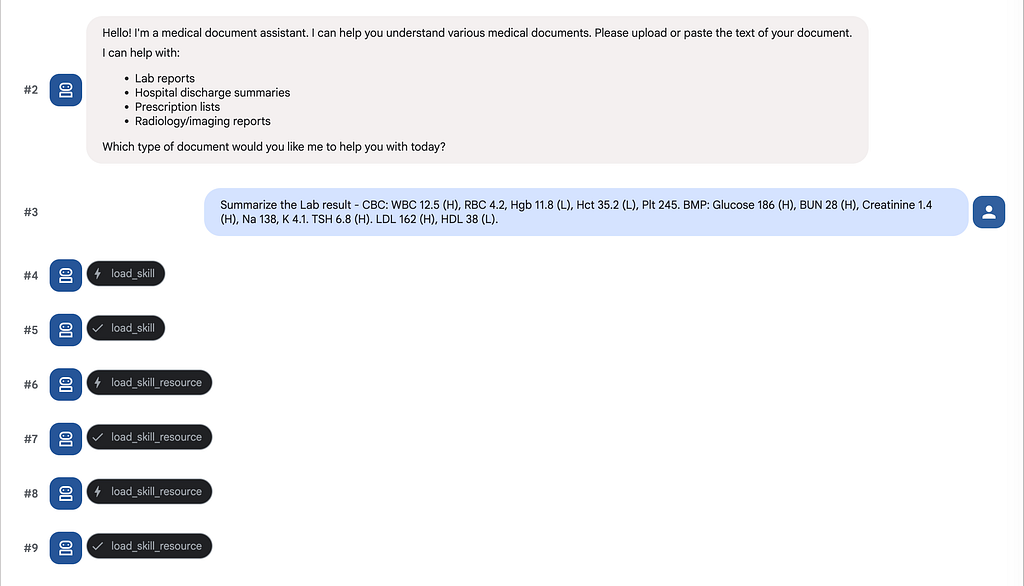
When a user pastes a lab report, the LLM reads the index, recognizes the input matches lab_report_interpreter, and calls load_skill(name="lab_report_interpreter"). It then follows the skill's instructions to load reference ranges and the output template. The other three skills — discharge, prescription, radiology — are never loaded. Their instructions, glossaries, and templates consume zero tokens.
Here is the actual runtime trace in ADK’s dev UI — you can see the agent calling load_skill followed by multiple load_skill_resource calls to fetch the references and template:
The agent produces a structured, patient-friendly lab report — values compared against reference ranges, flagged as High/Low/Normal, with plain-language explanations for each result:

Why This Works
Token savings: Without skills, all instruction sets sit in the system prompt on every call. With skills, only required skill(s) load. That is a significant token reduction per call, compounding over multi-turn conversations.
Modularity: Each skill is a self-contained directory. Move lab_report_interpreter/ to another project, hand it to another team, or version it independently — no coupling to the agent code.
Independent updates: A pharmacist updates common medications reference without touching the radiology glossary. A lab technician adds reference ranges without involving the radiology team. Skills are maintained independently because they are packaged independently.
LLM-driven routing: No if/else routing code. The LLM reads the skill index and picks the right skill based on user input — the same pattern that makes tools work in agents.
When to Use Skills — and When Not To
Use SkillToolset when:
- Your agent has multiple behavioral modes and only one is needed per query. This is the primary use case.
- Skill instructions or references are large and would bloat the system prompt if always present.
- Skills need to be reused across agents — each skill directory is self-contained and portable.
- Different skills are maintained by different people and update on different cadences.
Skip SkillToolset when:
- Your agent has a single skill that is always activated. Inline the instructions directly.
- You are on a latency-critical path. Each load_skill call adds an extra LLM round-trip.
The decision is straightforward:
If your agent is a specialist that always does the same thing, inline the instructions. If your agent is a generalist that needs to go deep on one of many domains per query, use skills.
Summary
Skills are an emerging pattern in the AI agent ecosystem — a way to package specialized knowledge as modular, on-demand instruction sets. Anthropic has standardized the concept as an open standard for Claude. Google ADK has adopted the same idea through SkillToolset, bringing progressive disclosure to ADK agents.
The key insight is that skills are not useful for single-purpose agents. They are useful when an agent has many capabilities but only activates one or two per conversation. The more skills an agent has, and the fewer it needs per query, the greater the savings.
References
- ADK GitHub repository
Skills in ADK: On-Demand Instructions for your Agents was originally published in Google Cloud – Community on Medium, where people are continuing the conversation by highlighting and responding to this story.
Source Credit: https://medium.com/google-cloud/introducing-skills-in-adk-teach-your-agent-new-tricks-one-skill-at-a-time-be319f9b1917?source=rss—-e52cf94d98af—4
About the Author