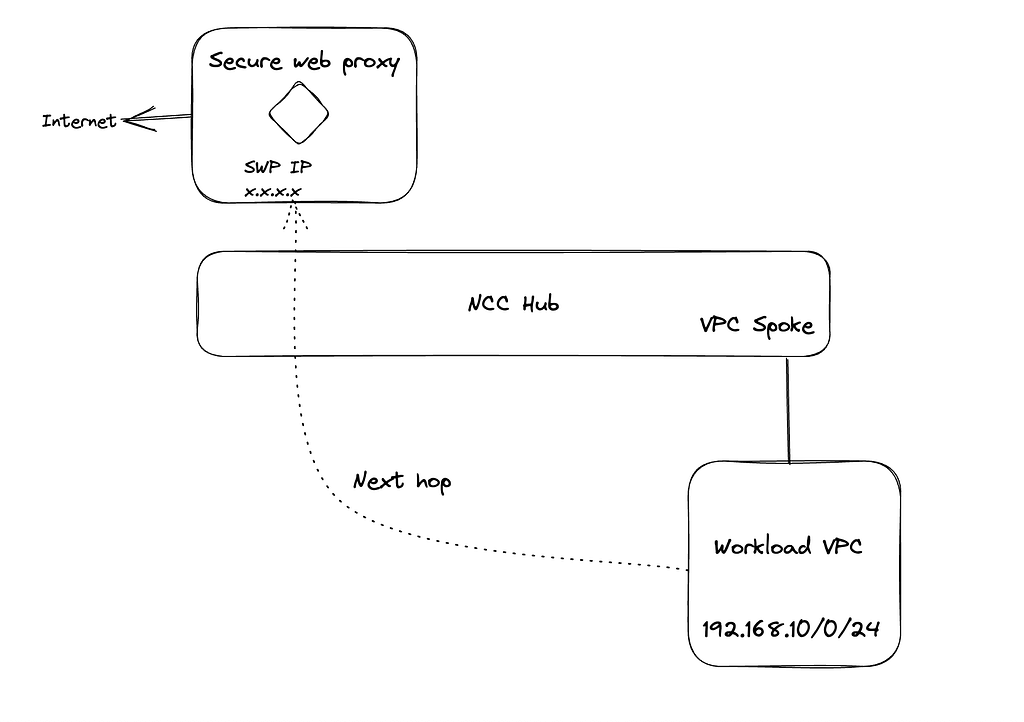
Background: Unlike subnet routes and dynamic routes, NCC hubs don’t exchange static routes. Instead, a hub provides additional configuration flexibility for static routes created in each VPC spoke. If a customer wants to use SWP as the next hop to transparently route traffic from source or other workload VPC, that requires a custom route to be configured.
As can be seen in the above diagram, NCC has one spoke as workload VPC and Secure web proxy in another VPC.Means, source VPC and destination SWP are in different VPCs. Now, traffic from workload VPC needs to be routed through SWP transparently towards the Internet. To achieve this, we need to configure a custom static route with next hop as SWP
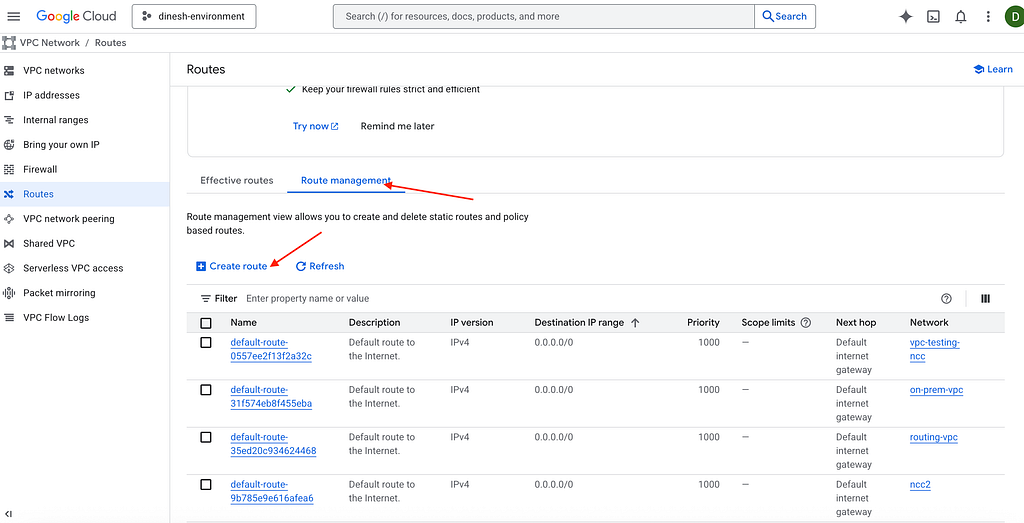
Configuring static route: Go to route in the console, click route management and then click create route as seen below,
NCC supports custom static route with next hop as forwarding rule Ip address of Internal passthrough load balancer as seen below,
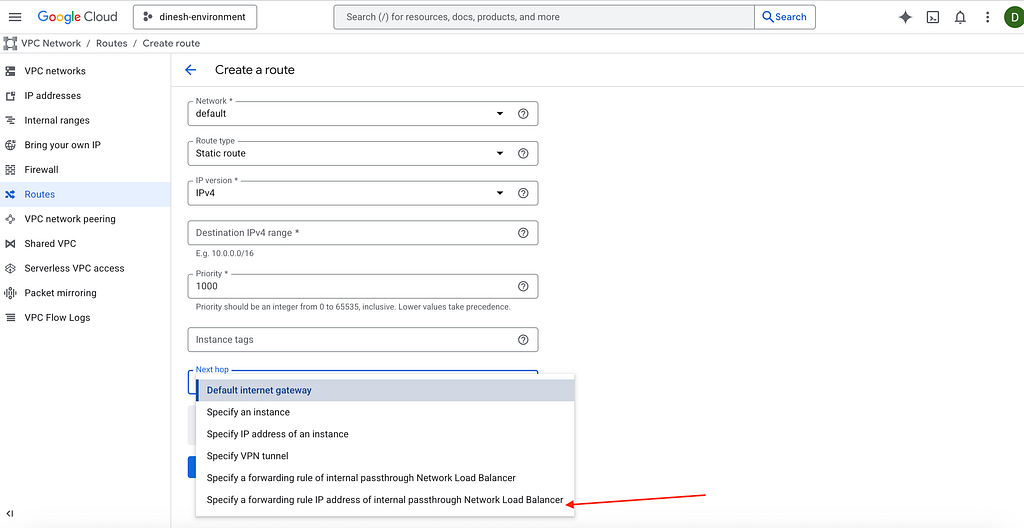
Now, to configure SWP as the next hop, simply replace the IP address of internal passthrough load balancer with the Ip address of secure web proxy. Traffic towards the Internet will use SWP as the next hop sourced from other VPCs.
Summary: By default, SecureWebProxy instances have a RoutingMode value of EXPLICIT_ROUTING_MODE, which means that you must configure your workloads to explicitly send HTTP(S) traffic to Secure Web Proxy. Instead of configuring individual clients to point to your Secure Web Proxy instance, you can set your Secure Web Proxy instance’s RoutingMode as NEXT_HOP_ROUTING_MODE, which lets you define routes that direct traffic to your Secure Web Proxy instance.
Disclaimer: This is to inform readers that the views, thoughts, and opinions expressed in the text belong solely to the author, and not necessarily to the author’s employer, organization, committee or other group or individual.
Network connectivity centre integration with secure Web Proxy was originally published in Google Cloud – Community on Medium, where people are continuing the conversation by highlighting and responding to this story.
Source Credit: https://medium.com/google-cloud/network-connectivity-centre-integration-with-secure-web-proxy-5566a727964d?source=rss—-e52cf94d98af—4
About the Author