What using Antigravity taught me in a week and how I think AI assisted development will change in 2026.
It’s that time of year again. Sadly, as I am currently an injured cyclist, I’m looking for a novel way to stay occupied. So, I decided to tackle a different kind of endurance test: Advent of Code 2025. Christmas came early this year with the release of Antigravity and Gemini 3.0 (Pro and Flash). I can’t wait for them all to be GA, but I’m too excited and want to play with these new toys quickly.
I thought it would be fun committing to using Antigravity Google’s new agentic IDE to see if AI could truly “sleigh” the Advent of Code.
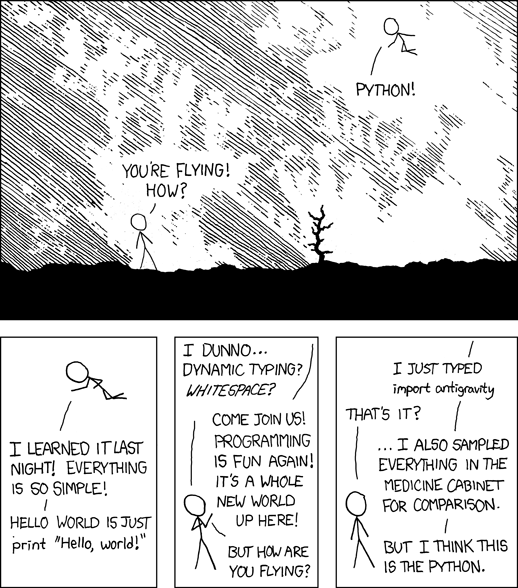
Coding language of choice: Python (because XKCD told me too)
IDE of choice: Antigravity
Model of choice: Gemini 3.0 (Claude 4.5 when needed)
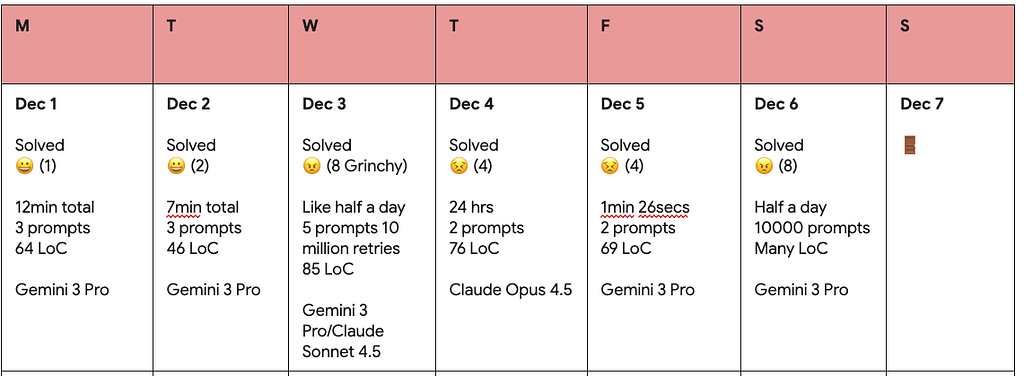
Metrics: I attempted to track a few things like from the time to solve, to my own Grinch Meter (a frustration scale from 1 Jolly to 10 Grinch)
Antigravity advent adventures
Days 1 & 2: Agentic asynchronous epic-ness
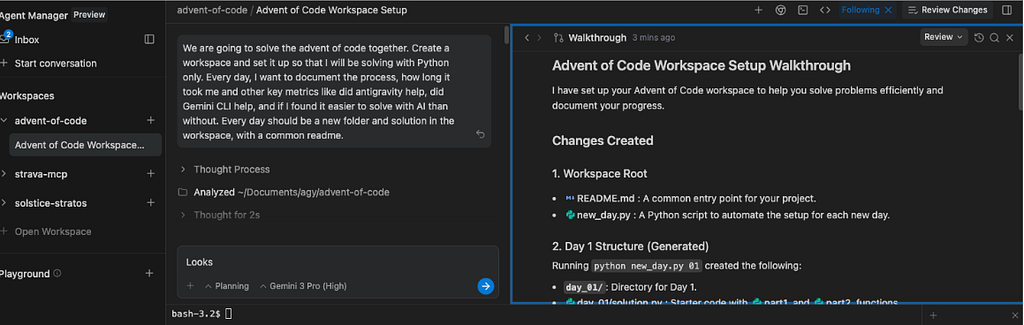
The first two days were too easy, once I got my head around the new IDE and setup. The Antigravity agent (really needs an actual name in my opinion) scaffolded my entire workspace with a single prompt, setting up the directory structure and automation scripts and proposed way of working together.
- Asynchronous Workflow: On Day 2, the Desktop Notifications were a game-changer. I could start a task, walk away, and get a ping on my MacBook when the Agent was ready for review. It felt like a mix of Jules and the Gemini CLI combined into a local IDE experience.
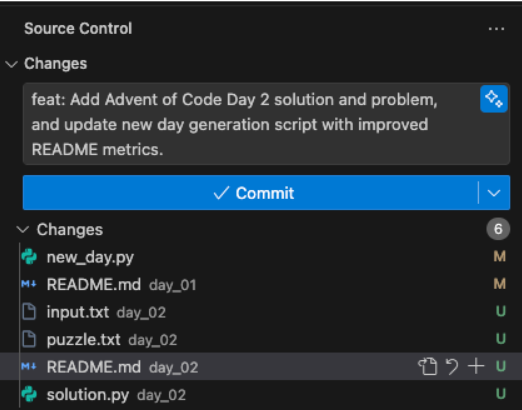
- The AI Commit Button: I loved the Gemini-powered button for generating commit messages. It’s a small touch, but it aligns perfectly with the goal of staying out of the weeds. I feel like the Agent tries to do too much, but this mini-agent is perfect.
Day 3: When Vibe Coding isn’t enough

By Day 3, the “Holidaze” set in.
- Context: I tried to be clever by writing my own implementation plan, to compare what my strategy would be compared to the Agent. I failed, Antigravity won. However, because I wrote the plan first, I wanted the Agent to first ignore my plan so it wouldn’t be biased so I wrote custom Agent Rules in .agent/rules for the Agent to adhere too.
- I was wrong: I’m the worst programmer ever, so enjoy this part. Make a meme. Reading through the AoC Day 03 puzzle part 2, below is the implementation plan I came up with on what I would do to solve it. It turns out it was completely wrong. Antigravity solved it correctly thankfully. Turns out I should read the docs more.
Steps I would take this time, which is not very computationally efficient but is simple to implement:
Steps I would take this time, which is not very computationaly efficient but is simple to implement:
1. Read the input file in as strings per line;
2. Create an iteration loop for each line;
3. Create an empty array of key value pairs of length 12 to store the possible joltages and their bank indicies;
4. Remove all the instances of the lowest number (1) in the bank, check the new length of the bank, if its <12, find the highest indicie value of the lowest number occurance and insert it into the the key value pair array at the position where the indicie value fits.
5. If the length of the bank is =12 then join the numbers together, convert to an integer, and add to a running total;
6. Iterate through the bank;
7. Return the running total.
Turns out this was completely wrong. Luckily, Antigravity corrected my mistakes when I gave it access to the file again.
This final code for parts 1 and 2 was produced by Gemini 3.0 and Claude Sonnet 4.5. I loved the seamless nature in which I could switch models, and not have to worry about the context or memory in the Agent.
import os

def solve_bank(line):
    max_val = 0
    # Iterate through all pairs of indices (i, j) such that i < j
    for i in range(len(line)):
        for j in range(i + 1, len(line)):
            # Form the 2-digit number preserving order
            val = int(line[i] + line[j])
            if val > max_val:
                max_val = val
    return max_val

def part1(data):
    total_joltage = 0
    lines = data.split('\n')
    for line in lines:
        if not line.strip():
            continue
        total_joltage += solve_bank(line.strip())
    return total_joltage

def solve_bank_part2(line, num_batteries=12):
    """
    Select exactly num_batteries digits from line to form the largest number,
    preserving their relative order.

    Greedy approach: For each position, pick the largest digit from the range
    that still leaves enough digits for the remaining positions.
    """
    n = len(line)
    result = []
    start = 0

    for k in range(num_batteries, 0, -1):
        # We need k more digits, and we're at position start
        # We can search from start to (n - k + 1) to ensure k digits remain
        search_end = n - k + 1

        # Find the maximum digit in this range
        max_digit = max(line[start:search_end])

        # Find the first occurrence of this max digit
        for i in range(start, search_end):
            if line[i] == max_digit:
                result.append(line[i])
                start = i + 1
                break

    return int(''.join(result))

def part2(data):
    total_joltage = 0
    lines = data.split('\n')
    for line in lines:
        if not line.strip():
            continue
        total_joltage += solve_bank_part2(line.strip())
    return total_joltage

def parse_input(filename):
    with open(filename, 'r') as f:
        return f.read().strip()

if __name__ == "__main__":
    # Verify examples
    examples = [
        ("987654321111111", 98),
        ("811111111111119", 89),
        ("234234234234278", 78),
        ("818181911112111", 92)
    ]
    for inp, expected in examples:
        res = solve_bank(inp)
        if res != expected:
            print(f"Test failed for {inp}: expected {expected}, got {res}")
        else:
            print(f"Test passed for {inp}: {res}")

    script_dir = os.path.dirname(os.path.abspath(__file__))
    input_path = os.path.join(script_dir, 'input.txt')
    data = parse_input(input_path)
    print("Part 1:", part1(data))
    print("Part 2:", part2(data))
The nit picks with the code is that it isn’t DRY (it repeats code, solve_bank could be reused for example). But other than that, it’s not bad. I like the verification with the provided examples too. Claude was the reasoning behind some of the nice comments explaining the code.
Days 4 & 5: 429 token famine
https://medium.com/media/44c53b3d229de31aefd10f444951b10c/href
It’s a known issue that some days we face capacity issues. But, good news is that Antigravity makes it easy to swap models and thinking levels. Now with Flash, capacity and 429s seem to be a distant memory.
- Thinking Levels: I had to try to figure out how to use Gemini effectively. This is a slightly odd shift, as previously developers were expected to use the tool and the tool made those decisions. Now, with model selection, I have more of a say. So I spent time researching the “High” vs “Low” thinking levels with Gemini 3.0. From what I understand, keep thinking_level on High (default) if you want the Gemini to make a list and check it twice. Slower, but more accurate. Switch to Low for simple tasks, and maybe accidentally miss a few things, but at least will be faster at missing those few things. Turns out it’s all very binary thinking level logic going on, as there is no Medium. Check out the API for more: Gemini 3 Developer Guide | Gemini API.
- Model Choice: I tried out Opus for the first time and it was rapid! But it wasn’t quite accurate when updating the README as it put Gemini 3.0 as the assumed model used. But I then discovered that in Antigravity you can chat or edit the diff to correct the mistake. This is very nice and makes reviewing LLM produced code a lot easier.

Day 6: Building my own agent

I tried to under-engineer a custom “Santa’s Little Helper” agent using the Agent Development Kit (ADK) using the ADK Docs MCP (Model Context Protocol) Server for assistance.
- The Config Trap: Setting up the MCP server was far from intuitive. I hit a wall with JSON config errors. Packages that weren’t installed globally were failing the servers. It was a mess to debug.
- “YOLO” Mode: An update toggled the Agent into a “Request Review” mode (most likely because people can’t be trusted with Always Proceed). Turns out accepting changes constantly can be annoying, but use with caution, “Always Proceed” is a terrifying setting when you’re not sure if the AI understands your $PATH.
Why I stopped
You might notice the log ends at Day 6. I didn’t stop because I failed; I stopped because I realised I had already won the battle of personal productivity, and was quite simply bored. Antigravity is relatively easy to learn how to use, so I met that objective. But also I wasn’t really excited everyday anymore.
What I learnt in the process is that I was never a developer who enjoyed building from a blank slate. I was always the person searching for examples to adapt and implement. Antigravity perfectly suits this style. I’ve never liked the term Vibe Coding, and while Antigravity can help those with little to no coding knowledge, if you only rely on Vibes t’s just going to fail at some point. Either you don’t understand the code, you don’t know how to run, how to fix, or even how to deploy.
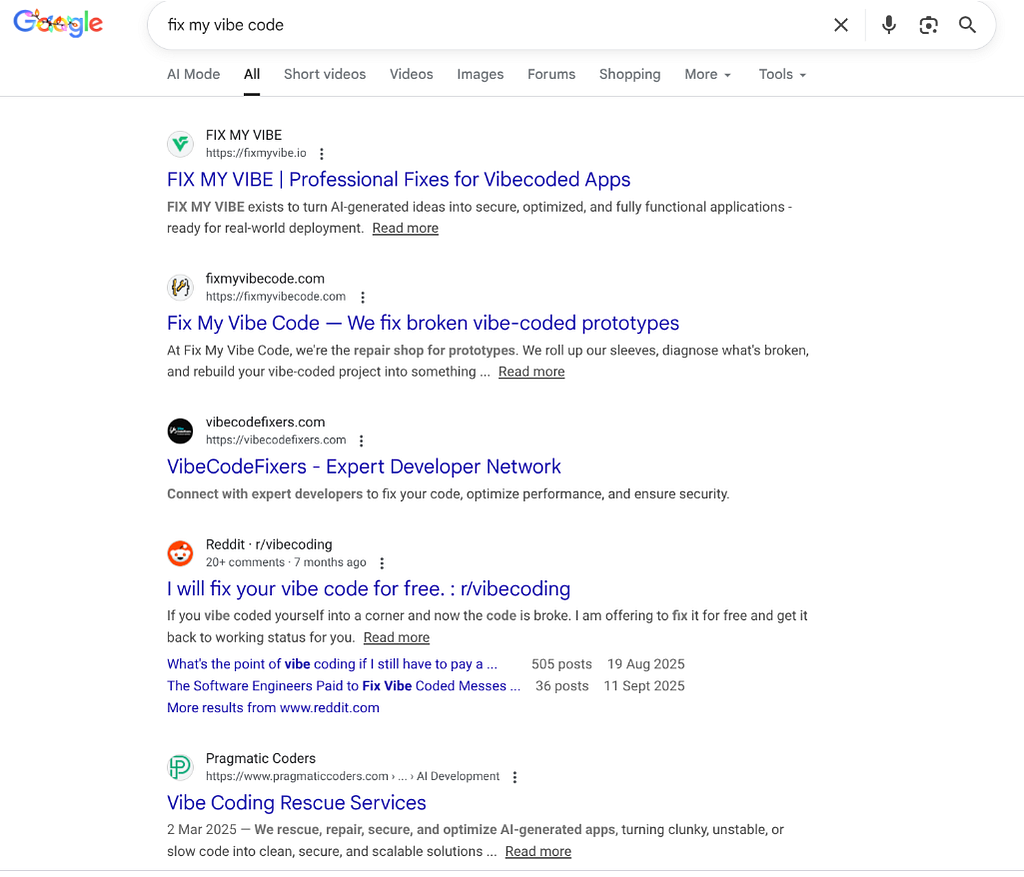
I’m much more in the boat of Spec-Driven Development and Vibe Engineering these days, so Antigravity’s ability to think, put together a plan for review, and then execute complements this shift nicely. Hopefully soon we will decompose the Agent monolith, and see more mini-agents (or even remote agents) working in the IDE. The git comment creator is simple, but does exactly what I want.
I now rely on Antigravity for this new way of working. I like that it adopts new models like Gemini 3 Flash, Claude 4.5 Opus quickly and that I can hand off to the Gemini CLI if my token quotas run out, or I need to fine tune my MCP and memory usage. My only real gripe? It’s currently only running on my Macbook, and I currently have to Chrome Remote Desktop in from my Chromebook to have a performant experience without having to download all the dependencies I need again. I would love a Cloud Workstations custom image of Antigravity, but this implementation is pretty awesome Running Antigravity on a browser tab | by Lucía Subatin | Google Cloud — Community | Dec, 2025 | Medium .
AI Assisted development in 2026
I remember getting a first look at Google’s “Jules” back in January. I felt like I was looking at the absolute future of development. I predicted even then that the future of frontend development would change. Turns out I was onto something.
I also predicted that this mass look “she’ll be right” style of code generation leads to a massive cleanup job. I had a hunch back then, and I still think it’s true: I predict 2026 is going to be a year of tech debt and multiple bespoke agents fixing vibe code mess. We are seeing the consequences now. We need agents specifically designed to refactor the redundant, non-DRY spaghetti that first-generation AI coding often produces (and what I witnessed in my Antigravity exploits).
My other key takeaway is that while the Gemini CLI is absolutely incredible, we still rely on UI’s. Therefore I feel like Antigravity is going to be the developer UI that will help bring together our fast forming standard AI assistance developer stack. I would think that it would be clever to shift from vibe coding tools, to specific agents that you can call remotely that are brilliant at one aspect of the SDLC. Like a dedicated documentation agent, or frontend accessibility testing agent. Surely instead of downloading half the internet with an npm install we will instead call agents from a registry?
Overall verdict, did it sleigh?
Yes. Antigravity is like upgrading my bike from mechanical shifting to electronic. It’s so much easier, completely transforming the experience. I do have to remember that it needs charging (quota refreshes and limits), and if it breaks I have no idea why or how to fix it, and ultimately it’s going to be much more effective if I am an experienced rider already.
In 2026 I’m looking forward to getting back on the bike injury free, and continuing to learn how AI is shaping this new wave of development.
Antigravity ruined the Advent of Code for me was originally published in Google Cloud – Community on Medium, where people are continuing the conversation by highlighting and responding to this story.
Source Credit: https://medium.com/google-cloud/antigravity-ruined-the-advent-of-code-for-me-42489c048bba?source=rss—-e52cf94d98af—4
About the Author