

Today I want to share a story about speed, efficiency, and the future of coding.
As you might know, I’m a big fan of Rails and I’m the co-organizer of the Rubycon Ruby conference. Last week we closed the Call For Paper (CFP) for the conference and we received a lot of submissions. We needed to select the best talks and organize them in a way that makes sense for the conference schedule.
Since this is the first time we’ve done this independently, we didn’t have a dedicated platform. We asked people to shoot us an email with title, abstract and other info.
Bad idea. We ended up with a massive, unmanageable spreadsheet.
Since I was “Friction Logging” my buddies Romin and Mete’s great Codelab “ Build with Antigravity” for work, I thought to myself: Python and Flask? No way! I’ll build it with Rails 8 instead!
Then I thought: will AGY (Antigravity) be able to code something this ambitious for me?
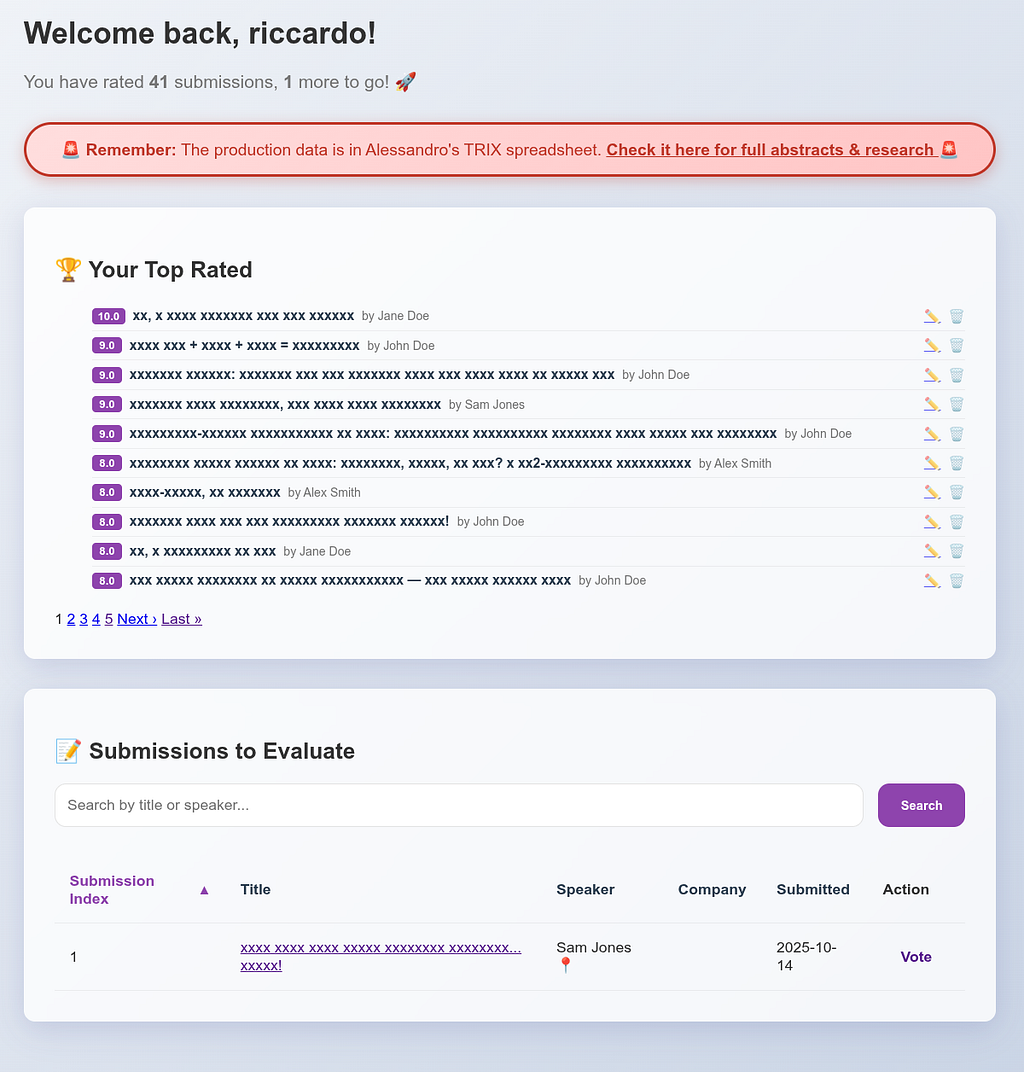
The final result
For the impatient, here’s the final result after 2 days of coding (but only 30 mins to get the MVP!):

The Prompt
Here’s my initial prompt, vaguely inspired by Antigravity’s codelabs.
I would like to generate a website for Rubycon CFP evaluation for a 1-day technical conference informational site.
We have ~50 submissions to vote. Initialize it with git and keep doing micro-commits as you proceed.
The website should have the following functionality:
– A home page that shows login/logout, and the CFPs you need to still vote.
– A login for people to log in (email, password, username).
– CFPs submissions should have the schema based on this page: https://rubycon.it/cfp
– Every person can vote (1:many) a submission. This vote would have id, user_id, cfp_submission_id, score (1..10), short notes, long notes (MD).
– The home page for a logged in user should have a Leaderboard of the TOP speakers.
– Tech Stack: Ruby and Rails framework on server side.
– Test out the site on your own for all functionality and provide a detailed README.
– Launch the web application for me to review.
This prompt took me 5–10min to write. I was pouring my heart and mind into it — a wrong word and the code would be messy!
I set out to build a CFP (Call for Papers) management application called Mecenate. The goal? To have a fully functional app to handle conference submissions, evaluations, and speaker data in record time.
- In 45 seconds, AGY came up with a Rails 8 app with git initialized and a README.md.
- Within 5 minutes, the app was up and running (no kidding!) and was ~80% done (together with a working devise login). It had a simple/pleasant interface. Only data was missing, some sample/fake CFPs were there:

The gem: Antigravity in Playground mode 💎
This is Antigravity in Playground mode:

Once you create the app in playground mode, it lands in your filesystem. actually I asked AGY to create a private repo and push it there: it just worked!

Bad news: Vibecoding and the 90% -> 100% gap
I read it everywhere and I don’t want to lie: LLMs aren’t able to get there yet. They’re great at “vibecoding” a solution based on training material, so they’ll do great for well known paths. However, they still struggle to integrate your N specific ideas without introducing inconsistencies.
Tip: Use Unit tests FTW and prompt the learnings somewhere and ensure your agents read those first.
With Rails 8 providing the robust foundation and Antigravity (Google’s advanced AI coding agent) as my pair programmer, we went from concept to a polished, feature-rich application in just about 30 minutes.
The hard part: the data
We have submissions in two forms:
- Lots of incoming emails. (Complete, but hard to parse)
- A semi-curated spreadsheet with people’s votes. (Structured, but incomplete)
My usual dilemma: Use the LLM to create deterministic code (parsing CSV), or use the LLM to look at stuff and come out creatively (reading emails)?
Workspace MCP to the rescue
My buddy Allen has created a workspace MCP to interact with GMail, Drive and other Google services! I can ask Gemini CLI to just use it and read emails for me!
$ gemini extensions install https://github.com/gemini-cli-extensions/workspace
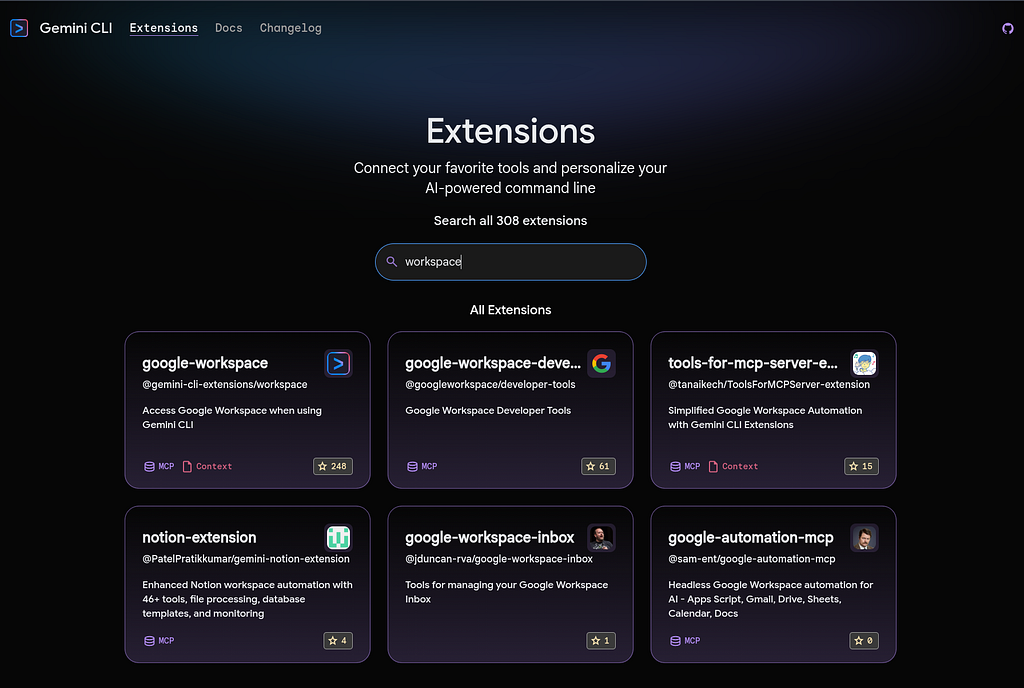
I then asked Gemini:
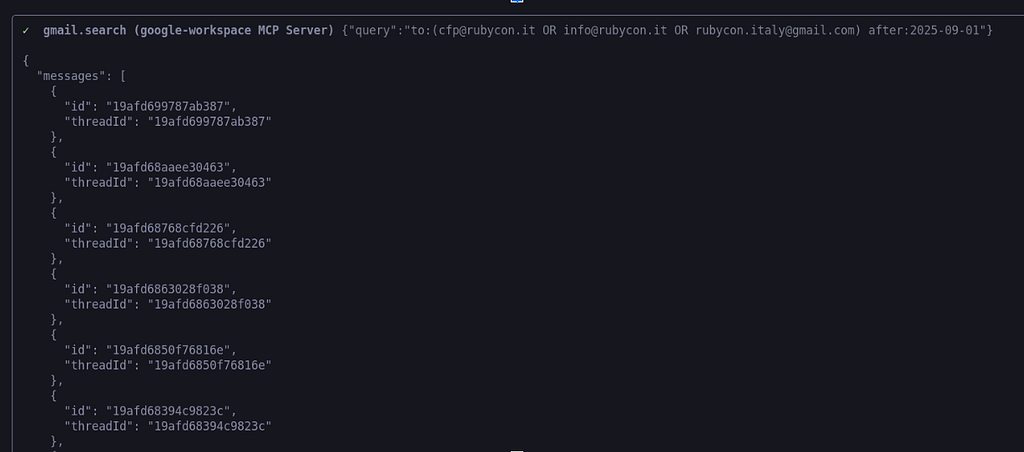
* use workspace MCP to read emails to rubycon.italy@gmail.com and
  return a list of emails which look like a CFP.
* maybe start dumping emails under a folder `emails/` and then we
  can sbobinate(*) them later
(*) Sbobinate is an italian word for “transcribing”.
Revolutionary
At the end of this step, I have a local list of all CFP emails in my file system, which I can feed to my Rails fixtures easily!
Help! Data keeps changing!
We decided to keep the Spreadsheet as the master source for votes.
Problem: I didn’t want to manually download a CSV every time.
I asked Antigravity:
Ok now Write a script to dump the Spreadsheet into a CSV. I’ll give u spreadsheet id, and i can create a service account, help me with it:
trix: https://docs.google.com/spreadsheets/d/XXXXXX/edit
tabs: Applicants 2025
and now teach me how to do it. How do i create a SvcAcct and maybe give me a bash script to do it!
Wow! Antigravity did two things:
- Created the Infra-as-Code on GCP (Enable APIs, Create Service Account). Also downloaded the key locally under private/`!
- Coached me into filling the gap (sharing the sheet with the service account).
After following the instructions, the script was ready.
All I had to do was this! Not bad!
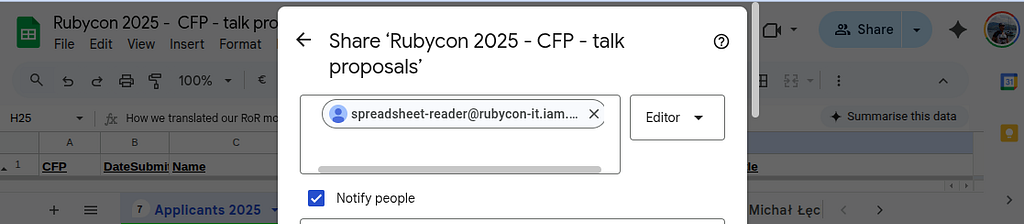
.. and bingo! After 30 seconds, the code was there, and the script had the ability to see the spreadsheet, hence dump the CSV onto my fixtures folder!
$ just dump-spreadsheet
📦 Dumping Google Spreadsheet...
SPREADSHEET_ID='xxxxxxxx-xxxxxxxx' bundle exec rake dump:spreadsheet
🔍 Authenticating with service account...
📂 Opening spreadsheet: xxxxxxxx-xxxxxxxx...
📄 Reading worksheet: 'Applicants 2025'...
💾 Saving to: etc/spreadsheet_dump_20260123_083838.csv
✅ Done! Saved 50 rows to etc/spreadsheet_dump_20260123_083838.csv
The clear winner: Antigravity
Antigravity isn’t just a code completor; it’s a proactive agent. Here is how it transformed the workflow:
- Data Ingestion & Structuring. It wrote a script to parse unstructured text from emails, extracting titles and abstracts, and populated the submlissions/ directory with formatted YAML files.
- Mix AI and Determinism. I love it when an LLM can help me deterministically dump 50 emails, and then non-deterministically fill in the gaps (nationality, company, GitHub username).
- Polish & quick UI. A functional app doesn’t have to look bad. We used modern CSS (and a bit of Rails magic) to make the dashboard pop.
The “Wow” Moment
The real magic happened when I realized I wasn’t just typing code; I was directing development.
When I asked to “Symlink Submissions to Sbobination,” Antigravity understood the intent: strictly coupling the data sources to prevent drift. It executed the file system operations safely and verified the links. Now both PROD and DEV environments point to the same grounded data source.
Conclusion
Building Mecenate in 30 minutes wasn’t about typing fast. It was about leveraging Rails 8 for the structure and Antigravity for the execution.
We moved from loose text files to a database-backed, aesthetically pleasing, and functionally complete application in less time than it takes to watch a sitcom episode.
- Rails 8 provided the rails.
- Antigravity provided the engine.
- I provided the destination.
This is the new standard for rapid application development.
Want to know more? Get started with this popular Antigravity Codelab.
Originally published at https://ricc.rocks on Jan 22, 2026.
How I coded a Rails 8 CFP app in 30m with Antigravity was originally published in Google Cloud – Community on Medium, where people are continuing the conversation by highlighting and responding to this story.
Source Credit: https://medium.com/google-cloud/how-i-coded-a-rails-8-cfp-app-in-30m-with-antigravity-29afcf83f8e2?source=rss—-e52cf94d98af—4
About the Author





