
The New Era of AI-Driven UI/UX
UI/UX with AI Building great applications has traditionally required a time-consuming partnership between design and development, involving significant manual effort to turn ideas into functional code. However, AI is shifting this paradigm. By acting as expert UI/UX agents, AI tools can interpret user needs, user stories, and acceptance criteria to generate visual prototypes. This ensures that design choices are not just arbitrary jumps to a visual tool, but are deeply rooted in understanding the user’s core needs, ultimately making the application more scalable and maintainable.
Stitch fundamentally collapses this cycle, replacing fragmented handoffs with a fluid, multimodal loop of UI orchestration. Leveraging advanced reasoning allows teams to move from high-level conceptualization to high-fidelity asset generation with unprecedented velocity.
What is Stitch?
Stitch is a visionary experiment from Google Labs that enables the instantaneous transformation of natural language prompts and reference images into complex, production-ready UI designs and functional frontend code.
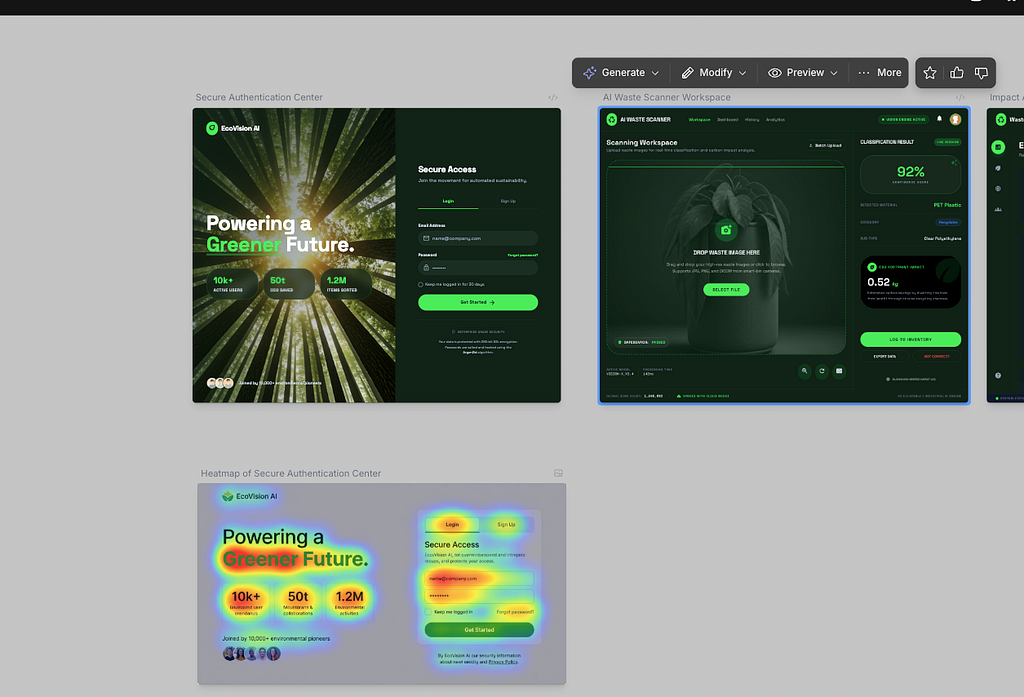
Stitch is an experimental tool from Google Labs designed to streamline the app creation process. It allows you to transform simple natural-language prompts, wireframes, and images into complex UI designs and functional frontend code in just a few minutes. Leveraging the multimodal capabilities of Gemini models, Stitch creates a fluid workflow between design and development, offering features like interactive chats, theme selectors, and rapid iteration.
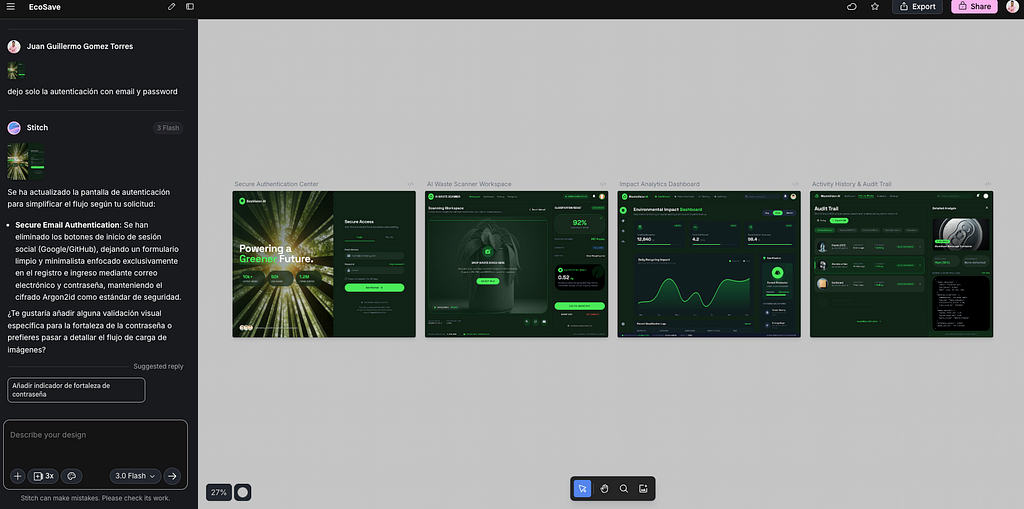
Stitch Main Components
Stitch offers a robust suite of tools to customize your design experience:
- Design Modes: Stitch features multiple specialized AI engines for different workflows.
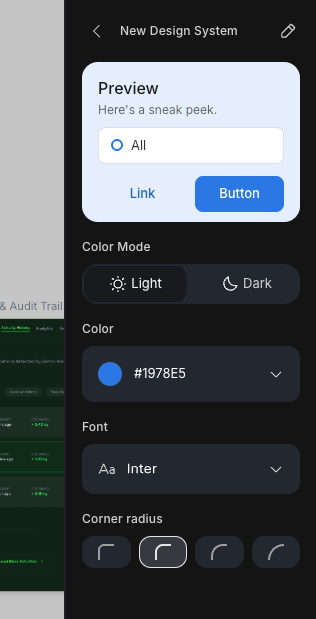
- Design Systems: Create and customize your design system to guide your designs.
- Thinking with 3 Pro: Powered by Gemini 3 Pro, this mode focuses on deep reasoning and complex logic, making it ideal for nuance-heavy dashboards.
- Redesign (Nano Banana Pro): Perfect for “Vibe Design,” allowing you to apply distinct aesthetics like Bento Grids, Glassmorphism, or Y2K to existing interfaces.
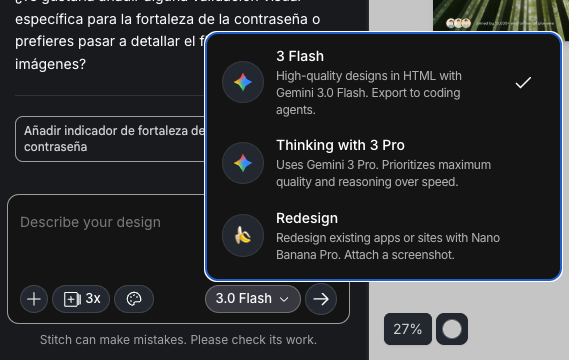
- Code: Produces exceptionally high-fidelity HTML code.

- Fast: Optimized for rapid wireframing and speed.
- Device Types: You can set your “Primary Design Surface” to App (optimized for vertical scrolling and bottom-aligned navigation) or Web (optimized for horizontal sprawl and multi-column grids).

- Variations: You can break out of linear workflows by generating up to five design options simultaneously. You can set the “Creative Range” from Refined to Creative for complete layout and theme reviews.
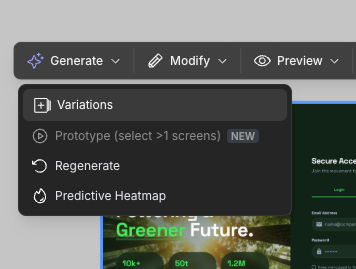
- Predictive Heatmap: By predicting where users might navigate, we can improve and iterate on the page.

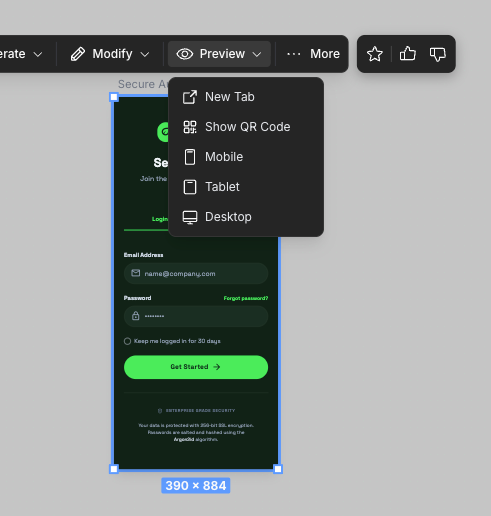
- Previews: You can see your design in multiple resolutions.
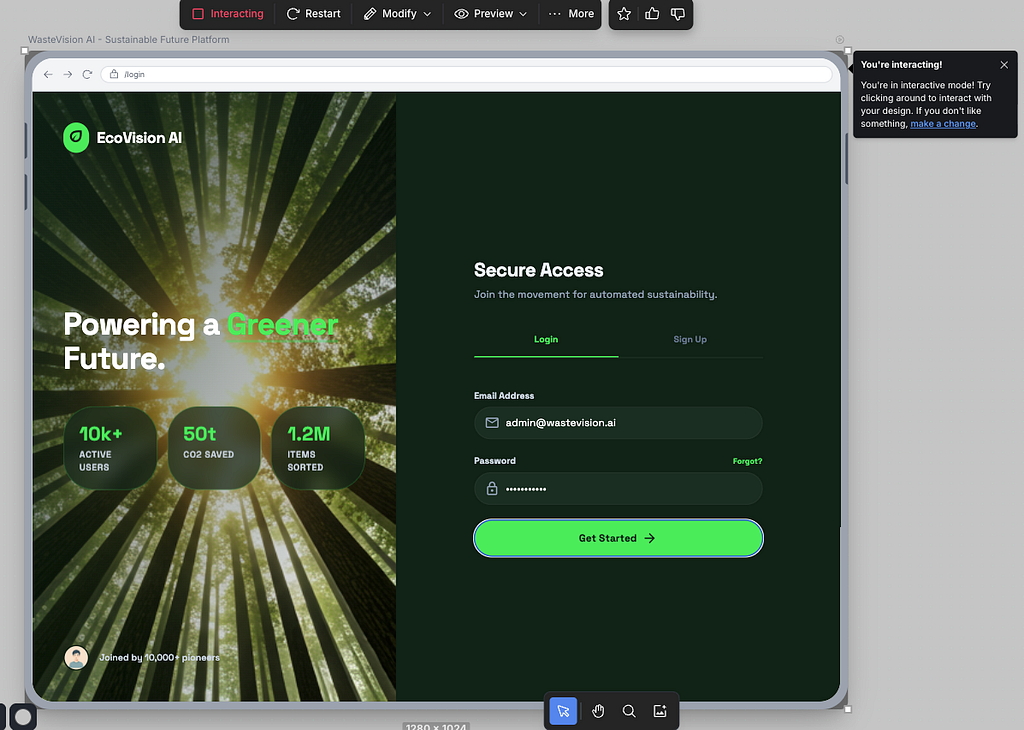
- Prototypes: Stitch can link screens to create an interactive simulator, allowing you to test hover states, scrolling, and text input behavior before development
Stitch Integrations
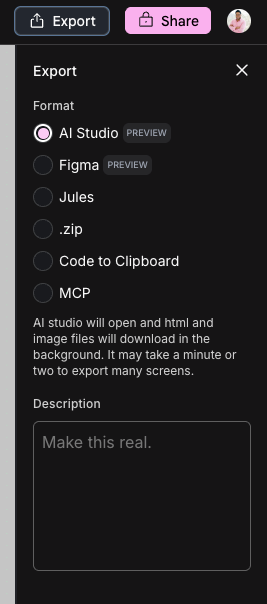
Once you have your screens and you need to edit in another tool or export for use as MCP or share with another team, Stitch offers multiple ways to export your design. let’see some:
- Figma: Designs generated in Stitch can be seamlessly pasted or exported into Figma for manual refinement, integration into existing design systems, and team collaboration.
- Developer Tools: Stitch lets you export your assets to environments such as Google AI Studio or Jules (an AI coding tool from Google), making it a powerful companion for AI-assisted coding workflows.
- MCP: Using the model context protocol, we can export our design as a tool, and this can be consumed for any IDE, LLM, or agent
Good Prompts and Practices in Stitch
To master prompting in Stitch, the key is to prioritize iteration over perfection in your initial prompt. Start with a simple formula — Idea + Theme + Content + Image — to overcome the blank page, using descriptive adjectives to establish the overall vibe and aesthetic.
Once you have a base design, the most effective practice is to make one major change at a time. Instead of writing vague requests, use specific UI/UX keywords to tell Stitch exactly which element to target and how to change it, such as “Update the pricing table to emphasize the middle card.”
Example 1: The Initial Concept (Formula: Idea + Theme + Content)
“Idea: A landing page for a running podcast named ‘The Pacing Project’.
Theme: Modern, edgy, and high contrast. Use black and white with hard angles.
Content: A hero section with the headline ‘Stories and lessons about racing and proper pacing’ and links to podcast platforms.”
Example 2: Refining with Specific Keywords
“Prompt: Update the pricing table to emphasize the middle card. Increase its container height and add a drop shadow. Reduce the scale of the sibling cards to create a clear visual hierarchy.”
Example 3: Redesigning with a Specific Vibe
“Action: Redesign this dashboard.
Style: Use a modern Bento Grid layout.
Details: Dark mode background. Use the Inter font for the headers.”
A good practice is given more context as a user story, requirements, acceptance criteria and more, hence the model has more information to cut down allucinations

Conclusions:
Ultimately, AI tools like Google’s Stitch are revolutionizing the way we bridge the gap between initial ideas and functional applications. By transforming carefully crafted user stories into interactive prototypes, Stitch eliminates the traditional, time-consuming obstacles of UI/UX design. Whether you are exploring creative variations, fine-tuning aesthetics with targeted prompts, or exporting clean HTML code to jumpstart development, this tool empowers creators to iterate rapidly and seamlessly. AI doesn’t replace the need for solid design principles; rather, it accelerates the execution, unlocking the magic of app creation for everyone and allowing you to focus on what truly matters: building scalable, user-centric experiences.
Thank you for reaching the end of this article. Remember to visit our website, devhack.co, and leave your comments on what topics you want us to delve into. See you next time! Chao chao!
Watch my video about Stitch
https://medium.com/media/9de3029d8f1ed81b50e5aa874cbcba9e/href
Visit my social networks:
- https://devhack.co/
- https://twitter.com/jggomezt
- https://www.linkedin.com/in/jggomezt/
- https://www.youtube.com/devhack
UI Automation is Here: My Experience with Google’s AI Design Tool, Stitch was originally published in Google Cloud – Community on Medium, where people are continuing the conversation by highlighting and responding to this story.
Source Credit: https://medium.com/google-cloud/ui-automation-is-here-my-experience-with-googles-ai-design-tool-stitch-7e59405ecc56?source=rss—-e52cf94d98af—4
About the Author





