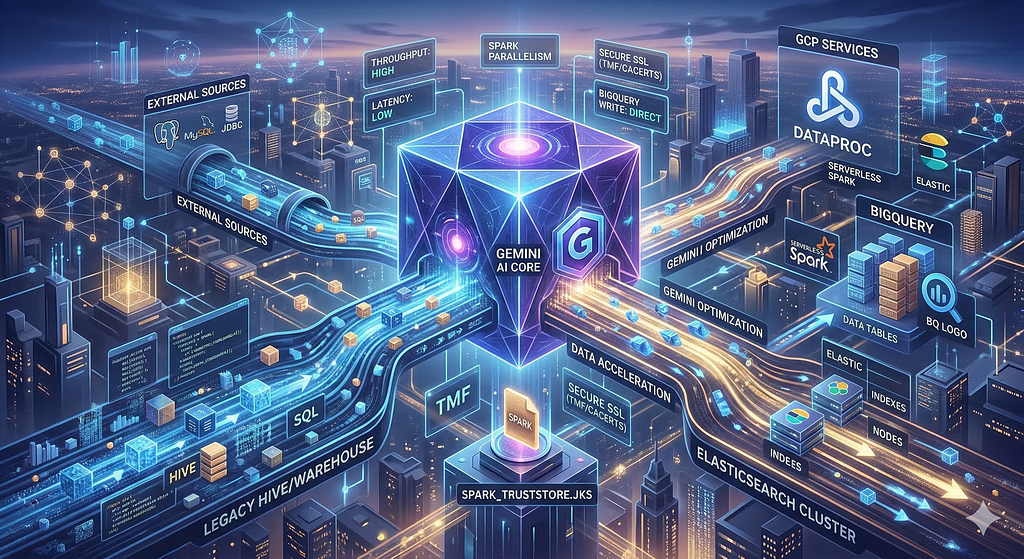
In the rapidly evolving landscape of data engineering, efficiency is everything. While Apache Spark remains the gold standard for distributed data processing, setting up complex migration pipelines can be time-consuming. You can bridge that gap by integrating Gemini into the development and deployment workflow for Dataproc and Serverless Spark.
This guide explores how data engineers can leverage Gemini to write, review, and deploy Spark applications with unprecedented speed.
Why Use Gemini for Spark?
Documentation for Spark development often lacks end-to-end examples for modern cloud workflows. By using Gemini — a conversational AI designed for code assistance — engineers can generate functional Spark code and review existing logic. Whether you are using Gemini Code Assist in your IDE, the browser-based interface, or Antigravity (an agentic development platform), the underlying model remains a powerful ally for software engineers.
Best Practices for AI-Driven Development
To get the most out of Gemini, treat it as a senior pair programmer. Follow these steps for the best results:
- Environment First: Before launching Gemini, set up your project folder, environment variables, and virtual environments just as you would for manual coding.
- Be Specific: Make prompts as specific as possible, clearly defining the language, framework, libraries, and the one desired outcome.
- Contextual Awareness: Consider using a Gemini.md file to store project guidelines and architecture, giving Gemini the context it needs to stay consistent. Use the @ symbol to reference relevant files (and modules) in your codebase.
- Plan Before You Code: Ask Gemini to develop a plan before making changes; this avoids the cost of generating code that doesn’t meet your needs.
- Safety Nets: Enable Checkpoints to allow rolling back to a previous state.
Real-World Examples
The following examples use Gemini CLI which allows you to access Gemini from your terminal.
1. Migrating Hive to BigQuery (PySpark)
Need to move a legacy Hive table to a modern BigQuery warehouse? You can use a specific prompt to generate the entire transformation script.
The prompt:
Create a PySpark script to extract and transform a hive table, adding an insertion_time column using the add_insertion_time_column function in @data_tranformer.py. Save this table to BigQuery, providing detailed instructions to run this script against a dataproc cluster. Save a summary of this session to hive_to_BQReadme.md
Gemini will produce a simple python program, a portion of which is shown below. The complete generated file is available at transform_hive_to_bigquery.py
    # Copyright 2026 Google LLC.
    # SPDX-License-Identifier: Apache-2.0
    # Read data from Hive table
    input_df = spark.table(f'{hive_database}.{hive_table}')

    # Add the insertion time column
    transformed_df = add_insertion_time_column(input_df)

    # Write the transformed data to BigQuery
    transformed_df.write \
        .format('bigquery') \
        .option('table', bq_table) \
        .option('temporaryGcsBucket', bq_temp_gcs_bucket) \
        .mode('append') \
        .save()
To deploy this to a dataproc cluster, you can use the gcloud CLI to submit the job as below:
gcloud dataproc jobs submit pyspark gs://path_to_src/transform_hive_to_bigquery.py \
--cluster=<cluster-name> --py-files=gs://path_to_src/data_transformer.py \
--properties=spark.hadoop.hive.metastore.uris=<URI> \
-- --hive_database=<database> --hive_table=<table> --bq_table=<dataset>.<table> \
--bq_temp_gcs_bucket=<temp-bucket-name>
Let us look at a more complicated example next.
2. Migrating from Postgres to MySQL using JDBC
For performance heavy production tasks, you might prefer Spark’s Java API. Gemini can handle complex requirements like credentials stored in Google Secret Manager and using batching and parallel reads/writes.
The prompt here:
Create a Spark job in Java to migrate data from a table in a Postgres database to a table in MySQL, both accessible via JDBC; The JDBC URL strings are stored in Google secret manager. The URL string includes the username and password. Read and write data in parallel based on partitioning information that is provided; While writing, write data in batches for efficiency. Use the addInsertionTimeColumn to add a column to the data before writing it to MySQL destination table. Provide instructions to run this job on serverless spark in migrateJdbcToJdbc.md Provide a summary of the session in migrationREADME.md
Gemini will build the Java application in the correct package by examining your code base. Gemini will also generate/update the pom.xml for your build. You can then submit the job to Serverless Spark:
gcloud dataproc batches submit spark --class=com.customer.app.PostgresToMySql \
--jars=<bucket-location>/postgres-to-mysql-migration-1.0-SNAPSHOT.jar \
-- <postgres-table> <mysql-table> <postgres-secret> <mysql-secret> <column> <batchsize>
Some changes needed to be made to get the application to compile and work. To review the changes, see the github repository. Most of the changes were to pom.xml due to the complexities of building Uber jars.
The Future of Spark Development
Gemini is evolving rapidly. Google introduced Antigravity, based on Gemini for agentic software development in November. Agentic software development not only develops software, it verifies its work and improves itself. While AI may occasionally produce errors today, the trajectory suggests a future where the “human-in-the-loop” focuses on high-level architecture while the AI manages the implementation details.
Ready to Accelerate Your Data Pipelines?
The era of manual boilerplate is over. By adopting Gemini today, you aren’t just writing code faster; you’re building more resilient, well-documented, and modern data architectures.
Your Next Steps:
- Install the Gemini CLI to bring AI directly into your Spark environment.
- Review develop Spark code with Gemini to see more examples of AI-generated migration logic.
- Try your first prompt: Challenge Gemini to optimize one of your existing Spark shuffle configurations.
Start building smarter. Let Gemini handle the boilerplate so you can focus on the big data.
Supercharge Your Spark Development with Gemini was originally published in Google Cloud – Community on Medium, where people are continuing the conversation by highlighting and responding to this story.
Source Credit: https://medium.com/google-cloud/supercharge-your-spark-development-with-gemini-1540f1cb47d4?source=rss—-e52cf94d98af—4
About the Author