Google Cloud Interconnects, often called hybrid connections, provide customers with a private path to connect private networks outside of Google Cloud to your private networks (VPCs) in Google Cloud. If your design meets the criteria for Dedicated Interconnect criteria (eg, 10G+ Interconnects), and you prefer Dedicated Interconnect (see the next section for one possible reason to prefer Dedicated Interconnect) to Partner Interconnect, the next question is typically where to find information and/or get quotes on last mile to reach Google Cloud Dedicated Interconnect locations. If that’s you’re interest, you’ve come to the right place.
Interconnect background
There are a few Interconnect options, eg Dedicated Interconnec and Partner Interconnect (other Interconnect options are out of scope for this document):
- Dedicated Interconnect — managed directly by Google Cloud and dedicated to the customer
- Partner Interconnect — private path over shared physical connections managed by Google Cloud partners
Google Cloud customers leverage last / middle mile connections to reach Interconnect locations. Many Interconnect locations have both Dedicated Interconnect and Partner Interconnect options, though some may have just the option for Dedicated Interconnect. At the time this blog was published, Austin and Boston are examples of metropolitan areas with Dedicated Interconnect though not Partner Interconnect options. To get the most up to date list of which locations have which options, ask Gemini (gemini.google.com) with this prompt:
You are an expert in Google Cloud Interconnect and Google Cloud Interconnect locations. Compare the locations for North American Dedicated Interconnect https://cloud.google.com/network-connectivity/docs/interconnect/concepts/choosing-colocation-facilities#north-america and North American Partner Interconnect locations https://cloud.google.com/network-connectivity/docs/interconnect/concepts/service-providers#north-america to create 3 lists of locations:
Locations that provide both Dedicated Interconnect and Partner Interconnect
Locations unique to Dedicated Interconnect
Locations unique to Partner Interconnect
Be sure to double-check the results with the links in the prompt.
The rest of this blog will show you how to leverage Cloud Pathfinder (find.cloud) to find information and get quotes for last mile options to Dedicated Interconnect locations.
Steps
- Go to find.cloud…
If already registered, login
If not already completed, follow the steps to register for an account, then login
2. Once logged in, re-enter find.cloud in your browser…
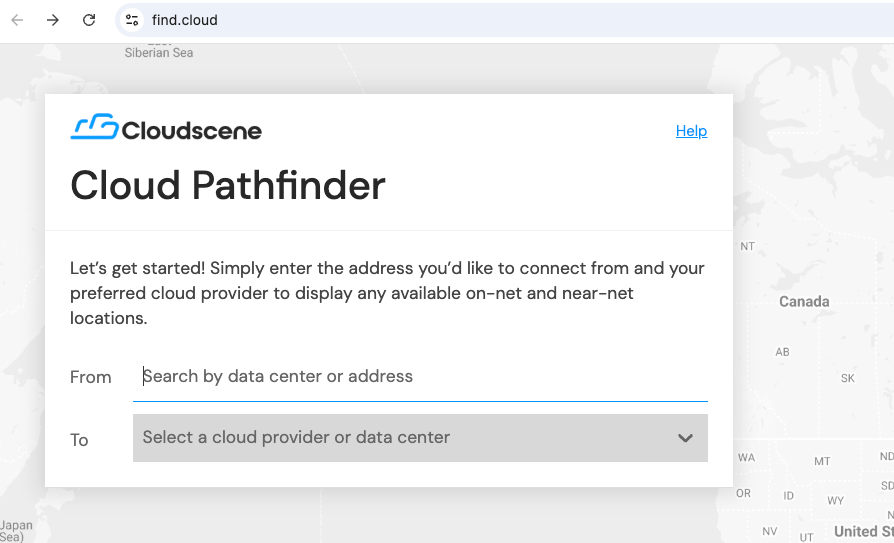
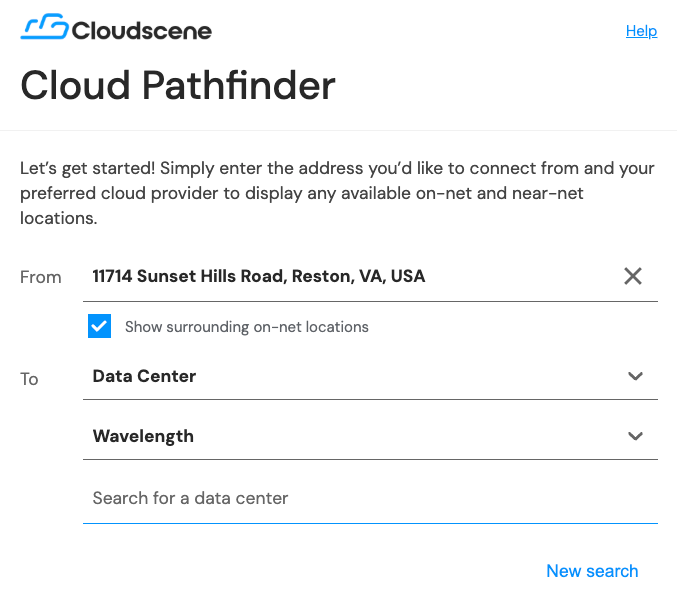
3. In the From line, enter the customer’s Data Center address and choose Data Center and Wavelength in the 2 boxes below…
4. In a new browser tab, open Dedicated Interconnect location(s) to find the closest “Metropolitan areas” and copy the corresponding “Facility”…
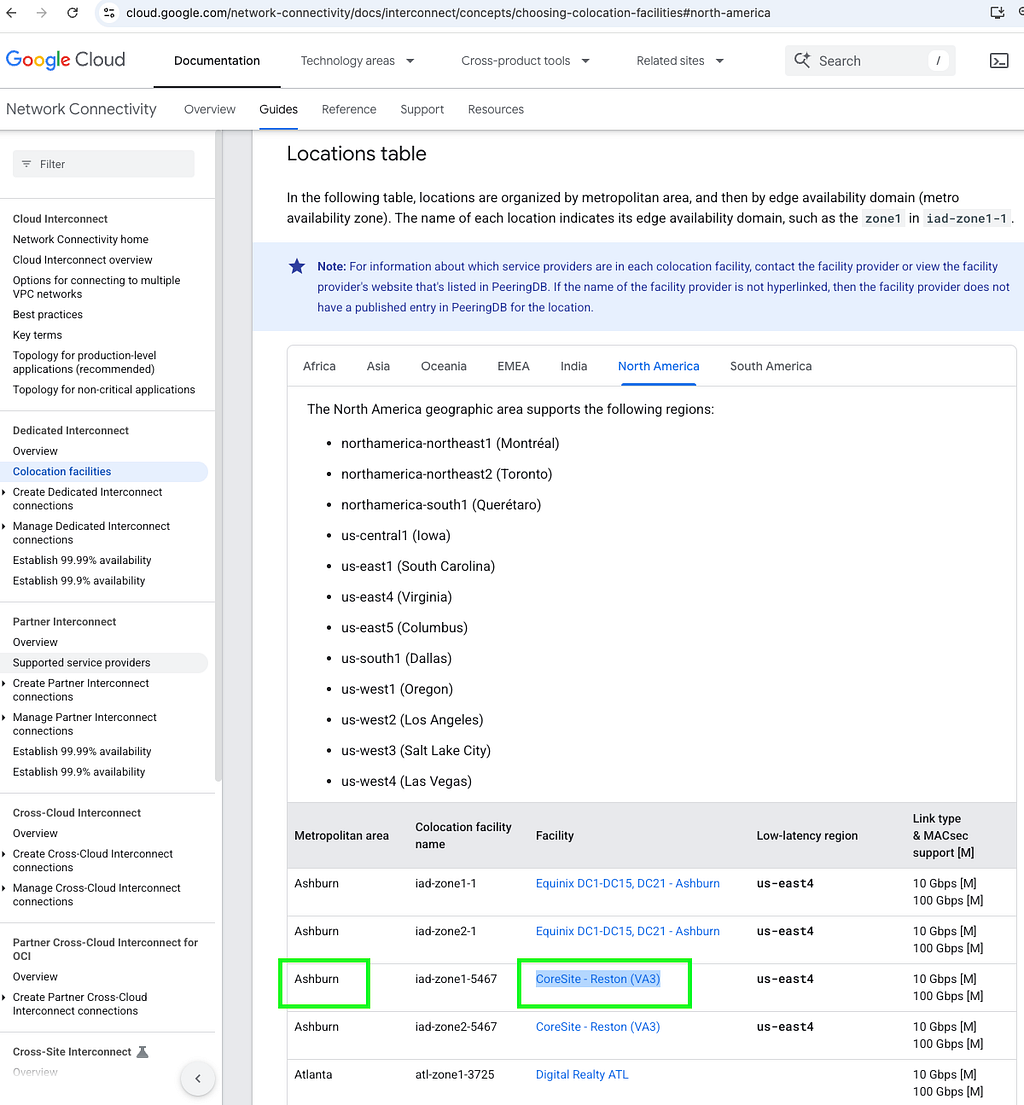
5. Go back to the browser tab for find.cloud, paste that Facility into the box labeled “Search for a data center” and choose one of the options in what appears below the box…
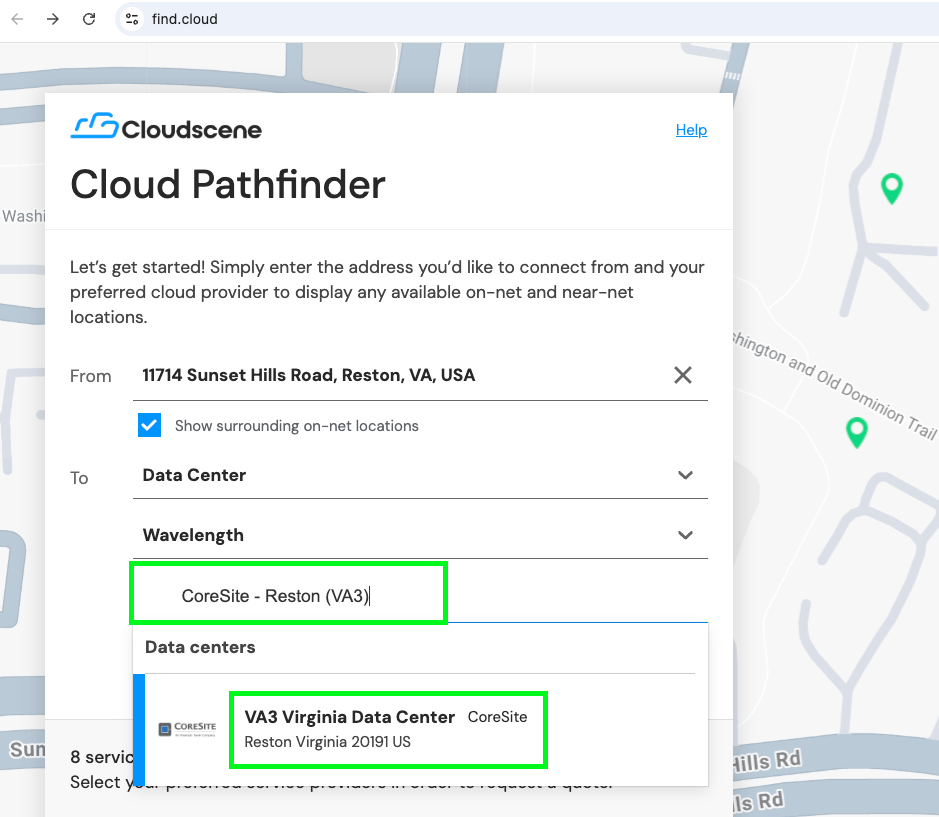
6. To get quotes, choose some or all of the options that appear below and press Next…

7. Review the details and change as needed…
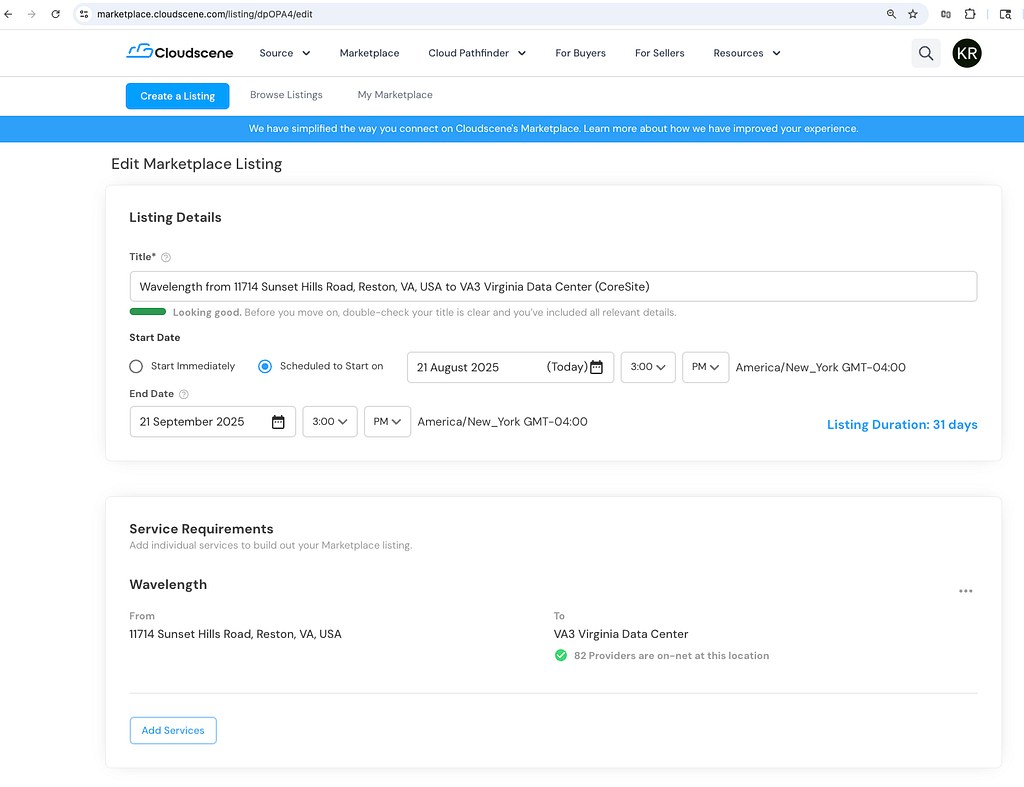
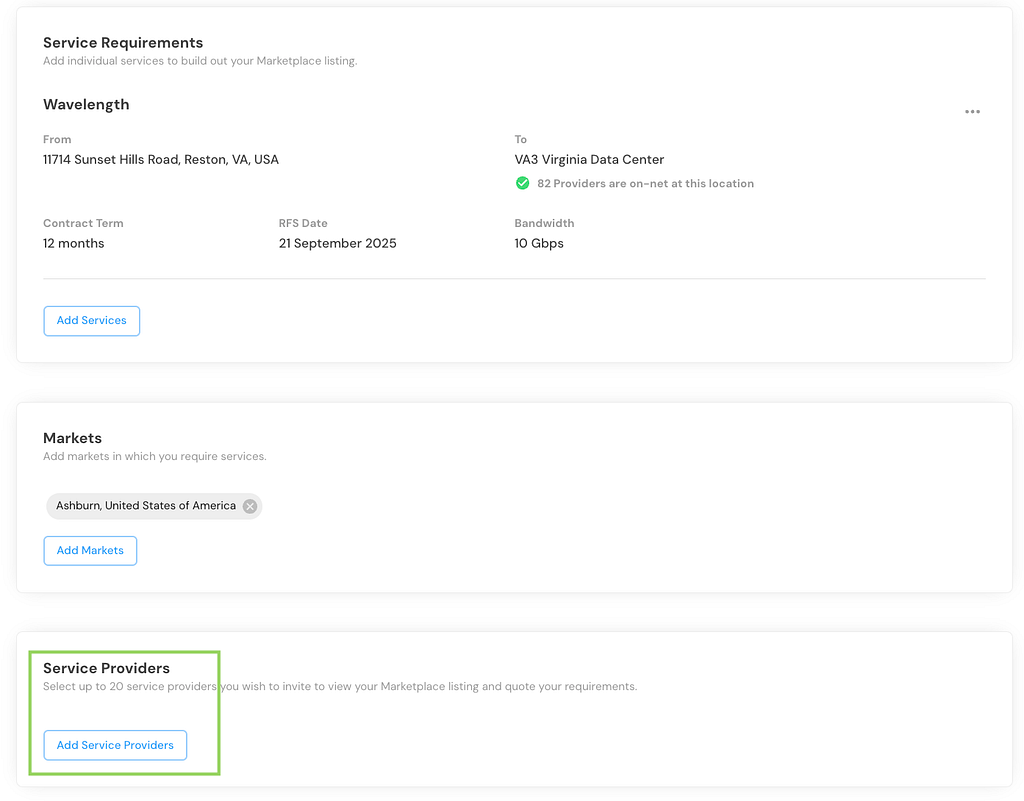
8. Edit the Service Requirements…
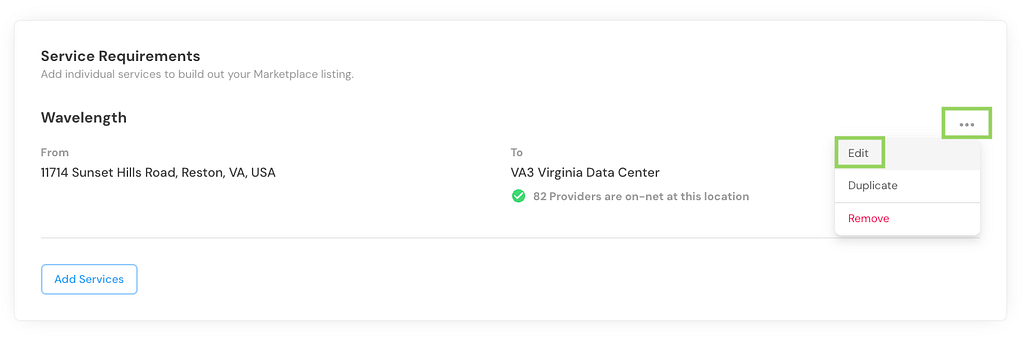
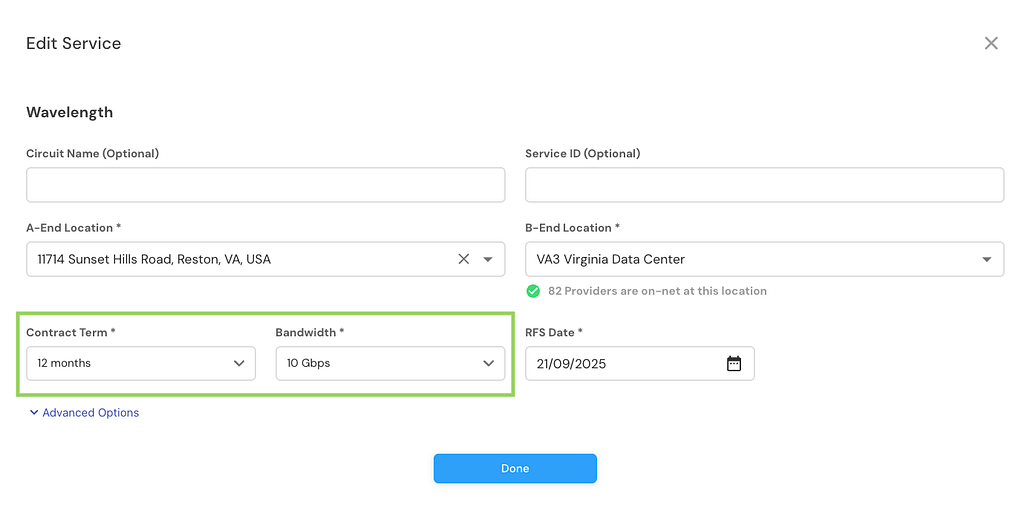
9. Add a contract term and bandwidth…
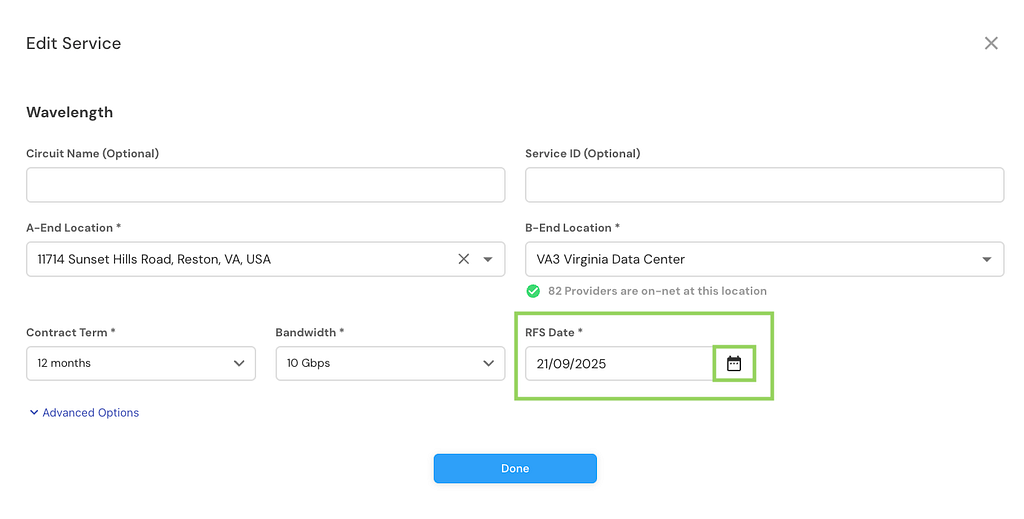
10. Be sure to click the calendar button and choose an RFS Date as this field may pre-populate with a date that’s not available…
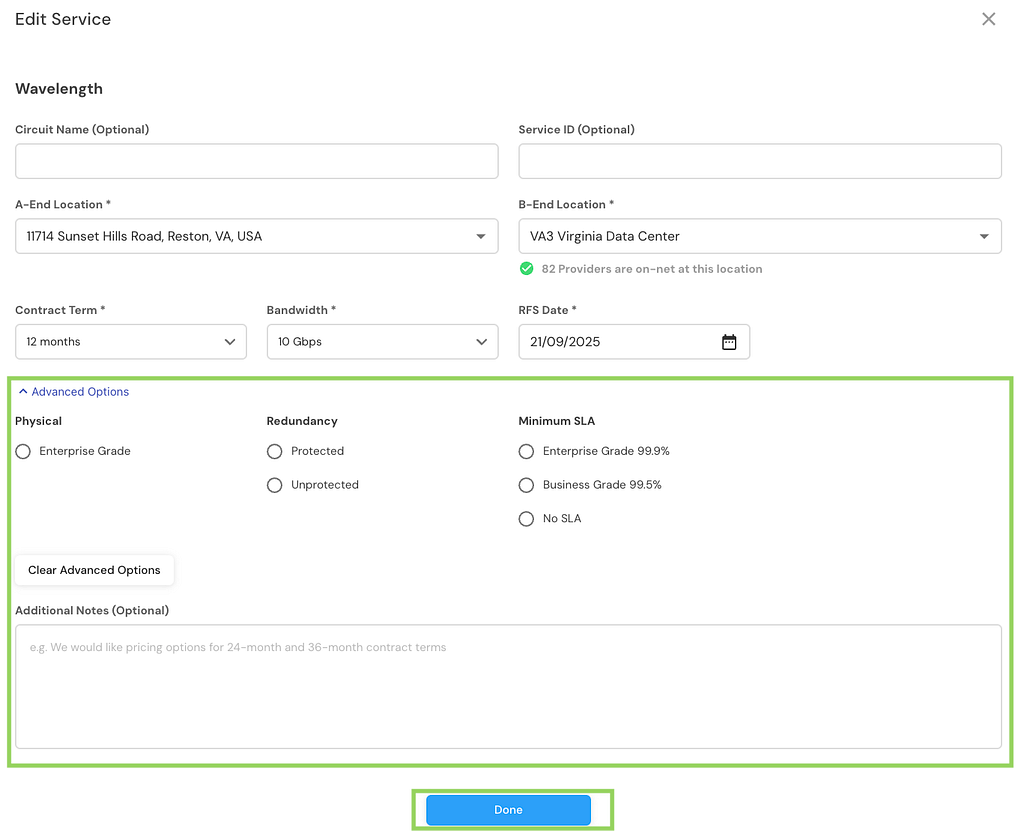
11. Note the advanced options if you choose to specify any…
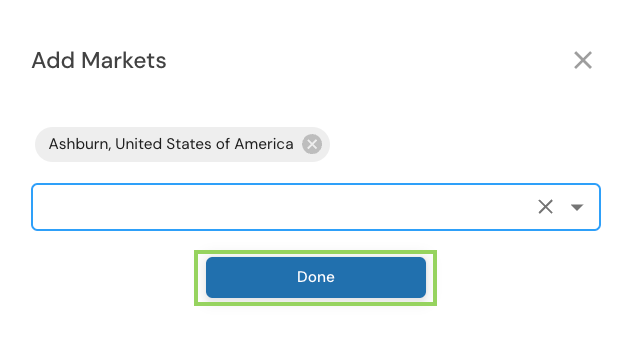
12. If there is no market selected, choose to add a market and select Done…


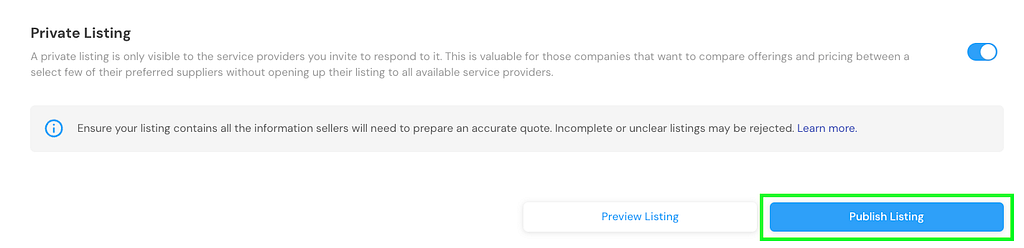
13. At the bottom of the page, if you choose to create a Private listing…

…then you will want to choose specific Service Providers…
14. Preview your listing then publish…
I hope this helps!
Leverage Cloud Pathfinder to find last mile to Google Cloud Dedicated Interconnect locations was originally published in Google Cloud – Community on Medium, where people are continuing the conversation by highlighting and responding to this story.
Source Credit: https://medium.com/google-cloud/leverage-cloud-pathfinder-to-find-last-mile-to-google-cloud-dedicated-interconnect-locations-c854f9760451?source=rss—-e52cf94d98af—4
About the Author