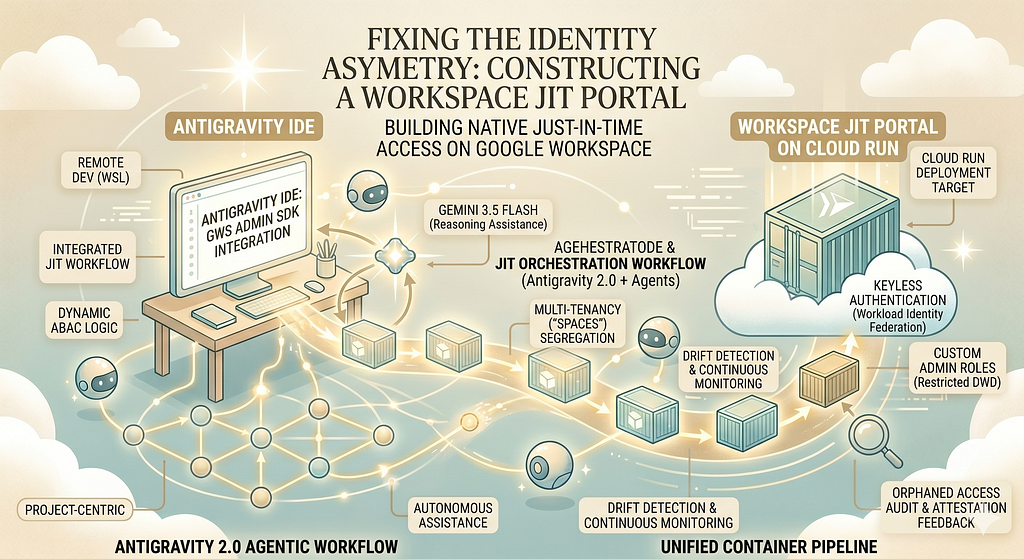
Fixing the Identity Asymmetry: Constructing a Workspace JIT Portal with Antigravity 2.0, Gemini 3.5 Flash and Antigravity IDE
The Beginning
Some time ago, I’ve engineered an access management architecture utilizing Okta, Google Workspace, Terraform, and Google Cloud Privileged Access Manager (PAM) to to mitigate standing privileges. Standing privileges had long been a nightmare of mine as an Organization Administrator in Google Cloud. The solution was successfully implemented, configured, and remains actively used nowadays.
At the time, I didn’t realize that by solving this, I was simply shifting the bottleneck from one area to another. The epiphany only hit me later while I was preparing a community presentation on modern Access Management strategies for Google Cloud.
So, what is the real issue here?
The Problem
You can successfully mitigate standing privileges on the Google Cloud side by leveraging PAM and following a strict Just-In-Time (JIT) workflow. As long as you use a third-party identity tool capable of dynamically managing time-based memberships for Google Workspace Groups, the workflow remains clean.
The problem arises when you want to avoid third-party platforms like Okta or Okta Workflows entirely and rely purely on Google Workspace as your native Identity Provider (IdP). Because Google Workspace lacks a built-in JIT scheduling mechanism, assigning a user to a group means they effectively retain permanent (“infinite”) access to request the underlying entitlements configured via PAM.
The Remediation
Okay, but how can this be mitigated?
That’s what I was asking myself too, especially because Google Workspace lacks a native, self-service JIT role elevation mechanism. The answer was obvious: I had to build something on my own and share it with the community.
To bring this project to life, I’ve decided to use Antigravity 2.0, Antigravity IDE, and WSL (Windows Subsystem for Linux).
The Helper
I probably don’t need to introduce the Antigravity universe to this audience. However, if you aren’t familiar with its agentic capabilities yet, you can explore the fundamentals in their documentation. To tackle this project efficiently, I configured my development environment with a highly tailored, streamlined setup.
WSL
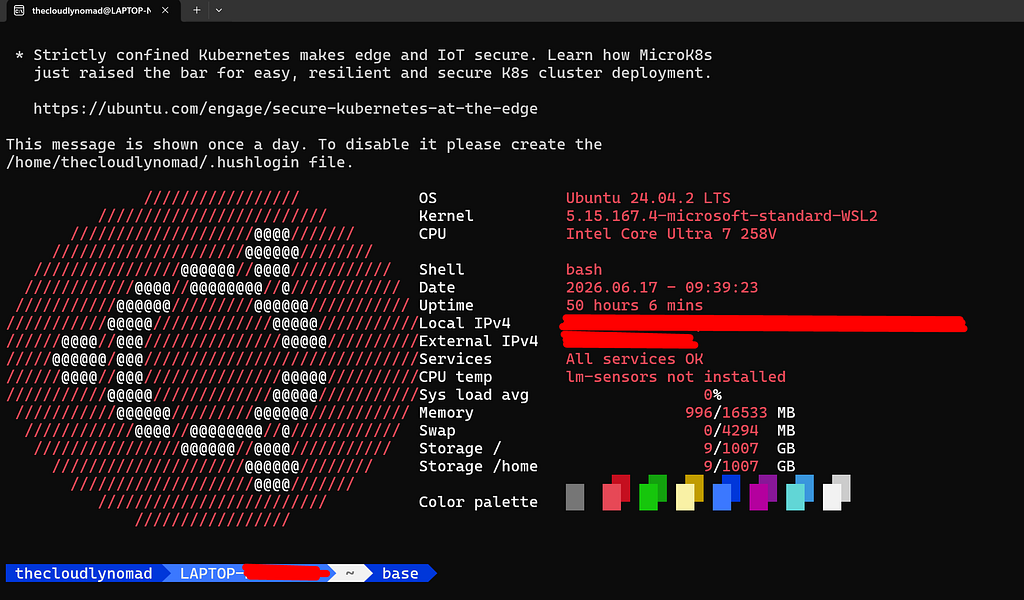
For my day job, I live on macOS ❤️. However, for my private community work and GDE projects, I do everything on Windows via WSL (Ubuntu 24.04 paired with a clean, colorized terminal). My setup here is intentionally minimalist — no complex tmux configurations or heavy custom dotfiles. I also avoided exposing my entire WSL root directly to Antigravity, opting instead for a dedicated project directory.
Antigravity 2.0
I prefer isolating projects into distinct environments, so the new “Project-centric” model introduced in Antigravity 2.0 resonates perfectly with me. For those unfamiliar with how Projects work in the new architecture:
“A Project is a configuration of folders defining the environment and the scope of your agent. Instead of forcing an agent to operate within a single folder, a project can work with one folder or multiple folders (e.g., a frontend and a backend repo), providing your agents with all of the context required for your codebase. All projects have their own isolated agent settings, allowing you to customize different projects’ security settings independently.”
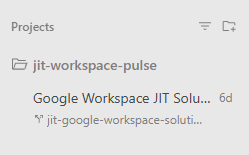
Because this platform was bound to grow complex — spanning web backend development, UI states, and strict security constraints — I enabled the new Worktree Mode for my agent interactions. According to the documentation:
New Worktree Mode: Creates a new Git worktree for the conversation. (Best for complex tasks, keeping your active working folder untouched and preventing parallel subagents from conflicting).
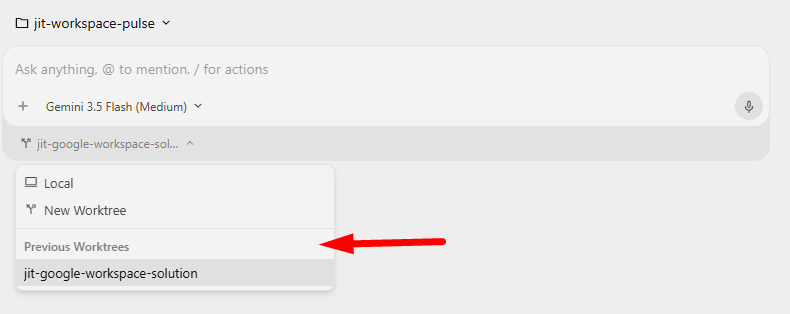
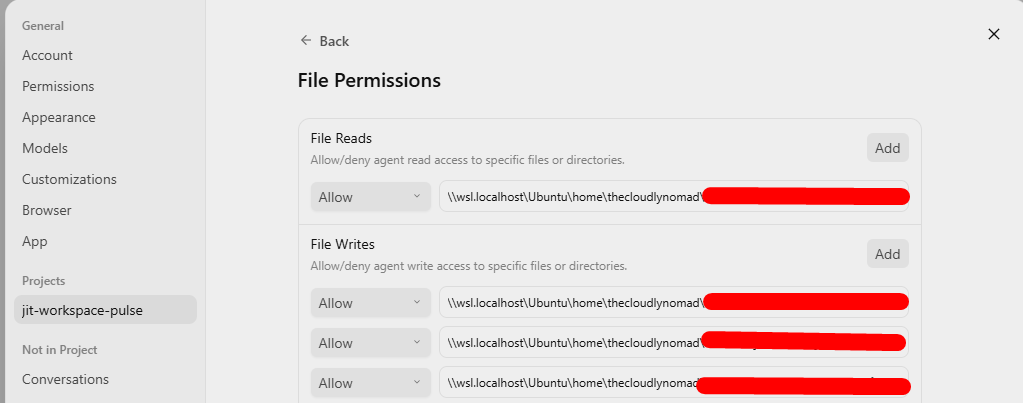
This isolation introduced one minor operational challenge: because the agent’s workspace was sandbox-isolated by default, I couldn’t easily verify runtime changes inside my active WSL directory. To smooth out this friction, I instructed the agent to automatically update my primary WSL project directory upon the successful completion of each task. After applying the corresponding file permissions to that directory, the agent was able to sync and manage files autonomously.
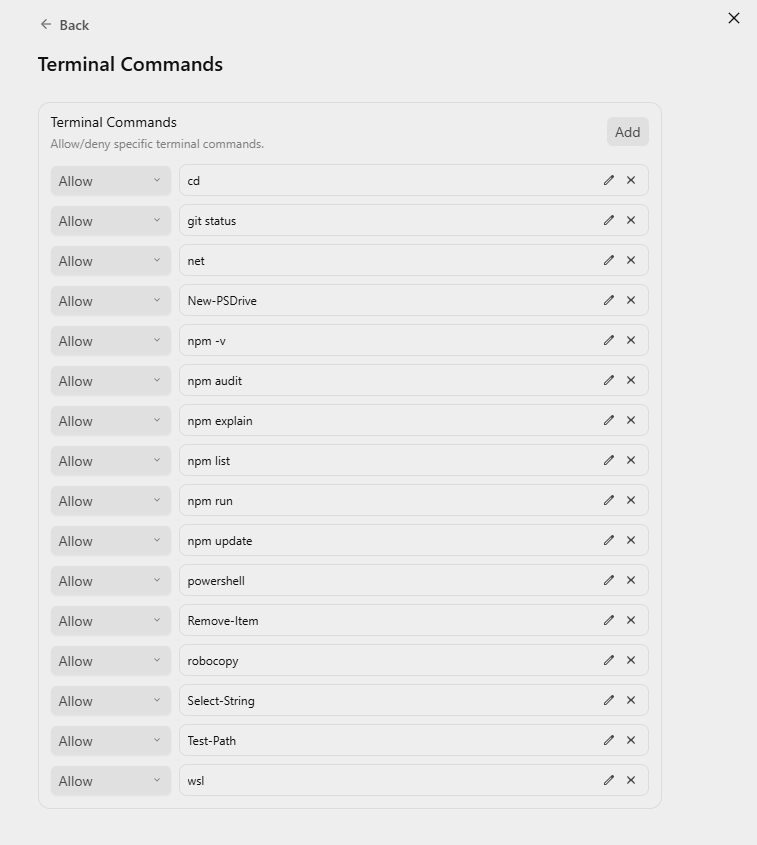
To boost development velocity, I pre-approved a list of standard terminal commands that I knew well. This eliminated the constant, tedious prompt confirmations that typically slow down agent execution.
Additionally, because I design my solutions to be fully containerized from day one, I chose Cloud Run as my deployment target. To streamline this, I installed the Cloud Run MCP (Model Context Protocol) server. Being able to inspect logs and monitor deployment states directly via MCP proved to be immensely faster than copy-pasting outputs back and forth from Logs Explorer.
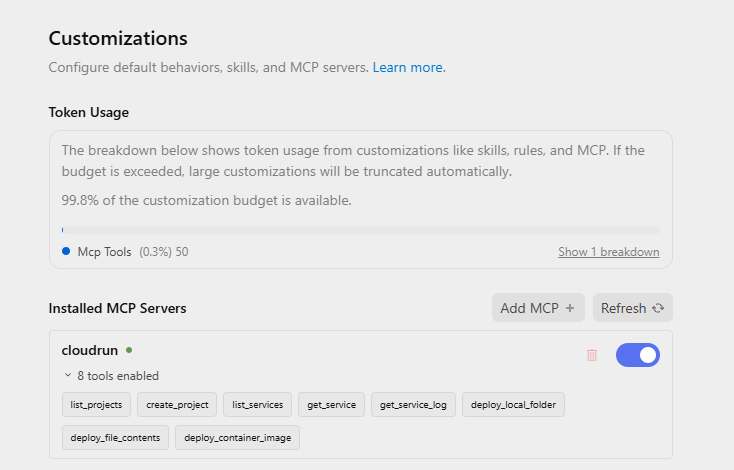
Finally, for the brain of the operation, I utilized Gemini 3.5 Flash (Medium reasoning tier). It remains my default choice for executing rapid, context-aware development cycles across all my AI-driven projects.
Antigravity IDE
For my daily coding, I use VS Code with a library of extensions. However, when there is a dedicated IDE built for a product, I prefer to use it. The new Antigravity IDE has to be downloaded separately now, which keeps the core agent package lightweight.
Inside the Antigravity IDE, I installed a few essential extensions:
- WSL Reveal Folder
- Open Remote WSL
- Docker
- markdownlint
I relied on the IDE primarily for running the application locally, verifying UI renders, and making small, quick manual tweaks. The heavy-lifting code generation was left entirely to Antigravity.
The Solution
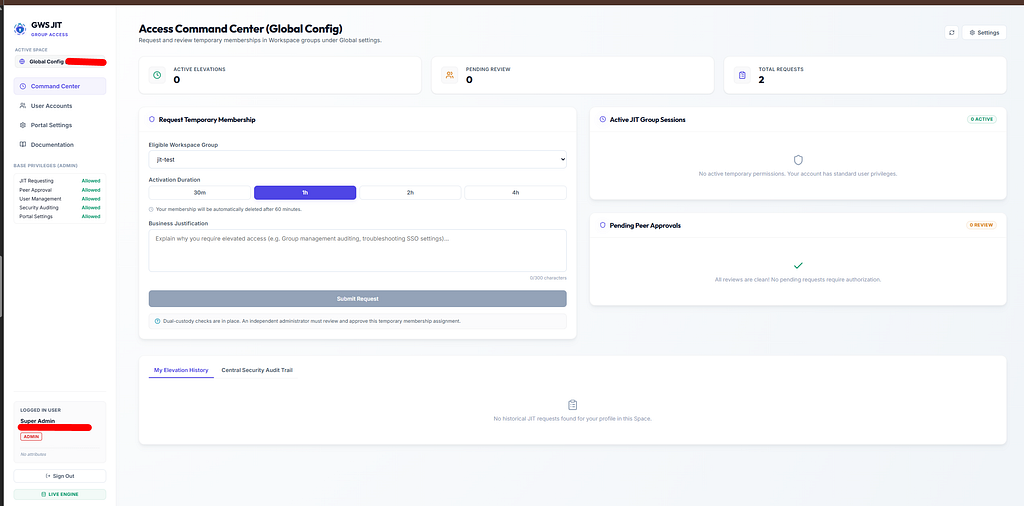
Google Workspace permissions are ultimately resolved via group memberships. If you are in the gws-super-admins@company.com group, you get those privileges. If you are removed, your access is revoked.
The JIT portal acts as an orchestrator. Instead of assigning standing privileges, I assign users to JIT Policies mapped to specific Workspace groups.
                                  +-----------------------+
                                  |    Target Workspace   |
                                  |    Directory Group    |
                                  +-----------------------+
                                              ^
                                              | [ Provisions/Revokes JIT Member ]
+-------------------------+       +-----------------------+
|  Vite React Frontend    | <---> |   Express REST API    |
|  (Self-Service Request) |       |   (Node.js Engine)    |
+-------------------------+       +-----------------------+
                                              |
                                              v [ Dispatches JSON Alerts ]
                                  +-----------------------+
                                  | Slack / Teams Webhook |
                                  +-----------------------+
Here’s the basic user flow:
- Request: A user logs in, selects the administrative role they need, provides a business justification, and chooses a duration (e.g., 30 minutes, 1 hour).
- Approve: A peer administrator receives a notification, reviews the justification, and approves or denies the request. Requesters cannot approve their own requests (enforcing strict dual-custody).
- Provision: The backend adds the user to the target Google Workspace group.
- Revoke: A background scheduler constantly monitors active sessions. The second the clock runs out, the engine automatically removes the user from the group.
Four Engineering Challenges We Faced (And Solved)
Building a simple web app is easy. Building an enterprise-grade security tool that handles your primary identity provider is a completely different ballgame. Here are the major hurdles we had to overcome.
1. The “Super Admin credentials” Trap
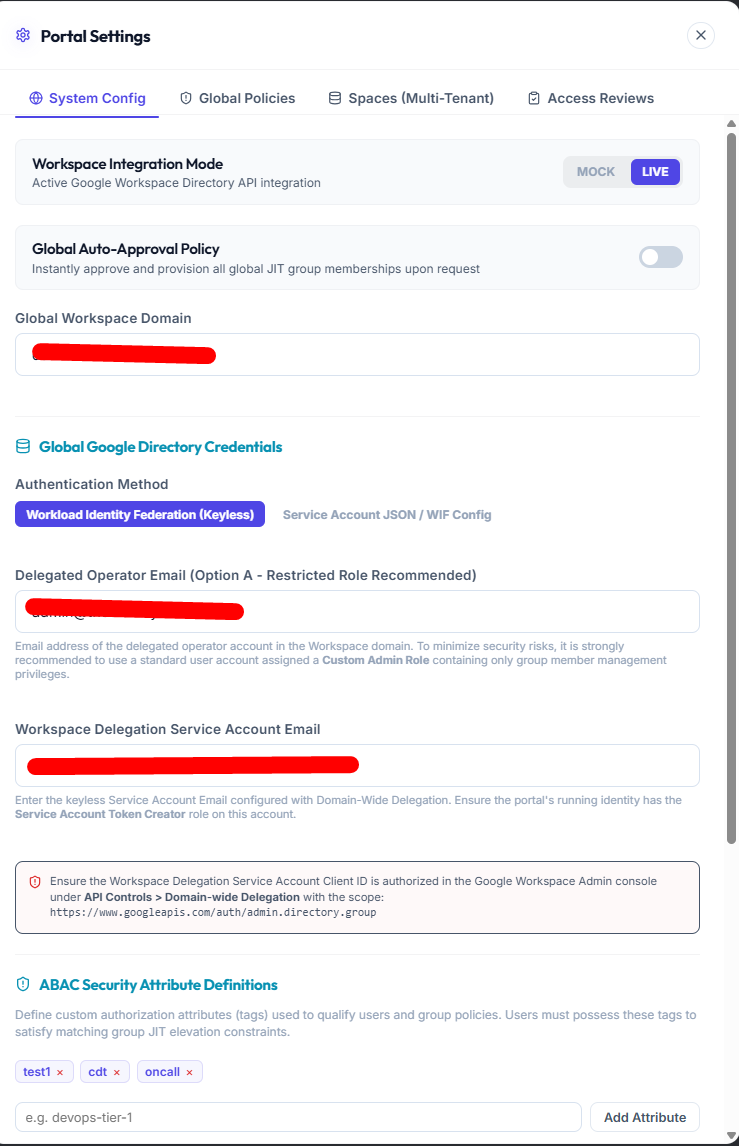
To add or remove users from Workspace groups, the portal needs administrative permissions. Traditionally, people solve this by creating a Google Cloud Service Account, downloading a JSON key, and granting it Domain-Wide Delegation (DWD) to act as a Super Admin.
This is a massive risk. If that service account key is leaked, the attacker has immediate, unrestricted access to your entire Google Workspace domain.
To mitigate this, I implemented two critical security architectural features:
- Custom Admin Roles: I documented a path to restrict DWD. Instead of delegating Super Admin rights, I delegate access to a Custom Admin Role that only has “Group Write” and “Member Write” permissions on specific, designated JIT groups.
- Keyless Authentication (Workload Identity Federation): I eliminated static JSON keys entirely for Cloud Run deployments. The portal runs under an ambient Google Cloud Service Account. It authenticates keylessly, calling Google’s IAM Credentials API remotely to sign JWT assertions and exchange them dynamically for temporary Workspace OAuth2 tokens. No static secrets to leak, ever.
2. Multi-Tenancy and “Spaces”
In large organizations, a single global JIT policy doesn’t work. Different business units, regions, or clients (in MSP scenarios) need their own segregated environments.
I built Spaces (Multi-Tenant Configs). Under the hood, administrators can define isolated “Spaces” with:
- Dedicated Workspace JIT policies.
- Space-specific Service Accounts and Delegated Operators.
- Space-specific Slack or Microsoft Teams webhooks.
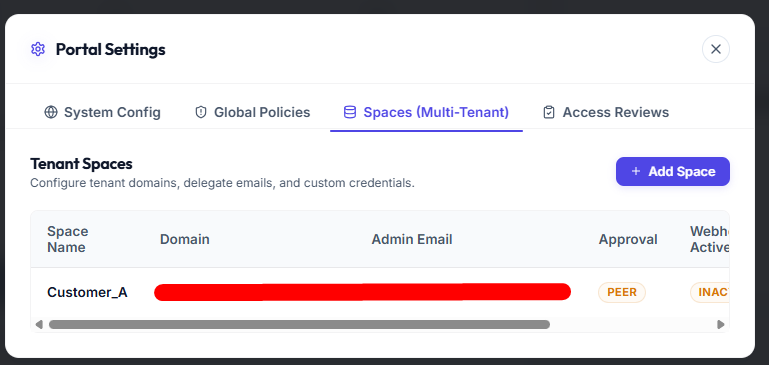
This allows a central infrastructure team to run a single portal deployment while delegating access control to different engineering or operations teams.
+-------------------------------------------------------------+
| PORTAL INSTANCE                                             |
|   ├── Global Config (Shared system defaults)                 |
|   ├── Space A (Tenant: Finance - Slack Channel #finance-alerts) |
|   └── Space B (Tenant: Security - Slack Channel #soc-alerts)    |
+-------------------------------------------------------------+
3. Fighting Out-of-Band Group Memberships (Orphaned Access)
What happens if someone bypasses the JIT portal entirely? If a rogue admin (or an attacker) goes straight into the Google Admin Console and manually adds an account to a protected group, the portal’s database wouldn’t know about it. The user would retain permanent access.
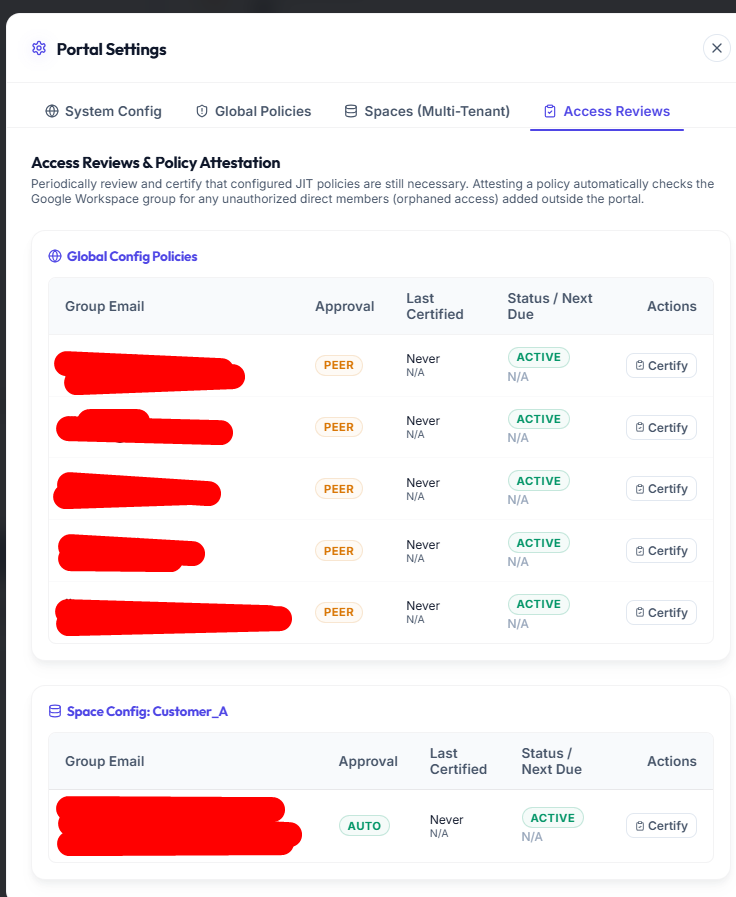
I solved this by implementing Access Reviews & Attestation.
Every JIT policy now has a certification cycle. When an auditor or administrator attests to a policy:
- The backend triggers a live query directly to the Google Directory API to fetch the current, actual membership list of the group.
- It compares the actual memberships against the portal’s active, approved DB sessions.
- If it finds anyone in the group who does not have an active JIT session, it flags them as “Orphaned Access”.
- The system immediately locks down, writes a critical security audit log, and dispatches a high-priority warning message to the Slack/Teams webhook so security teams can investigate.
4. Transitioning to Dynamic ABAC (Attribute-Based Access Control)
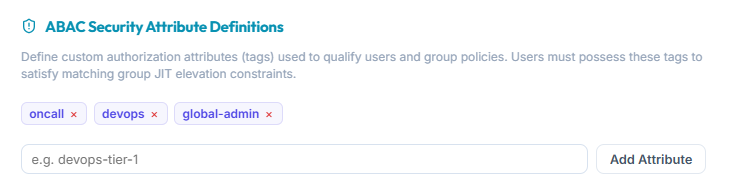
Initially, the codebase had hardcoded boolean flags to restrict JIT requests (e.g., requiring a user to be oncall, or in security). This was too rigid.
I refactored the permission engine into a dynamic, tag-based ABAC system. Administrators can now define arbitrary system-wide tags (e.g., EMEA-OnCall, SIRT-Member, DB-Admin).
- Users are assigned these tags in their profiles.
- Groups require a subset of these tags to allow request submissions. The backend performs set-intersection checks on request submission, allowing for infinitely customizable access rules.
Consolidating Notifications
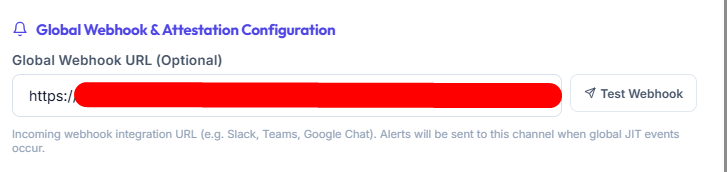
To minimize external points of failure (and simplify deployment), I completely removed legacy email/SMTP alerts, moving to an exclusively Webhook-based integration model. Requesters, approvers, and security teams get notifications via Slack or MS Teams. I also built a “Test Webhook” utility right in the settings UI so operators can verify connectivity instantly with a single click before deploying policies.
Summary and last word
Building the Google Workspace JIT Access Portal was a journey in solving the “Identity Asymmetry” between cloud-level JIT (via Google Cloud PAM) and identity-level group memberships. By combining a Node.js Express backend and a Vite React frontend with direct Google Directory API integrations, I’ve constructed an architecture supporting:
- Time-Bound Elevations: Automatic removal of users from administrative Google Groups once their approved window expires.
- Dual-Custody Approvals: Enforced peer review preventing self-approvals.
- Keyless Security: Workload Identity Federation replacing dangerous static JSON service account keys.
- Continuous Attestation: Automatic detection of out-of-band or orphaned group members.
- Dynamic ABAC: Attribute-based guards filtering request eligibility using user profile tags.
You can test this solution: https://github.com/damian-sztankowski/gws-jit
To be absolutely clear:
My goal here wasn’t to replace enterprise-grade identity governance tools (like Okta or Saviynt) if you already have them in place. Instead, I wanted to create a free, lightweight, open-source alternative for organizations and engineering teams that want to run natively on Google Workspace and GCP without the overhead or license costs of external enterprise tools and let them decide.
Do not forget the 👏✌️❤️ if you like this content!
You can also follow me on LinkedIn or Github.
Thank you!
Fixing the Identity Asymmetry: Constructing a Workspace JIT Portal with Antigravity 2.0, was originally published in Google Cloud – Community on Medium, where people are continuing the conversation by highlighting and responding to this story.
Source Credit: https://medium.com/google-cloud/fixing-the-identity-asymmetry-constructing-a-workspace-jit-portal-with-antigravity-2-0-8dfc1642a211?source=rss—-e52cf94d98af—4
About the Author