A Production-Grade Dive into Gemini Live with ADK: Verifying Speech-to-Text and Text-to-Speech Quality
When building voice-native conversational agents, transitioning from a prototype to a production-ready enterprise system requires moving beyond just low latency and natural voices to establish empirical ways to measure how accurately your system listens and speaks. This rigorous measurement is foundational, especially when business logic relies on exact character matches like spelled-out names or alphanumeric emails; for example, mishearing “M-A-Y” as “N-A-Y” can lead to corrupted database records and failed identity checks. Furthermore, deploying these applications at scale to a global audience with diverse accents makes it absolutely critical to rigorously test both STT and TTS quality, ensuring users never experience sudden accent changes, distorted voices, or synthesis breakdowns that disrupt the natural flow of the conversation.
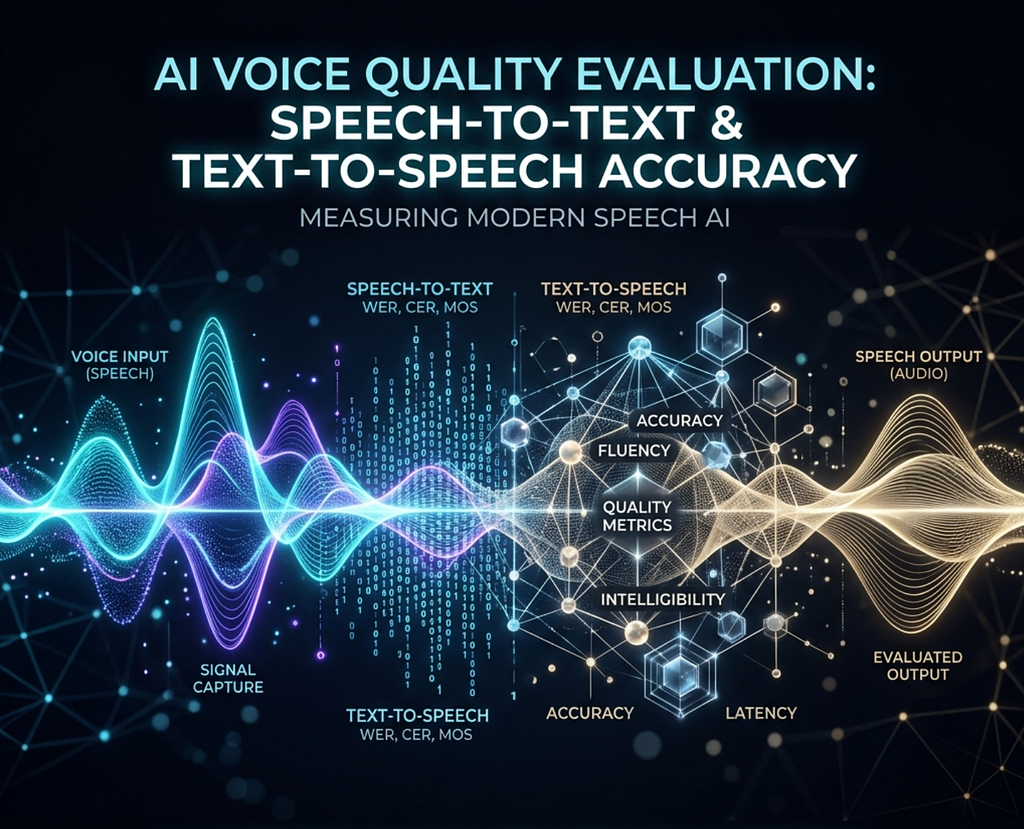
In this post, we’ll explore how to evaluate a production-grade information-gathering agent built using the Gemini Live API and the Agent Development Kit (ADK). We will focus on the two critical evaluation pillars of enterprise voice systems:
1. Speech-to-Text (STT) Reliability: Quantifying Automatic Speech Recognition (ASR) accuracy using word-level Word Error Rate (WER) metrics.
2. Text-to-Speech (TTS) Quality: Programmatically auditing voice output using a state-of-the-art Language Audio Model-as-a-Judge evaluation framework.
Building the Foundation: Creating the Conversational Assistant
Let’s examine how to construct our core conversational assistant, Alex, an automated agent tasked with collecting user information. Built using the gemini-live-2.5-flash-native-audio model alongside Google’s Agent Development Kit (ADK) and the FastAPI web framework, Alex’s primary goal is to politely gather a user’s First Name, Last Name, and Email Address, explicitly asking the user to spell them out to ensure accuracy.
Note: All code for this project is open-source and can be referenced in the ADK Speech Eval and Audit Samples Repository.
- Defining the Agent Persona
Lets configure our ADK agent using the gemini-live-2.5-flash-native-audio model and the warm, welcoming persona BASE_SYSTEM_INSTRUCTION:
from google.adk.agents import Agent
from utils.prompt import BASE_SYSTEM_INSTRUCTION
root_agent = Agent(
name="info_gather_agent",
model="gemini-live-2.5-flash-native-audio",
instruction=BASE_SYSTEM_INSTRUCTION
)
The BASE_SYSTEM_INSTRUCTION acts as a strict guideline for our agent, establishing its objective to collect personal details step-by-step, phonetic spelling guidelines, and american english language locking constraints:
BASE_SYSTEM_INSTRUCTION = """
**Persona:**
You are Alex, an efficient, friendly, and professional virtual assistant. Your tone is polite, helpful, and welcoming.

**Task:**
Your primary objective is to politely and efficiently gather the following specific details from the user:
1. **First Name** (ask the user to spell it for accuracy and records pulling)
2. **Last Name** (ask the user to spell it for accuracy and records pulling)
3. **Email Address**

**Conversational Style & Guidelines:**
1. Be concise but warm. Ask for only one piece of information at a time.
2. Begin by introducing yourself and stating your purpose to gather their information.
3. Proactively and step-by-step ask for the **First Name** (asking the user to spell it out for accuracy and records pulling), then the **Last Name** (also asking them to spell it out for accuracy and records pulling), and finally the **Email Address** (also asking them to spell it out for accuracy and records pulling).
4. If a piece of information is unclear, politely ask for clarification.
5. Once all three details are collected, repeat them to the user for final confirmation, and thank them professionally.
6. Do NOT ask for or accept any other personal details beyond their first name, last name, and email address.
7. RESPOND IN AMERICAN ENGLISH. YOU MUST RESPOND UNMISTAKABLY IN AMERICAN ENGLISH.

**Opening Line:**
"Hello! Welcome. This is Alex. I'm here to help you get set up. Could you please start by telling me your first name and spelling it out for accuracy and records pulling?"
"""
2. Centralizing Real-Time Voice Configurations
For real-time bidirectional voice streaming over WebSockets, let’s carefully configure audio modalities and sensitivity options. Lets walk through how to declare the centralized LIVE_AGENT_RUN_CONFIG based on production-grade requirements:
from google.adk.agents.run_config import RunConfig, StreamingMode
from google.genai import types

LIVE_AGENT_RUN_CONFIG = RunConfig(
  realtime_input_config=types.RealtimeInputConfig(
     automatic_activity_detection=types.AutomaticActivityDetection(
        disabled=False,
        start_of_speech_sensitivity=types.StartSensitivity.START_SENSITIVITY_LOW,
        end_of_speech_sensitivity=types.EndSensitivity.END_SENSITIVITY_LOW,
        prefix_padding_ms=20,
        silence_duration_ms=150,
      )
  ),
  speech_config=types.SpeechConfig(
      voice_config=types.VoiceConfig(
          prebuilt_voice_config=types.PrebuiltVoiceConfig(
          voice_name="Achird",
          )
      ),
      language_code="en-US",
  ),
  session_resumption=types.SessionResumptionConfig(transparent=True),
  streaming_mode=StreamingMode.BIDI,
  response_modalities=["AUDIO"],
  input_audio_transcription=types.AudioTranscriptionConfig(),
  output_audio_transcription=types.AudioTranscriptionConfig(),
  save_live_blob=True
)
Let’s break down exactly why to choose these specific configurations to handle complex user speech patterns at scale:
Voice Activity Detection (VAD) Tuning: Let’s use this configuration for our agent, setting start_of_speech_sensitivity and end_of_speech_sensitivity to LOW combined with prefix_padding_ms=20 and silence_duration_ms=150 to ensure the model captures spelling utterances without being overly hyperactive. When building out your own production system, you should carefully tweak these threshold settings based on your specific acoustic and turn-taking requirements.
Language & Voice Anchoring: In speech_config, anchor the agent to language_code=’en-US’ and select the prebuilt voice Achird. Locking the language code is crucial when deploying globally — it forces the model’s internal phoneme mapping to vocal I/O as American English, significantly reducing word error rates when dealing with non-native accents.
Transparent Session Resumption: Network drops and mobile cell-tower handovers are common in real-world usage. Setting session_resumption with transparent=True enables the ADK session manager to seamlessly restore a dropped WebSocket connection in the background. The agent retains its complete conversational state, memory, and previous gathering steps, preventing the user from having to repeat their information from the beginning.
Native Audio Modality: Set response_modalities=['AUDIO'] and streaming_mode=StreamingMode.BIDI (bidirectional). Rather than generating text and passing it to a slow Text-to-Speech transcoder, this instructs Gemini to stream native, low-latency audio responses directly, enabling highly natural turn-taking dynamics.
Dual Transcription Configs: Initializing input_audio_transcription and output_audio_transcription enables real-time text transcriptions of the user speech and model responses. This generates the exact line-by-line transcripts needed for downstream Speech-to-Text evaluations.
Save Live Blob: Setting save_live_blob=True is crucial — it instructs the ADK background flow to intercept all streaming voice payloads and archive them inside the artifacts/ directory for post-session compilation and auditing.
3. Orchestrating FastAPI and WebSockets
Let’s spin up our FastAPI server and orchestrate low-latency WebSocket endpoints for bidirectional client-server audio streams. Modularize the asynchronous incoming (upstream) and outgoing (downstream) tasks into dedicated helper functions:
app = FastAPI()

# Define ADK Runner with local file caching
session_service = InMemorySessionService()
artifact_service = FileArtifactService(root_dir="./artifacts")

runner = Runner(
    app_name="info_gather_agent",
    agent=agent,
    session_service=session_service,
    artifact_service=artifact_service,
)

@app.websocket("/ws/{user_id}/{session_id}")
async def websocket_endpoint(websocket: WebSocket, user_id: str, session_id: str) -> None:
      await websocket.accept()
      live_request_queue = LiveRequestQueue()
      try:
          # Run upstream and downstream tasks concurrently
          await asyncio.gather(
                handle_upstream_audio_and_text(websocket, live_request_queue),
                handle_downstream_events(
                websocket=websocket,
                runner=runner,
                live_request_queue=live_request_queue,
                user_id=user_id,
                session_id=session_id,
                run_config=run_config
              )
          )
      except WebSocketDisconnect:
          logger.info("Session disconnected.")
      finally:
          live_request_queue.close()
Now that our FastAPI server is reliably streaming audio, we need to prove it’s actually hearing the user correctly.
Pillar 1: Evaluating Speech-to-Text (STT) Reliability with Word Error Rate (WER)
How do you mathematically prove your agent is listening well?
A classic “code smell” in conversational QA is relying on naive character-level metrics or basic string similarity ratios to measure transcription quality. While character comparisons can capture simple spelling alignments, they treat all characters equally and fail to align with how humans perceive spoken words. A dropped word or an inserted filler word can completely disrupt downstream database entries while still returning a deceptively high character-similarity score.
To overcome this, let’s implement the industry-standard metric for Automatic Speech Recognition (ASR): Word Error Rate (WER). WER measures the edit distance between the spoken reference (Ground Truth) and the generated transcript at the word level. It is defined by the formula:
WER = (S + D + I) / N
Where:
– Substitutions: Words incorrectly transcribed (e.g., transcribing “Victory” as “Victor”).
– Deletions: Words spoken by the user but completely omitted in the transcript.
– Insertions: Extra, spurious words added by the transcription engine that were never spoken.
– N: The total number of words in the Ground Truth reference.
A common point of confusion for beginners is that because of the Insertions (I) variable, WER can actually exceed 100%. If a user says “Yes,” and the model transcribes “Yes I absolutely agree with you,” the WER is massive. This shows that WER is not a traditional 0–100% grade, but an edit-distance ratio that can scale infinitely.
def calculate_wer(ref: str, hyp: str) -> float:
    """Calculates Word Error Rate (WER) using Levenshtein distance at the word level."""
    ref_words = ref.split()
    hyp_words = hyp.split()

    n, m = len(ref_words), len(hyp_words)
    if n == 0:
        return float(m)  # All words inserted

    # Create Levenshtein matrix
    d = [[0] * (m + 1) for _ in range(n + 1)]
    for i in range(n + 1): d[i][0] = i
    for j in range(m + 1): d[0][j] = j

    for i in range(1, n + 1):
        for j in range(1, m + 1):
            if ref_words[i - 1] == hyp_words[j - 1]:
                d[i][j] = d[i - 1][j - 1]
            else:
                substitution = d[i - 1][j - 1] + 1
                deletion = d[i - 1][j] + 1
                insertion = d[i][j - 1] + 1
                d[i][j] = min(substitution, deletion, insertion)

    return d[n][m] / n
Automating the Gatekeeper
Rather than manually hardcoding file paths to test individual recordings, let’s build an automation script around this function.
Remember the save_live_blob=True setting from our ADK configuration? Because of that, transcripts are dynamically written during the WebSocket streaming session into the transcripts/ directory as {session_id}.txt files, formatting each conversational turn with clear speaker prefixes: USER: and MODEL:
We can write an evaluation script that dynamically scans this directory, grabs the most recent session, and aligns the USER: inputs against our predefined ground truth. Before running the calculate_wer function, the script performs essential data normalization: lowercasing strings, stripping arbitrary punctuation, and collapsing whitespace so model-generated formatting variations don’t artificially penalize the score.
By setting a maximum acceptable “Average Sentence WER” threshold (e.g., <10%), this script becomes a powerful gatekeeper. If you alter the agent’s system instructions or update the ADK configuration, this pipeline will catch any regression in transcription accuracy and fail the build long before the code reaches production.
Pillar 2: Programmatically Assessing Text-to-Speech (TTS) Quality Using Model-as-a-Judge
Measuring input accuracy (STT) is only half the battle. If your agent suffers from audio distortions or shifts accents mid-sentence, it will alienate users and damage brand trust.
Historically, evaluating TTS quality has been an engineering nightmare. Objective metrics like PESQ are rigid and require controlled acoustic environments, while human listening tests (Mean Opinion Score or MOS) are incredibly expensive and slow.
To bridge this gap, let’s implement a cutting-edge Model-as-a-Judge paradigm. Recent academic breakthroughs (Anastassiou et al., 2025; Monjur & Nirjon, 2025) have proven that out-of-the-box Large Audio Language Models (LALMs) like Gemini are highly capable “expert listeners.” They achieve over 90% correlation with human judgments on subjective dimensions like prosody, intonation, and pronunciation. Instead of a rigid mathematical score, the LLM acts as an interactive quality expert, generating rich textual rationales alongside a standard MOS score.
Let’s build this verification system.
Automating the Audio Pipeline
First, we need an automated evaluation script to handle the raw audio. Our script traverses the session logs, locates all the agent’s response audio chunks, downsamples the 24kHz PCM to 16kHz (for optimal processing), and compiles them chronologically into a single file: tts_combined_output.wav.
We can then dispatch this combined audio directly to the multimodal gemini-3.5-flash model using the centralized, structured configuration TTS_EVAL_GENERATE_CONFIG:
# central configuration snippet from utils/config.py
TTS_EVAL_GENERATE_CONFIG = types.GenerateContentConfig(
    system_instruction=TTS_EVAL_SYSTEM_INSTRUCTION,
    response_mime_type="application/json",
    response_schema=TtsEvaluation,
    seed=123
)
1. Designing the Audio-as-a-Judge Prompt
To make our AI-as-a-Judge stable and precise, let’s look at the complete system instruction prompt TTS_EVAL_SYSTEM_INSTRUCTION:
TTS_EVAL_SYSTEM_INSTRUCTION = """
Evaluate the overall speech quality of the provided audio and assign a Mean Opinion Score (MOS) from 1 to 5
Analyze the audio specifically for: unexpected accent changes midway through, artificial or robotic qualities, audio distortions, overall clarity, naturalness, and consistency of tone.

Use the following guidelines to assign the MOS score:
- MOS = 1.0 (Bad): Extreme issues that make the speech entirely unintelligible. Frequent and severe audio distortions, complete accent transformations midway through, or an entirely synthetic, unnatural, and robotic voice.
- MOS = 2.0 (Poor): Significant, distracting quality issues. Frequent distortions, clear accent changes making it difficult to follow, or highly robotic tones that severely impact naturalness.
- MOS = 3.0 (Fair): Moderate issues. The speech is fully intelligible, but has noticeable imperfections such as occasional digital glitching or temporary accent shifts
- MOS = 4.0 (Good): Minor imperfections. Very clear and mostly natural speech with minor inconsistencies, such as a slightly stilted phrase or rare, transient tone variations, synthetic, robotic quality and slightly unnatural pacing, while maintaining a highly professional and consistent accent.
- MOS = 5.0 (Excellent): Flawless quality. Highly natural, human-like pacing and breathing, perfectly consistent tone and accent throughout, and complete absence of any distortions or robotic artifacts.

Example of target output formatting:
{
  "mos_score": 4,
  "rationale": "The audio is very clear with a professional and consistent accent. However, it has a slightly robotic quality and some minor unnatural pacing in transitions."
}
"""
Why it is designed this way:
– Clear Behavioral Benchmarks: Naively asking a model to “rate the audio from 1 to 5” results in high variance and subjective drift. By mapping each integer interval directly to observable voice quality issues (such as accent changes, digital glitching, or unnatural pacing), we constrain the judge’s evaluation behavior.
– Zero-Shot Target Formatting: Providing a clear target JSON layout establishes a prompt-level anchor that matches our expected structural format, reinforcing stable parsing performance.
2. Enforcing Structure with Pydantic
For programmatic CI/CD pipelines, unstructured text is impossible to parse reliably. Let’s enforce structured JSON outputs at the model API boundary using this Pydantic model:
from pydantic import BaseModel, Field

class TtsEvaluation(BaseModel):
    mos_score: int = Field(
        ...,
        description="Overall speech quality Mean Opinion Score (MOS) from 1 to 5."
    )
    rationale: str = Field(
        ...,
        description=(
            "Detailed speech quality analysis."
            "you MUST explicitly detail what went wrong (accent shift, robotic tones, "
            "distortions, etc.), including the specific part of the speech/phrase where "
            "the issue occurred and what was being spoken at that moment."
        )
    )
By automating this “expert listener,” developers gain granular, actionable insights. If a prompt modification or WebSocket frame buffer adjustment causes the speech generator to stutter, the automated judge immediately flags the error and details exactly what went wrong, saving hundreds of hours of manual call-log listening.
Navigating Accents and Language Constraints
During our evaluations, we noticed a common edge case: users with foreign accents might trigger the system to produce transcripts in a non-target language.
The Best Practice: To resolve this and ensure consistent STT evaluation, the Live API documentation suggests utilizing system instructions as your primary method for enforcing language restrictions. Strictly defining the persona and expected step-by-step English interactions helps keep the native model anchored to the correct language context.
Conclusion
Enterprise conversational assistants demand empirical, automated benchmarks for both inputs (transcription) and outputs (synthesis).
Integrating automated Levenshtein-based WER evaluations ensures your agent is listening with precision, while leveraging a research-backed, LALM-based Model-as-a-Judge framework guarantees your agent is speaking beautifully. Together, these two evaluation pillars establish a continuous quality assurance loop, enabling you to ship voice-native experiences with absolute confidence.
Ready to build your own verifiable voice experiences? Check out the Google ADK repository and the Gemini Live API documentation to start instrumenting your conversational agents today!
References
1. Anastassiou, P., Chen, J., Chen, J., Chen, Y., Chen, Z., Chen, Z., Cong, J., Deng, L., Ding, C., Gao, L., et al. (2025). EmergentTTS-Eval: Evaluating TTS Models on Complex Prosodic, Expressiveness, and Linguistic Challenges Using Model-as-a-Judge. ArXiv: [2505.23009v1].
2. Monjur, M., & Nirjon, S. (2025). *SpeechQualityLLM: LLM-Based Multimodal Assessment of Speech Quality*. ArXiv: [2512.08238].
3. Google Gemini Live API. Change Voice and Language Guidelines. Live API Best Practices.
A Production-Grade Dive into Gemini Live with ADK: Verifying Speech-to-Text and Text-to-Speech… was originally published in Google Cloud – Community on Medium, where people are continuing the conversation by highlighting and responding to this story.
Source Credit: https://medium.com/google-cloud/a-production-grade-dive-into-gemini-live-with-adk-verifying-speech-to-text-and-text-to-speech-ba3db357bde1?source=rss—-e52cf94d98af—4
About the Author



![[Weekend Gaming] 77% of Game Companies Use Generative AI… "AI Skills" Top Hiring Priority Too – 아시아경제](https://lh3.googleusercontent.com/J6_coFbogxhRI9iM864NL_liGXvsQp2AupsKei7z0cNNfDvGUmWUy20nuUhkREQyrpY4bEeIBuc=s0-w300-rw "[Weekend Gaming] 77% of Game Companies Use Generative AI… \"AI Skills\" Top Hiring Priority Too – 아시아경제")