Imagine adding a full set of AI capabilities to Anthropic Claude in a single click. That is exactly what a Claude plugin does. In this walkthrough, we break down what plugins are, how to install them, and how to wire them up to your live workflows.
A plugin bundles skills, connectors, commands, and autonomous sub-agents into one reusable package. You set it up once, and use it across all your daily tasks.
WHAT YOU WILL LEARN:
• The 4 core components: skills, connectors, commands, and sub-agents
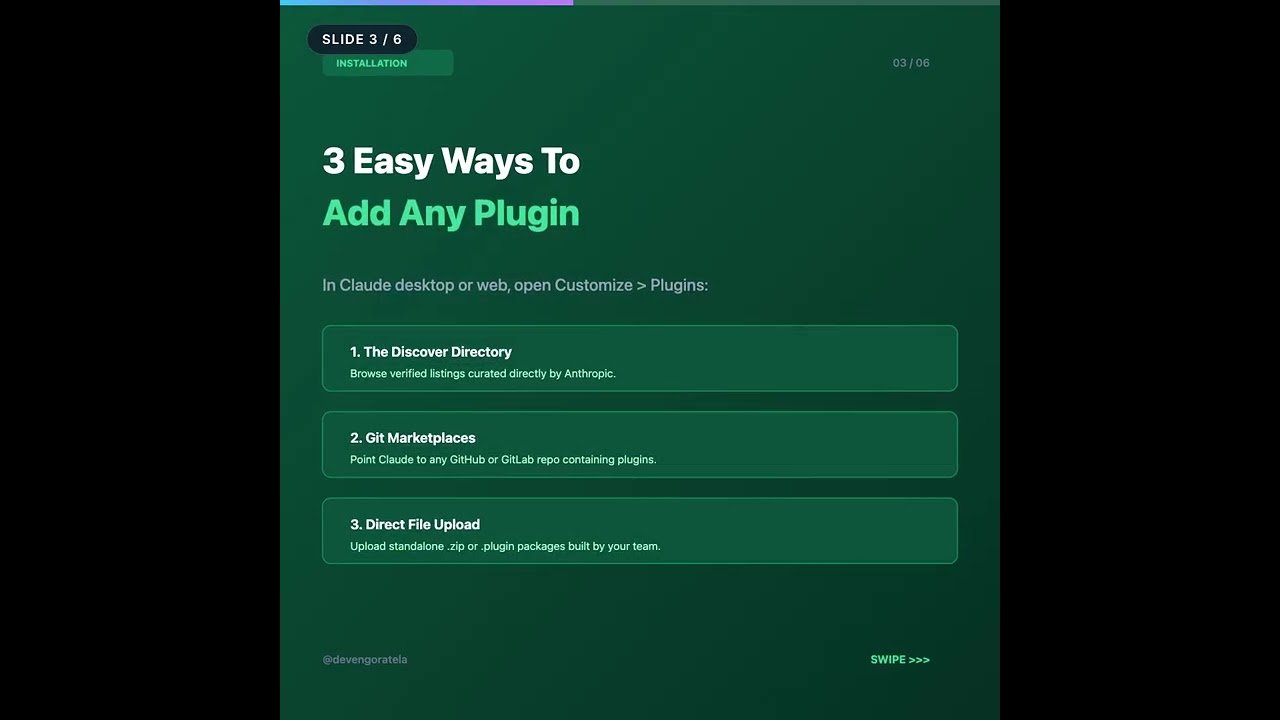
• How to discover and install plugins via directory, Git repo, or zip upload
• Why you must authenticate connectors manually before skills can reach data
• The runtime differences between chat, Cowork, and Claude Code
• Security rules: verified directory plugins vs custom uploads
TIMESTAMPS:
00:00 – Introduction to Claude Plugins
01:10 – The 4 Core Components Explained
03:20 – How to Install a Plugin
05:15 – The Critical Step: Connecting Your Apps
07:30 – Chat vs Cowork vs Claude Code
09:40 – Plugin Security & Best Practices
11:30 – Summary & Next Steps
RESOURCES & LINKS:
• Connect on LinkedIn: https://www.linkedin.com/in/devengoratela/
• Follow on Twitter / X: https://x.com/devengoratela
• Practical AI Architectures: https://devengoratela.com
ABOUT DEVEN GORATELA:
Sharing practical AI workflows, automation architectures, and agentic engineering systems that save real hours.
Subscribe for new AI tutorials and automation blueprints every week.
#claudeplugins #anthropicclaude #claudeai #claudeskills #claudecode
Video Source
About the Author