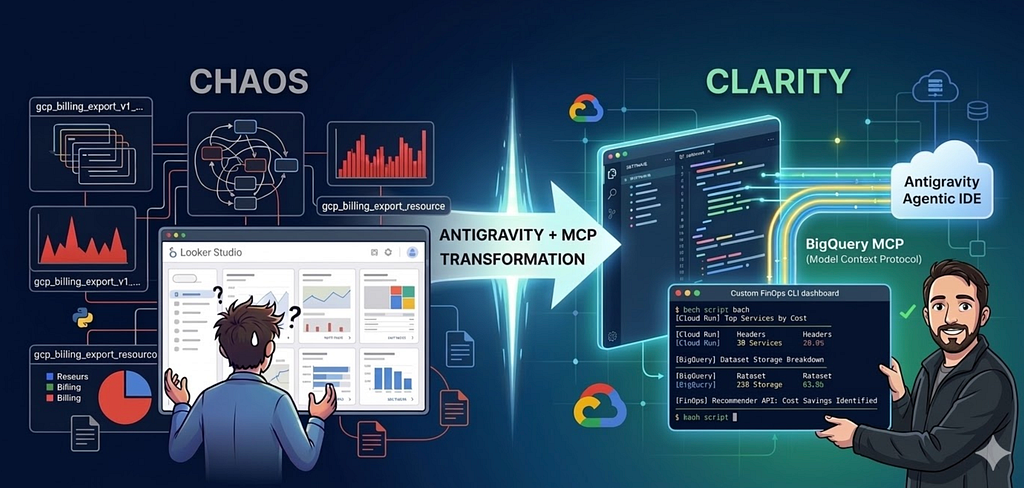
How Google’s agentic IDE and the Model Context Protocol can turn an opaque cloud bill into a granular, custom FinOps CLI in hours.
Every cloud engineer knows the sinking feeling of opening the GCP Billing console and seeing a spike.
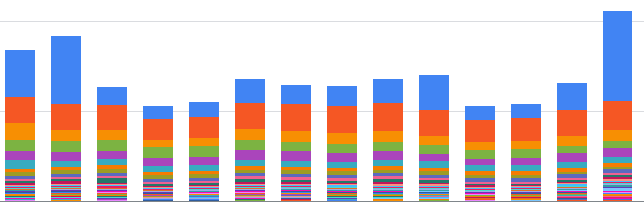
The standard advice is always the same: “Just set up a BigQuery billing export!” So, you do. But then you look at your usual billing dashboard, and you are still left with lot’s of open questions. Which specific Cloud Run service is driving the cost? Is it instance or request based? Which table in which dataset is eating up storage? Why are Cloud Logging costs suddenly spiking, and what resource is generating those logs?
The data is there, but extracting the exact narrative you need can be time consuming. You end up manually writing massive SQL aggregations, digging through gcloud logging commands, and trying to stitch it all together.
Recently, I decided to use Antigravity paired with the BigQuery MCP (Model Context Protocol) to explore my billing data and automatically generate a highly granular, reusable FinOps bash script.
Here is how combining agentic workflows with your database context takes you from scratching your head to having a custom CLI dashboard in a few hours.
The Setup: What are Antigravity and MCP?
In my last post, I talked about using Antigravity (powered by Gemini 3) to write a Rust-based SQL optimizer. It helped as a tireless pair programmer. But writing code is only half the battle, analysing, slicing and dicing data is another one.
This is where MCP (Model Context Protocol) can help you.
Historically, if you wanted an LLM to write a query for you, you had to copy-paste your schema into the prompt and hoped for the best. MCP is an open standard that allows AI agents to securely connect to external tools and data sources. By enabling the BigQuery MCP server in Antigravity, the agent can dynamically run queries, inspect schemas, and see the actual shape of your billing export before it writes a single line of the final script.
In many scenarios it can make sense to use tools directly instead of the MCP server, but I believe MCP being particular useful when you want an agent to explore a new dataset autonomously.
Within Antigravity Settings -> Customisations, it takes a few seconds to add it, go to BigQuery, click on + Add and follow the instructions, after a quick setup you will see it as installed and ready to go:

Phase 1: The Exploration (Agent as a Data Analyst)
I didn’t start by asking Antigravity to write a bash script. I started planning by asking it to investigate my billing table.
Because the agent had live access via MCP, I could use a “vibe coding” approach for data analysis: “Look at my billing export table for the last 30 days. Find the top 10 cost drivers, but break down Cloud Run by billing mode (instance vs. request) and BigQuery by dataset storage.”
When you are in this analysis “vibe coding” mode, ensure that your gcloud context is set to run in a project that contains a BigQuery user quota to prevent costs spikes, 10tb should be generous enough. An additional safeguard when you are in this mode, is using gcloud auth context to impersonate a Service Account that contains only access to read data from the billing export dataset.
Instead of me writing the SQL, running it, and pasting the results back, Antigravity used MCP to iteratively query BigQuery. If a query failed due to a nested record (like the labels array), it read the error, corrected the UNNEST syntax, and tried again.
It was like watching a junior data analyst explore the dataset in real-time. Once it understood the schema and nuances of the gcp_billing_export_resource schema, we were ready to build the tool.
for guidance on how to set up the billing export follow the official docs.
Phase 2: Building the Script
The goal was to compile all these insights into a standalone tool: a bash script that anyone could run to get a highly detailed, terminal-based cost analysis.
I tasked Antigravity with structuring the script. It didn’t just dump a list of bq commands, it architected a robust CLI tool with argument parsing (–days, –project, –logs-only), color-coded terminal output, and temporary file management.
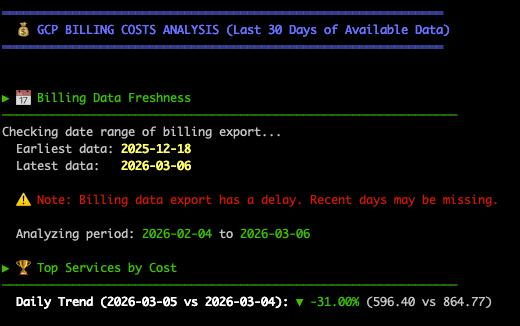
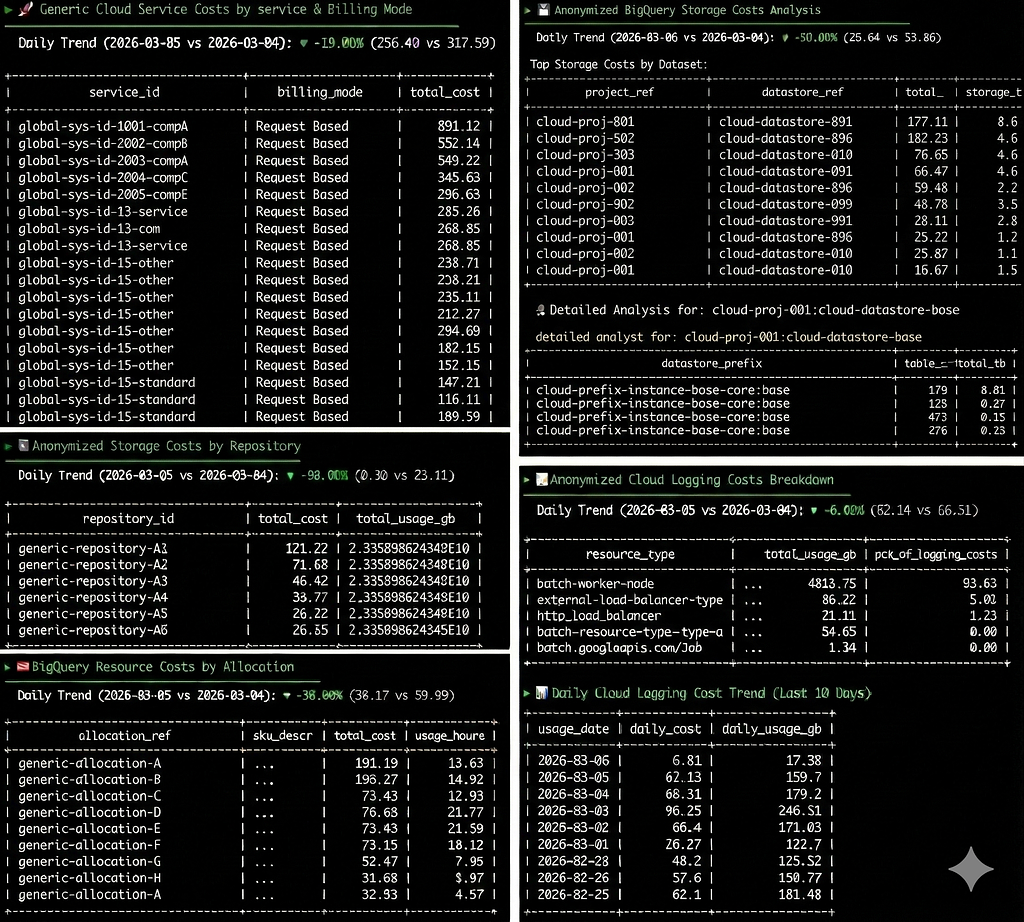
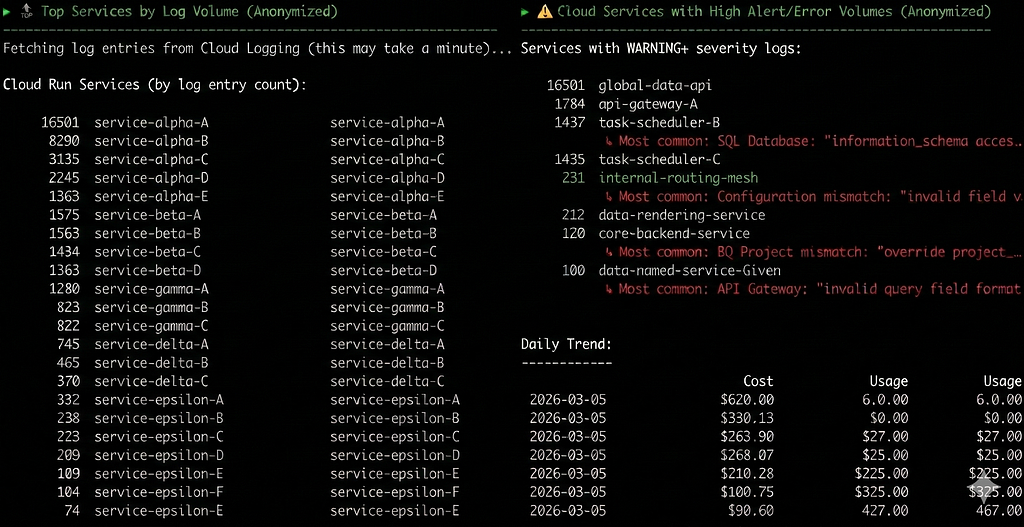
Here is a high-level look at what the script accomplishes:
- Billing Data Freshness & Trends: It dynamically calculates the available date ranges in the export (since billing data has a delay) and provides a day-over-day cost trend percentage.
- Granular Cloud Run Breakdown: It separates Cloud Run costs into “Instance Based” (min instances) and “Request Based”, then grabs the top services to cross-reference later.
- Deep BigQuery Storage Analysis: It doesn’t just look at BigQuery costs, it dynamically queries INFORMATION_SCHEMA.TABLE_STORAGE across different regions to find the exact table prefixes taking logical bytes.
- The Logging Deep Dive: This is where the script shines. It identifies that Cloud Logging is a cost driver, then switches contexts. It uses gcloud logging read to pull the last 24 hours of logs, grouping them to show exactly which Cloud Run services are generating the highest volume of WARNING or ERROR logs.
- Dynamic Recommendations: Finally, it uses the GCP Recommender API (gcloud recommender) to fetch active cost-saving recommendations specifically for the services identified in the run.
Pro Tip: The “Live Context” Guardrail
When writing bash scripts that combine bq query,jq,grep, cut, and other commands like, getting the piping right can be frustrating.
Because Antigravity had MCP access, I enforced a strict rule: Prove it works. Before adding a complex bq query wrapped in a shell variable to the script, the agent ran the raw SQL via MCP, looked at the JSON response, and then wrote the necessary piping logic based on real output. This eliminated the typical cycle of running a bash script 15 times just to fix syntax errors.
Phase 3: The Human in the Loop (Review and Refine)
As always, you don’t just blindly trust the AI with infrastructure scripts.
During the review of the agent’s proposed plan, I noticed it was trying to hardcode the BigQuery region for the INFORMATION_SCHEMA queries. I intervened, instructing it to use bq show to dynamically fetch the dataset location and format it correctly for the region-qualifier (e.g., translating europe-west3 to region-europe-west3).
Because Antigravity breaks its work into a clear implementation_plan.md and task.md, catching and correcting this logic flaw is always incredibly simple.
The Script
the actual code is tailored to the services and costs that made sense for a particular environment of mine, but following the same strategy combining Antigravity + BigQuery MCP and using this script as a template you may adapt it for any other SKU’s (use at your discretion):
https://medium.com/media/f6110d4b3c7e7d7740513ce6aee84b98/href
Why This Matters
We often don’t have the time to build custom billing reporting, most times it feels like a distraction from our actual product roadmap or day to day engineering tasks, so whenever you need it you end up doing ad-hoc checks on top of your billing data.
By combining the reasoning capabilities of Gemini 3, the execution environment of Antigravity, and the live-data access of BigQuery MCP, the friction drops to near zero. I was able to build a small FinOps tool that perfectly maps to my specific environment nuances in the time it usually takes to write a single complex SQL aggregation.
It’s no longer just about AI writing code, it’s about AI having the context to understand your environment and acting on it to save you time.
Decoding GCP Billing with Antigravity and BigQuery MCP was originally published in Google Cloud – Community on Medium, where people are continuing the conversation by highlighting and responding to this story.
Source Credit: https://medium.com/google-cloud/decoding-gcp-billing-with-antigravity-and-bigquery-mcp-1941dd37ae09?source=rss—-e52cf94d98af—4
About the Author