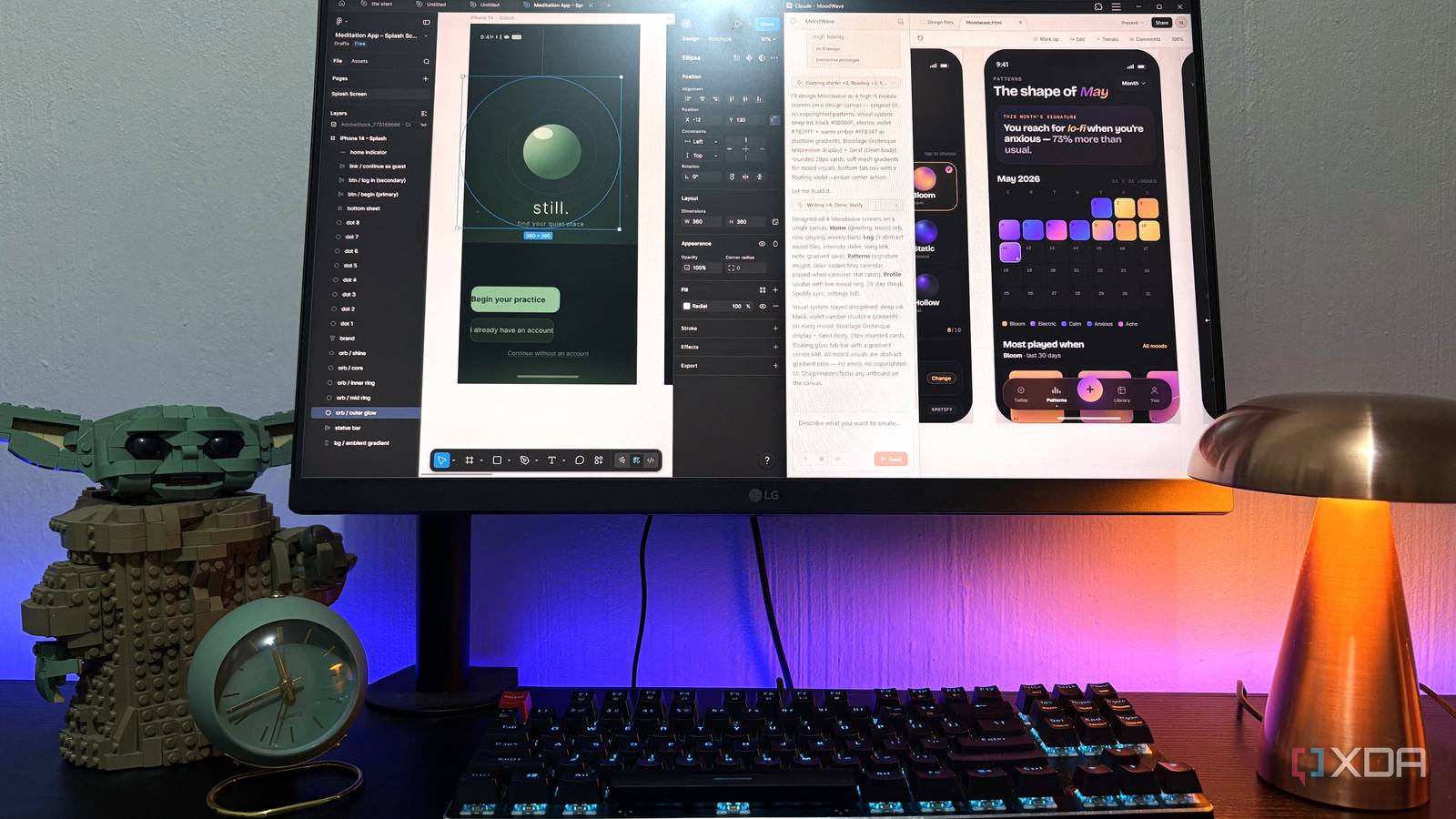
Initially, keeping up with all things AI wasn’t too tough. OpenAI launching ChatGPT publicly was what set off the initial craze (despite companies having worked on this stuff for years behind the scenes), and back then, the only thing you really needed to do was keep tabs on what OpenAI was adding to ChatGPT. And then one chatbot turned into two, then five, and then, well, look at where we’re at now.
Anthropic shipped Claude, Google shipped whatever Bard was and then eventually Gemini, local LLMs got a lot better, and suddenly, every week there was a new model. Keeping up stopped being a hobby and started feeling like a full-time job. The one company that hasn’t been taking a break lately is Anthropic. They’ve been shipping feature after feature, and I’ve been working overtime testing each out. The one feature that’s genuinely had me impressed lately is Claude Design, and I’ve been using it constantly. However, the more I use it, the more I notice the serious limitations it has.
What is Claude Design?
The latest thing to come out of Anthropic Labs
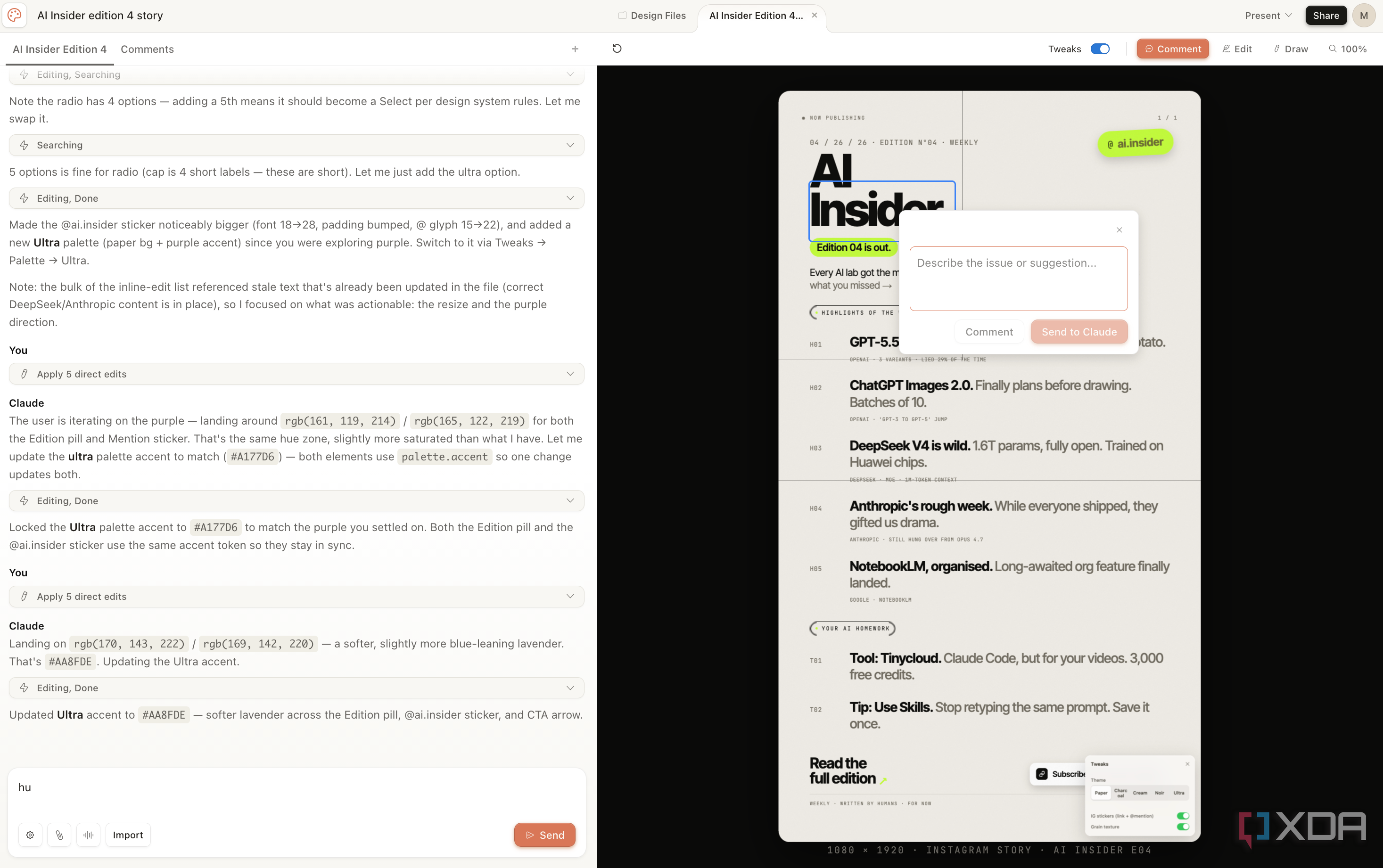
Claude Design is a new product launched by Anthropic Labs that’s currently in Research Preview. Claude Design is a full-fledged design tool that you can use to create presentations, posters, social media graphics, UI mockups, website wireframes, infographics, and pretty much anything else you’d normally open Figma or Canva for. Instead of dragging shapes around a canvas for hours and trying to find the perfect font, you just describe what you want and Claude goes ahead and builds it for you.
While this has been something a lot of non-design and design companies have been pushing for a fair bit now (which include Figma, Canva, and Adobe), the benefit you get with Claude is that many people have been using it for everything else already. This includes creating presentations, infographics, slide decks, and of course, websites and applications. The difference now is that instead of getting a static preview or a markdown outline that you’d have to take elsewhere to actually polish, you get a proper editable design file inside a proper design canvas.
It’s a standalone feature that you’ll find within Claude web. You can give it a shot yourself by tapping Design in the left sidebar or heading to design.claude.ai directly. Unfortunately, as with a lot of features that Anthropic decides to launch in preview, Claude Design is limited to Claude paid subscriptions.
Claude Design does a great job where it counts
Turning ideas into designs without the design skills

I’ve been testing AI tools from the very beginning, and Claude has consistently produced the best-looking tools UI-wise. I’ve been “vibe-coding” my presentation slide decks using a Claude skill I found, meaning I’m already used to letting Claude handle the visual side of my work, and the results have consistently been better than anything I’ve gotten out of dedicated AI design tools.
So, when Claude Design launched, I immediately knew I was going to be a fan and that I’d be using it constantly. And credit where it’s due, the results it has produced have been genuinely impressive. You go from prompt to a full-fledged usable design within minutes, and a great part about Claude Design is that you can edit the design after the fact without having to start from scratch or re-prompt your way back to where you were (more on this below).
This has been a problem with other AI design tools I’ve used, where the iteration loop is so painful that you’re better off just accepting the first output or starting a brand-new prompt entirely. Claude Design avoids a lot of that frustration, and the outputs it produces are also genuinely worth using. So, for the most part, I think it’s one of the best AI design tools available right now.
The limits are terrible, genuinely
Twenty prompts and a prayer

You’ll seldom hear Claude users complain about the performance of a certain feature. What you’ll hear them complain about fairly often is the feature’s (and Claude in general’s) limits. Anthropic has a habit of shipping genuinely great products, and then getting a barrage of complaints on X and Reddit about them running out of limits just when they’re trying to test the feature out. Claude Design is no exception. If anything, it might be the worst offender yet.
While a fair bit of new features come built into your existing subscription and chew up usage limits of your overall plan, Claude Design is metered separately. On paper, that sounds like a massive win. Your design work doesn’t eat into your Claude Code limits, and vice versa. In practice, it just means you now have yet another weekly limit to keep an eye on, and this one runs out faster than any of the others.
To make matters worse, Anthropic doesn’t publish exact prompt counts for Pro, Max 5x, or Max 20x, but they do tell Enterprise users that their one-time onboarding credit covers “approximately 20 typical prompts.” Twenty. For an entire onboarding period! I’m on the Max 5x plan, and I’m out of limits by the middle of the week, and all I use Claude Design for is to generate slide decks, Instagram posts, and some website mockups occasionally. If a Max 5x subscriber casually using the tool is hitting the wall this fast, I can’t imagine what Claude Design is like on the Pro tier! A single attempt at a pitch deck would probably eat the entire weekly allowance.
That said, Anthropic did decide to go ahead and double the limits for some time. They announced on X that token limits across every plan had been doubled, but doubled only really means something if the original limits were generous to begin with! While Claude Design is impressive, I wouldn’t say it’s impressive enough to justify upgrading my entire Claude subscription just to keep using it past mid-week.
Editing designs Claude generates is a bit clunky
The Edit button isn’t what it looks like

Now, iterating on designs Claude Design generates is significantly smoother than most tools. You don’t need to constantly upload what it generated initially, repeat yourself a hundred times, and keep begging it to please, please not change the parts you actually liked. You also don’t necessarily need to download what Claude Design generated and do some manual editing in a separate app, since you can just do it within Claude Design itself. There’s an Edit button that lets you make manual adjustments directly on the canvas. So, you can easily perform edits like moving elements around, resizing things, tweaking text, swapping colors, and so on.
If you’d rather Claude handle it right from the get-go, the Chat panel is right there too, and you can also highlight exactly what you’d like to change directly on the canvas and leave an inline comment, kind of like the way you’d drop a note on a Google Doc. Claude picks it up and tweaks just that element without touching the rest of the design, which is genuinely the smoothest part of the whole experience. Now, everything I described above is what each feature is meant to do. The reality of how it works is slightly different though. For instance, with the feature that lets you manually edit the generated design, I found that every time I’d make a change, it’d disappear in a few seconds. That’s when I realized that every change I was making was then being implemented by Claude, which it was doing by coding the change in.
Every time I’d nudge an element, resize something, or tweak text, Claude would quietly regenerate the design in the background to “apply” my manual edit through code. Which sounds harmless until you realize what that actually means: every manual tweak you make is silently eating into your weekly limit, the exact same way a chat prompt would.
It also just adds unnecessary friction to your workflow. Every time I make a change, I need to wait a few seconds for Claude to catch up and reapply my edit through code before I could move on to the next one. If you’re making a bunch of small tweaks in a row, which is exactly what manual editing is for, those few seconds add up fast. By the time you’ve moved three elements and resized two, you’ve spent more time waiting for the edits to be implemented than actually editing.
About the Author