I didn’t think I would abandon NotebookLM. Ever since its introduction, it felt like magic. Like many power users, I fed it my PDFs, notes, and research documents, and let its neat summaries and famous Audio Overviews do the heavy lifting.
But over the last few weeks, that magic started hitting a ceiling. When my research demanded less passive summarizing and more active execution, the cracks in the notebook format started to show.
Recently, I migrated my entire research workspace into Claude Projects, and the shift was so positive that it made my old workflow obsolete. Here is why Anthropic’s Projects is the power-user upgrade you didn’t know you needed.
5 ways NotebookLM completely changed my workflow (for the better)
Hey Siri, how did I ever survive before NotebookLM?
Claude Projects is a collaborator
Don’t just find information from the sources
After using NotebookLM and Claude Projects side-by-side, I realized these two tools are built on different philosophies.
You can think of NotebookLM as a high-end reading room. If you feed it hundreds of pages of documents, it is effective at summarizing dense text and connecting hidden dots between different files.
If your only goal is to study, comprehend, and quiz yourself on your data, NotebookLM is tough to beat. But the moment you actually do something with that information, you hit a wall.
That is where Claude Projects comes in. It doesn’t just want to help me read my data; it wants to help me build the next iteration of it.
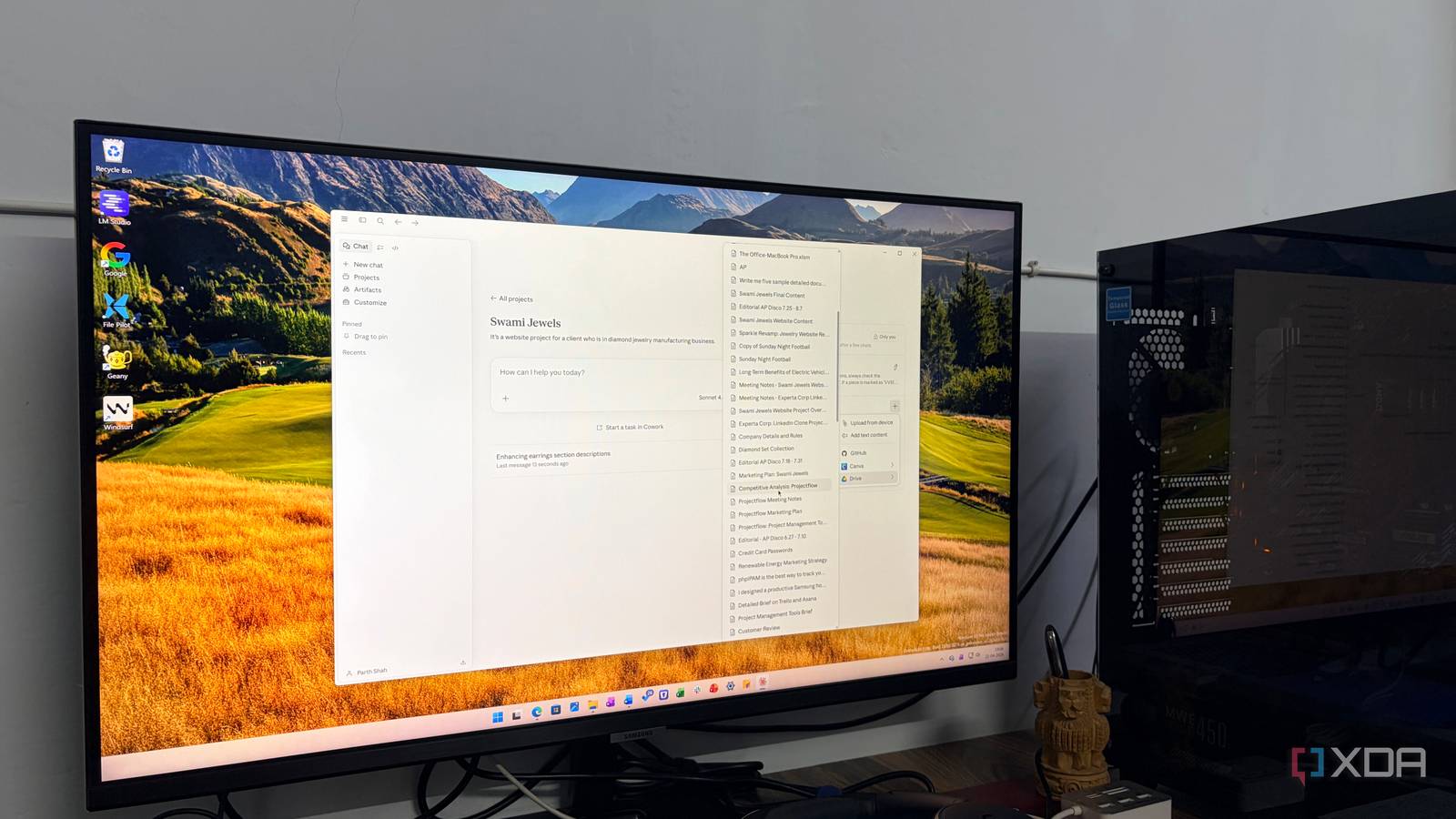
I realized this clear difference when I set up a project for a client’s jewelry business, Swami Jewels, on both platforms. I dumped the exact same background documents, product details, and notes into both tools to see how they would handle real-world tasks.
So, I asked both to find the relevant earring info and make it more engaging. NotebookLM immediately struggled. It basically just repeated what I had already written in a slightly different order.
Claude, on the other hand, instantly understood the assignment. It pulled the relevant earring details from the document, matched the tone of our brand, and then used its creative reasoning to write a superior, punchy copy that was ready to publish.
Next, I pushed them a bit on hardware and asked for ideas to redesign our website’s homepage based on our brand documents.
NotebookLM did an okayish job. It gave me a generic, flat bulleted list of things I should probably include on a website.
Claude completely blew it out of the water. Instead of vague advice, it mapped out the entire layout. It clearly outlined the exact sections, gave me specific header tags like H2s to use, told me what visuals should go where, and wrote out the actual copy for the hero sections.
It handed me an actionable blueprint I could immediately hand over to a developer or use to start coding myself.
NotebookLM is fantastic for helping you understand where you are. But when it’s time to take action and create what comes next, Claude Projects is in a league of its own.
Claude Projects supports third-party apps
Works with Canva, Adobe, and even GitHub

NotebookLM is a walled garden. It forces you to play strictly within the Google ecosystem. If you have research or project files living inside Google Drive, or you are pulling transcripts from a YouTube video, it works flawlessly.
But let’s be honest: real-life projects don’t just happen in a Google Doc. In my day-to-day workflow, my assets are scattered across different platforms.
When I’m managing a brand project or pulling together a complex research deck, my data is alive and moving. I have code repositories on GitHub, design assets and templates sitting in Canva, brand guidelines over in my Adobe account, and shared team assets across Google Drive.
With NotebookLM, incorporating all of this means a tedious routine of exporting, converting, and manually uploading static PDFs or text files. Claude Projects solves this by playing nice with the third-party apps I actually use.
I can connect a repository to pull in documentation, feed the project pitch decks, and asset framework to ensure the copy and layout ideas Claude generates stay strictly on-brand. For real-life projects, this open ecosystem is a game-changer.
Instead of wasting time translating my files into a format Google likes, I can leave my assets exactly where they belong and let Claude do the heavy lifting of bringing them together.

I paired Microsoft Excel with Claude, and it beats Copilot at its own game
Copilot who?
The great AI knowledge shift
At the end of the day, a massive context window is only as good as what you can actually do with it. NotebookLM will always have a place for quick deep-dives and hands-off summaries, but for me, Claude Projects wins for my complex workflows.
Also, I like how Claude Projects is neatly integrated into the Claude desktop app, while NotebookLM is a barebones in Gemini web, and you need to head to the main page to unlock all of its features.
For me, the notebooks serve their purpose, but the project space is where the real work happens now.

- OS
-
Windows, macOS
- Individual pricing
-
Free plan available; $17/month Pro plan
Claude is an AI platform that rivals ChatGPT and Gemini.
About the Author