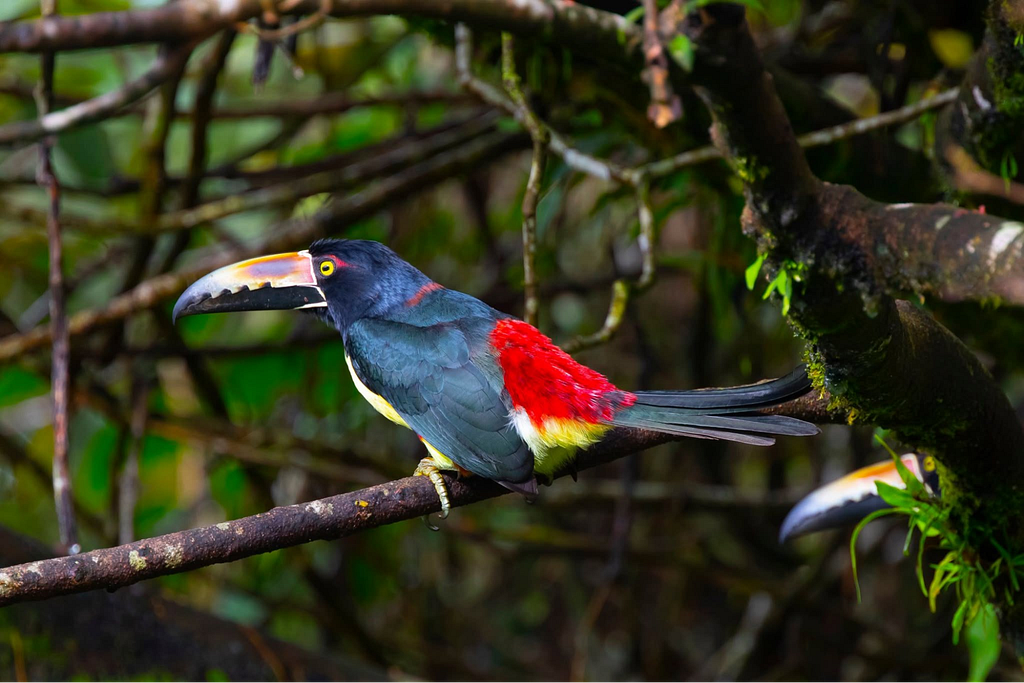
Collared Aracari, Costa Rica
Agents with Gemma 4
In my previous two blog posts, I shared my journey of building a local Gemma 4-powered agent to look up bird data without an internet connection. In the first installment, Creating ADK Agent using locally running Gemma 4 , I explored Gemma 4’s capabilities as a local LLM and how it can be used with ADK to build an agent. To ensure reliable answers from authoritative sources, I chose to augment the model with Wikipedia knowledge. My next post, , detailed the pipeline I used to extract that Wikipedia data using data analytics tools in Google Cloud. In this post, I will show how to use that extracted data to create an authoritative local data source for Gemma 4, culminating in a complete Agent Development Kit (ADK) a Building a Local Bird Knowledge Base powered by Gemma 4 , Data Preparation gent.
Wikipedia Data Access
I will try 2 approaches for the data access,
a. Use RAG Engine
b. Local Search Engine
I will compare the pros and cons of both the approaches.
RAG Engine
RAG Engine is a service in Google Cloud that easily lets you index your data and perform semantic search on it. I want to include this as a reference if you are planning to deploy the system in Gemma 4 in the cloud instead of Local Machine. With RAG Engine you can create your knowledge source for your Agents very quickly.
a. Go to RAG Engine service: To access RAG Engine click this link
b. If you are not already in Serverless mode , switch to Serverless mode by clicking “Switch to Serverless”.
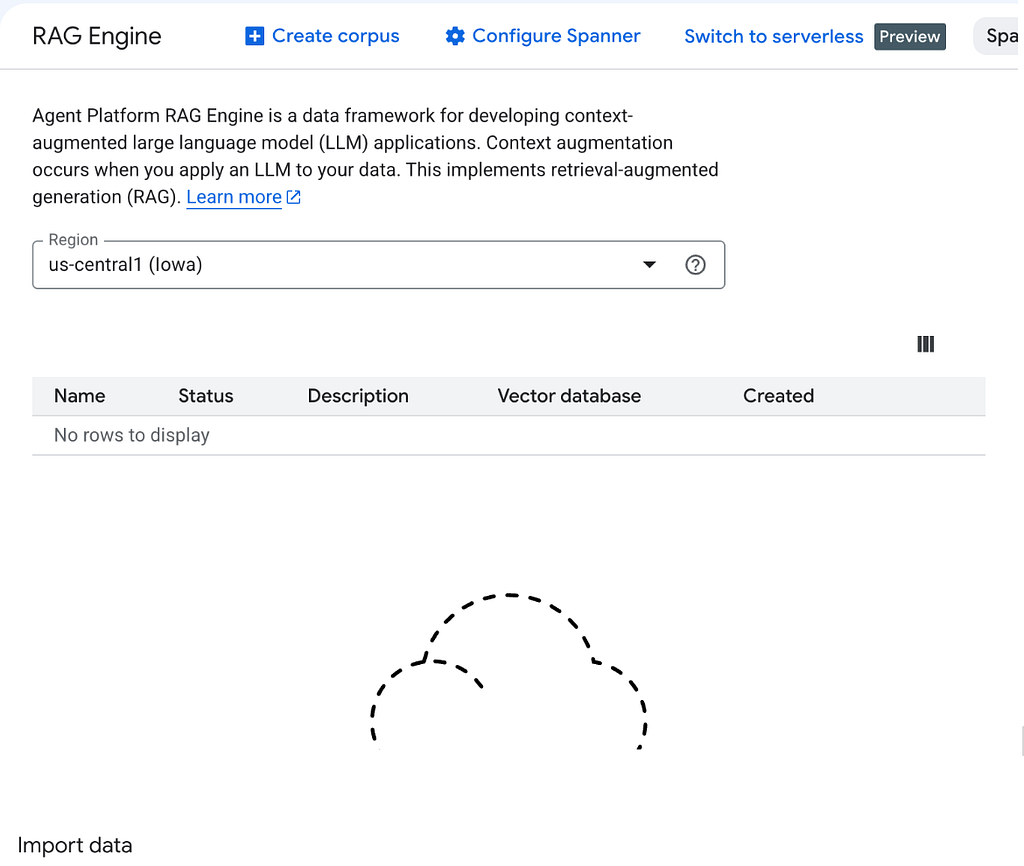
Figure 1: RAG Engine interface in Google Cloud
c. Click Create Corpus
d. Since all the files are stored in Google Cloud Storage, choose the location in Google Cloud Storage.
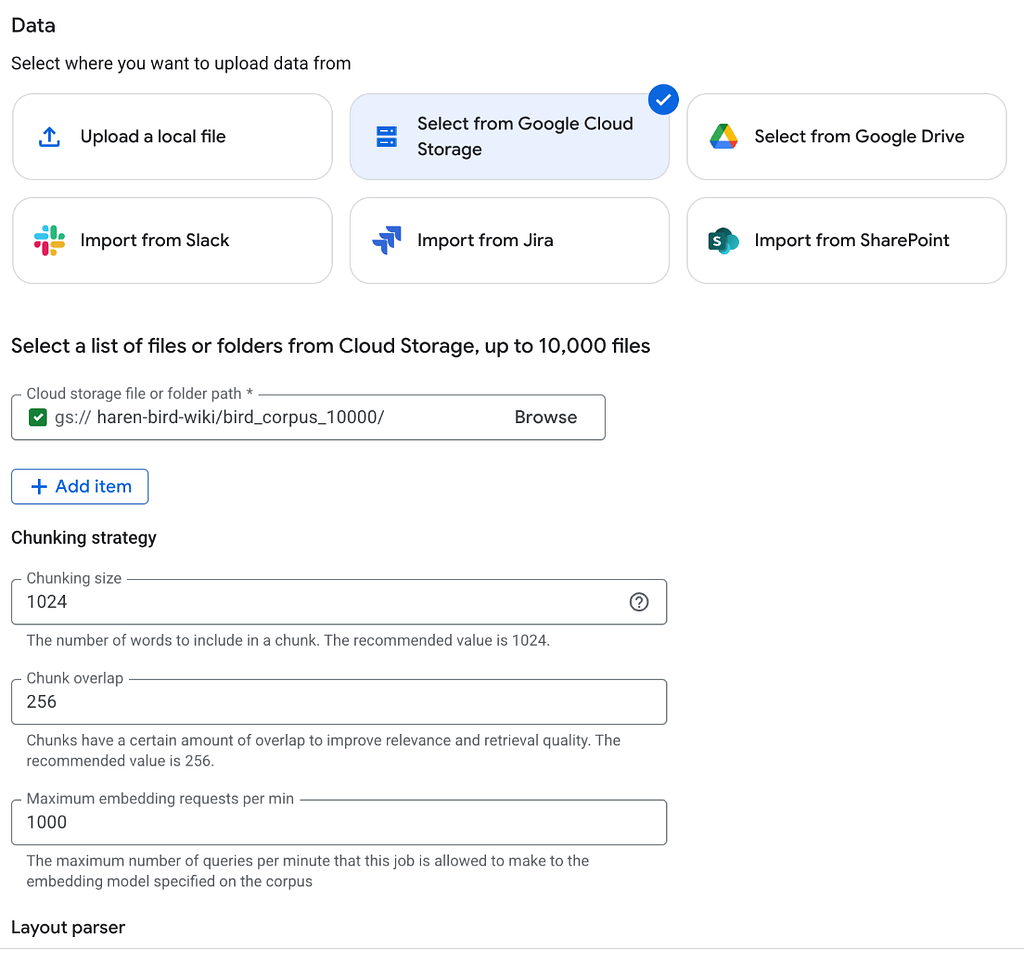
Figure 2: Choose Google Cloud Storage as the data source
e. It may take a while before your data is indexed, once indexing is complete you can test it, by clicking test.
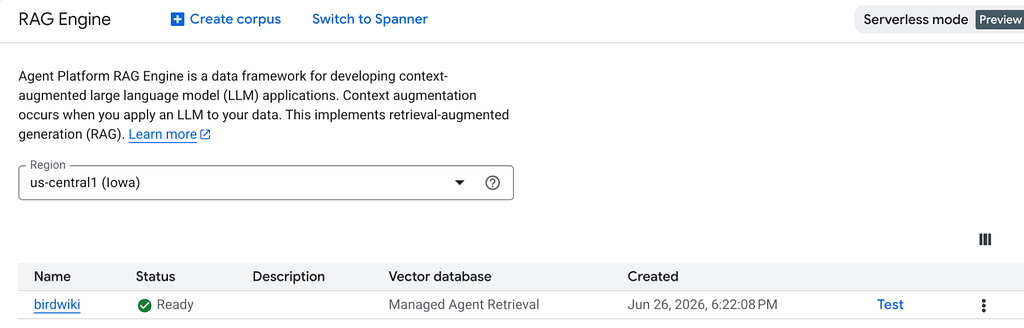
Figure 3: Data Indexing
f. You can use this data in the ADK Agent by using RAG Engine as the tool as below. You can use RAG Engine resource id as the source.
tools:

- name: VertexAiSearchTool

 args:

   rag_corpus_id: projects/haren-main/locations/us-central1/ragCorpora/3951820712087388160

   top_k: 5
g. This worked quite well and gave me the answers I was looking for and it was quick and easy to build.
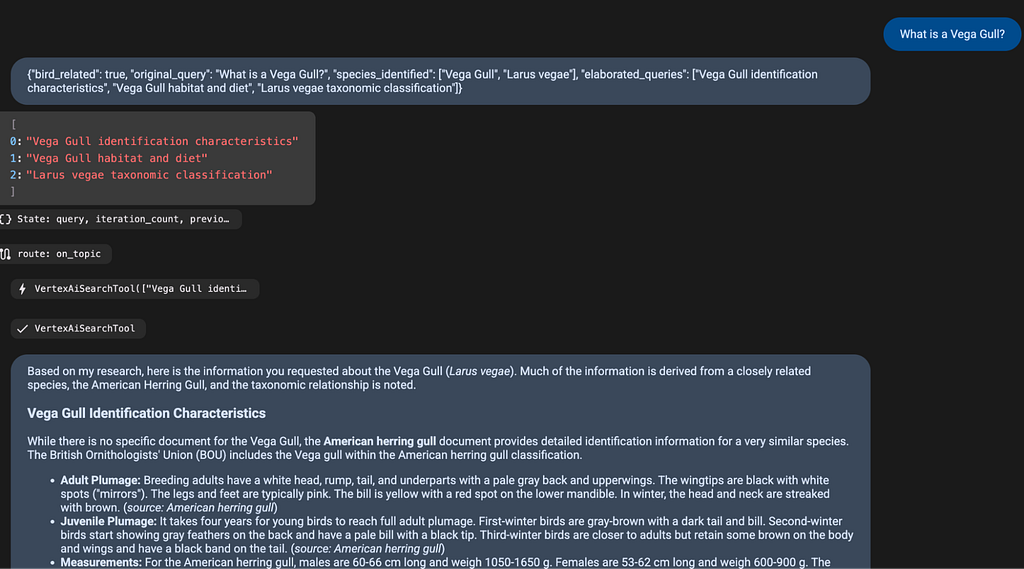
Figure 4: The ADK Agent working with the RAG Engine based data source.
Local Search Engine
To power the Gemma 4 Avian Search Agent, I developed the Local Avian Search Engine-a high-performance, completely offline search system designed specifically to index and query our large directory of raw text documents.
Unlike conventional search engines, I decided to implement a Hybrid Search Strategy to ensure the highest retrieval quality. This strategy combines two complementary approaches:
- Exact Keyword Matching: I prioritized direct, case-insensitive substring matches. This ensures that exact matches for specific bird names (e.g., “Herring Gull”, “Vega Gull”) are heavily boosted and ranked at the absolute top of the results.
- Local Semantic Embeddings: For conceptual matching, I utilized a lightweight, local bi-encoder model ( all-MiniLM-L6-v2 via sentence-transformers ). By running this fully offline, I can map queries and text chunks into a shared 384-dimensional vector space, allowing the system to understand that terms like “nesting” are semantically related to “breeding” or “habitats.”
The system’s architecture is divided into two distinct phases: an initial Indexing Pipeline (run once) and a dynamic Querying Pipeline (run at runtime).
- Source Documents: The engine pulls from the 10,000+ Wikipedia entries I extracted in text format.
- Text Chunker: I designed a chunking mechanism that groups text by paragraph. To prevent vector “dilution” in longer paragraphs (exceeding 800 characters), the chunker intelligently partitions the text by sentence boundaries.
- Local Embedding Model: A local copy of all-MiniLM-L6-v2 is saved in the data/model directory and configured to run in forced offline mode ( HF_HUB_OFFLINE=1 ).
- Vector Storage ( embeddings.npy ): During the initial indexing step, the system generates a binary NumPy file storing the precomputed float32 vector embeddings. This file is reused for all subsequent queries.
- Metadata Storage ( chunks.json ): Alongside the vectors, this file tracks file names, clean titles, original paragraph text, and chunk IDs, allowing me to map the search results back to the raw text.
For the scoring, I designed a hybrid scoring system that evaluates both the semantic meaning of the query and exact keyword matches.I specifically gave exact matches a much higher precedence-essentially acting as a strict priority filter. I did this to make sure that when searching for specific birds, the engine always surfaces authoritative sources at the very top. While the semantic similarity aspect is great for catching broadly related concepts, this heavy boosting guarantees that any document containing an exact match for a bird’s name will always outrank a purely conceptual match.
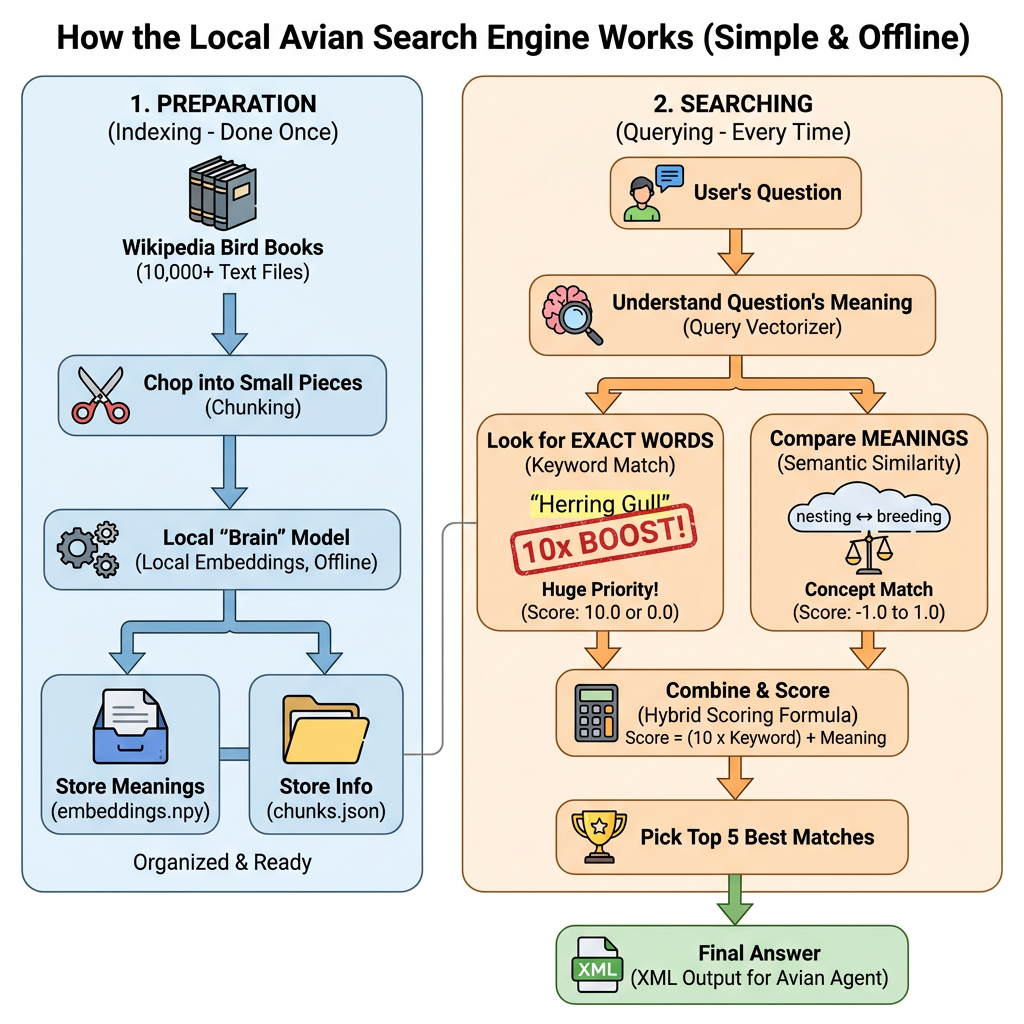
Figure 5: Local Search Engine architecture for indexing and Searching
Local Gemma 4 Powered Avian Research Agent
This section dives into how the Avian Search Agent (your personal bird_expert ) works under the hood. It runs completely offline, powered by the Gemma 4 model and the knowledge is augmented by the local avian search engine built in the previous step.
Instead of just guessing answers from memory-which can sometimes lead to made-up facts (or “hallucinations”)-our agent acts like a real researcher. It uses Retrieval-Augmented Generation (RAG) to look up actual facts from our local library of Wikipedia bird articles before it answers you.
It manages the entire Q&A process from start to finish:
- Understand & Plan: First, it analyzes your question to make sure it’s actually about birds, then breaks it down into scientific or taxonomic search terms.
- Fetch Facts: It dives into our local hybrid search index to pull the most relevant paragraphs.
- Draft the Answer: It writes up a detailed, nicely formatted response (complete with headers, lists, and strict inline citations so you know exactly where the facts came from).
- Quality Control: It grades its own work! If the answer has gaps or errors, it triggers a retry loop to search again based on its own feedback.
The Agent is composed of multiple agents that work together to produce the most optimal answers. Following are the agents used in this Agentic System.
The Elaborator Agent: The planner. It checks if your topic is relevant, translates common bird names into taxonomy, and figures out exactly what to search for.
The Researcher Agent: The gatherer. It takes the Elaborator’s plan and fires off searches using our BirdSearchTool in parallel.
The Synthesizer Agent: The writer. It takes all the retrieved facts and drafts a structured Markdown response, strictly using only the retrieved information and inserting citations (e.g., [Source: Document Title]).
The Evaluator Agent: It checks the draft to ensure it actually answers your question without hallucinating. It outputs one of three grades:
PASS: The answer is great. Send it to the user!
UNANSWERABLE: The info just isn’t in our local database.
FAIL: Something is missing or wrong. It appends feedback and sends the. team back to the Elaborator to try again (up to 3 times!). The loop does not. last longer than 3 times to make sure the Agent does not loop forever.
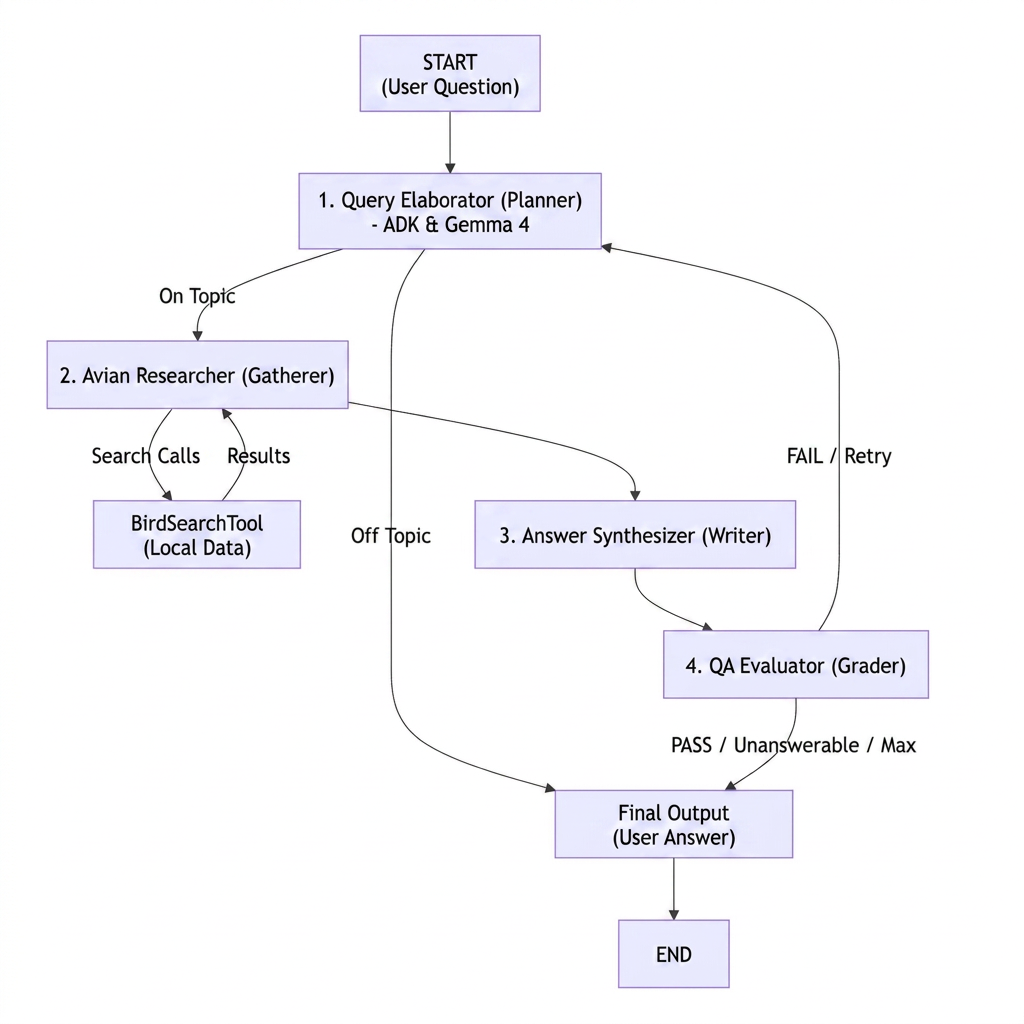
Figure 6: The architecture of the Avian Search Agent
To test the capabilities of the system, I asked the agent the same comparative question: “What is the difference between a Vega Gull and a Herring Gull?”
As shown below, it provided a comprehensive and accurate response, proving to be an invaluable resource for retrieving detailed avian information when internet access or cloud-based models are unavailable.
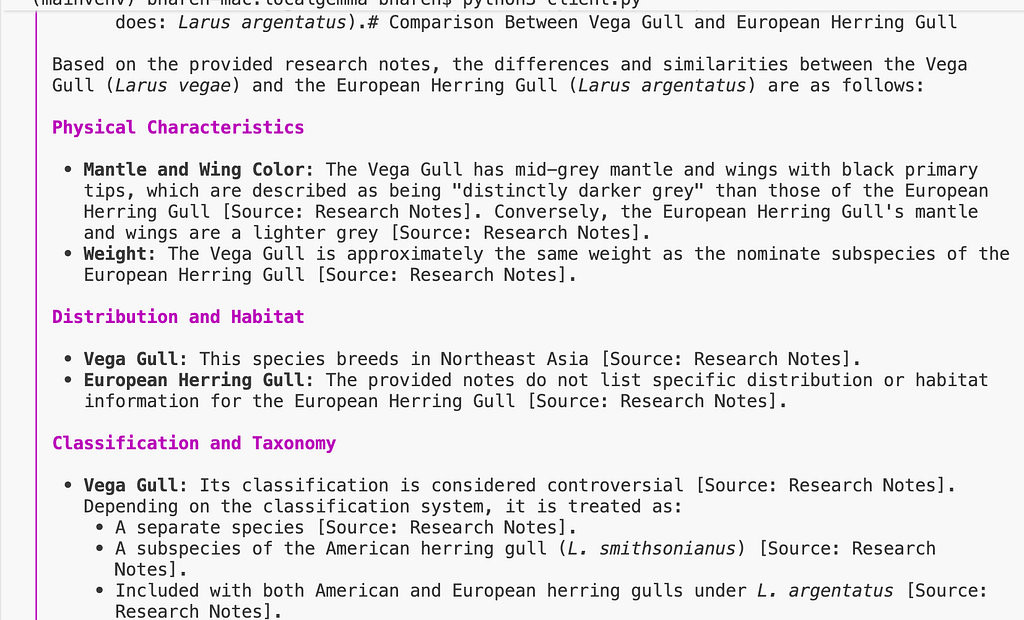
Figure 7: Locally running bird search Agent
Conclusion
In this post, I demonstrated how to build a fully local, Gemma 4-powered Avian Research Agentic System. To ensure high accuracy and reliable responses, the system’s knowledge base was augmented using comprehensive data extracted from Wikipedia.
We evaluated two primary deployment strategies:
1. Cloud-Based Deployment (Google Cloud): If you prefer to host the infrastructure in the cloud while utilizing Gemma 4 as your core model, integrating Google Cloud’s RAG Engine is a highly efficient approach. This strategy allows you to rapidly provision a data source and connect it to your agent. A significant advantage of this architecture is the ability to leverage advanced cloud services, such as the Gemini 2.0 embeddings model, which delivers exceptional semantic search performance.
2. Fully Local Deployment: To achieve a completely offline system — our primary objective — all components must reside on the local machine, including the LLM, the embedding model, and the search engine. I developed a local hybrid search engine for the Wikipedia bird corpus, combining exact keyword matching with semantic search to optimize retrieval efficiency. The semantic search layer runs entirely offline using the all-MiniLM-L6-v2 embedding model. Beyond operating fully offline, a key benefit of this approach is the ability to customize the search engine specifically to your dataset, resulting in exceptionally high-quality and relevant results.
Originally published at https://bufferof.com.
Building a Local Bird Knowledge Base powered by Gemma 4, The Agentic System was originally published in Google Cloud – Community on Medium, where people are continuing the conversation by highlighting and responding to this story.
Source Credit: https://medium.com/google-cloud/building-a-local-bird-knowledge-base-powered-by-gemma-4-the-agentic-system-3ae76967b2df?source=rss—-e52cf94d98af—4
About the Author