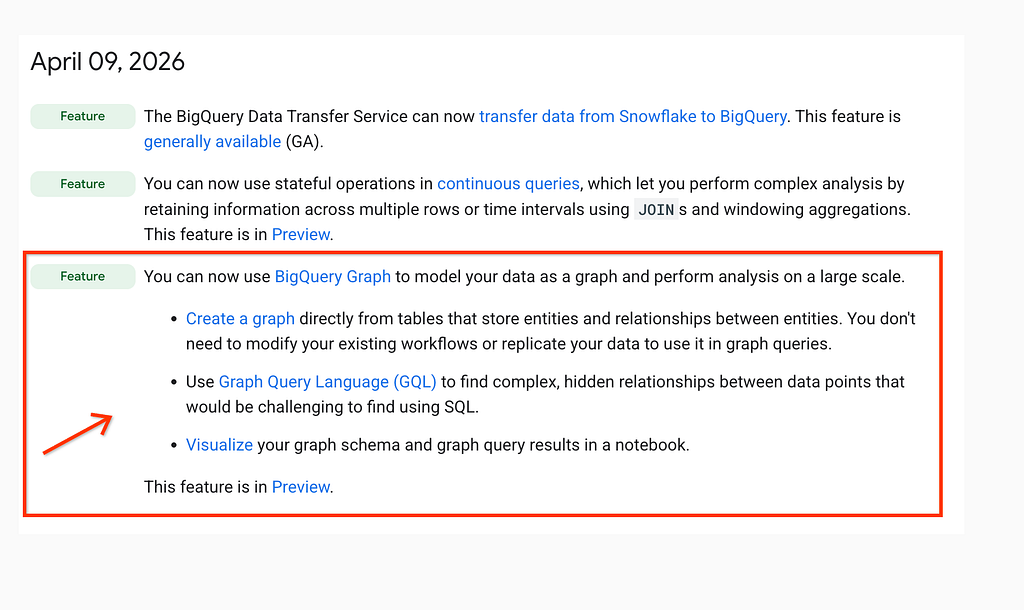
BigQuery Graph was officially announced as a Public Preview on April 9, 2026, marking a major milestone for Google Cloud’s data analytics suite. This new feature allows you to model and analyze complex relationships natively within BigQuery using the Graph Query Language (GQL) and SQL/PGQ standards, eliminating the need for complex self-joins or moving data to a separate graph database.
Here is a curated list of the best resources available right now to help you master BigQuery Graph.
Official Announcement & Documentation
Start here to understand the core architecture and what’s possible with the new graph engine.
BigQuery Release Notes (April 2026): The official log of the launch, detailing support for GQL and notebook visualizations.
Introduction to BigQuery Graph: A comprehensive overview of how BigQuery Graph bridges the gap between relational and graph models.
Graph Schema Best Practices: Essential reading for optimizing your property graph definitions and avoiding common performance pitfalls.
Deep Dives on Medium
BigQuery Graph Series by Rachael Deacon-smith : A great learning guide that covers key features of BigQuery Graph in a 3-part series:
- Part 1: Moving from “Dark Data” to Knowledge Graphs.
- Part 2: Using Gemini to extract graph entities from unstructured PDFs.
- Part 3: Querying and visualizing your graph in BigQuery Studio.
Hands-on Codelabs
The best way to learn is by doing. Google has released several scenario-based labs updated just this month.
- Build Customer 360 Recommendations: Learn how to combine graph patterns with BigQuery Vector Search to build a high-performance recommendation engine.
- Supply Chain Traceability Lab: Use BigQuery Graph to perform impact analysis and trace parts through a complex manufacturing supply chain.
- Financial Fraud Detection: A targeted tutorial on uncovering suspicious patterns and money laundering activities using graph-based path analysis.
Videos
- BigQuery Graph (YouTube): A quick-start video by Lucía Subatin that demonstrates how to run your first GQL query.
https://medium.com/media/5d853a3e9f0b33af46784f5733aeb43e/href
The 5-Minute “Hello World” Example
To get started with BigQuery Graph, you don’t need to move your data. You simply define a Property Graph layer on top of your existing tables.
Here is the shortest possible example: a simple social network where people follow each other.
1. The Relational Data (Standard SQL)
Run this in your BigQuery SQL workspace to create the schema and seed some data. This is how the data looks before it becomes a graph.
-- 1. Create a dataset
CREATE SCHEMA IF NOT EXISTS social_network;

-- 2. Create Node table (People)
CREATE OR REPLACE TABLE social_network.Person (
  id INT64,
  name STRING,
  PRIMARY KEY (id) NOT ENFORCED
);

-- 3. Create Edge table (Following relationship)
CREATE OR REPLACE TABLE social_network.Follows (
  follower_id INT64,
  followed_id INT64,
  PRIMARY KEY (follower_id, followed_id) NOT ENFORCED
);

-- 4. Insert sample records
INSERT INTO social_network.Person (id, name)
VALUES (1, 'Alice'), (2, 'Bob'), (3, 'Charlie');

INSERT INTO social_network.Follows (follower_id, followed_id)
VALUES (1, 2), (2, 3), (3, 1);
Visualization of the Relational Model:
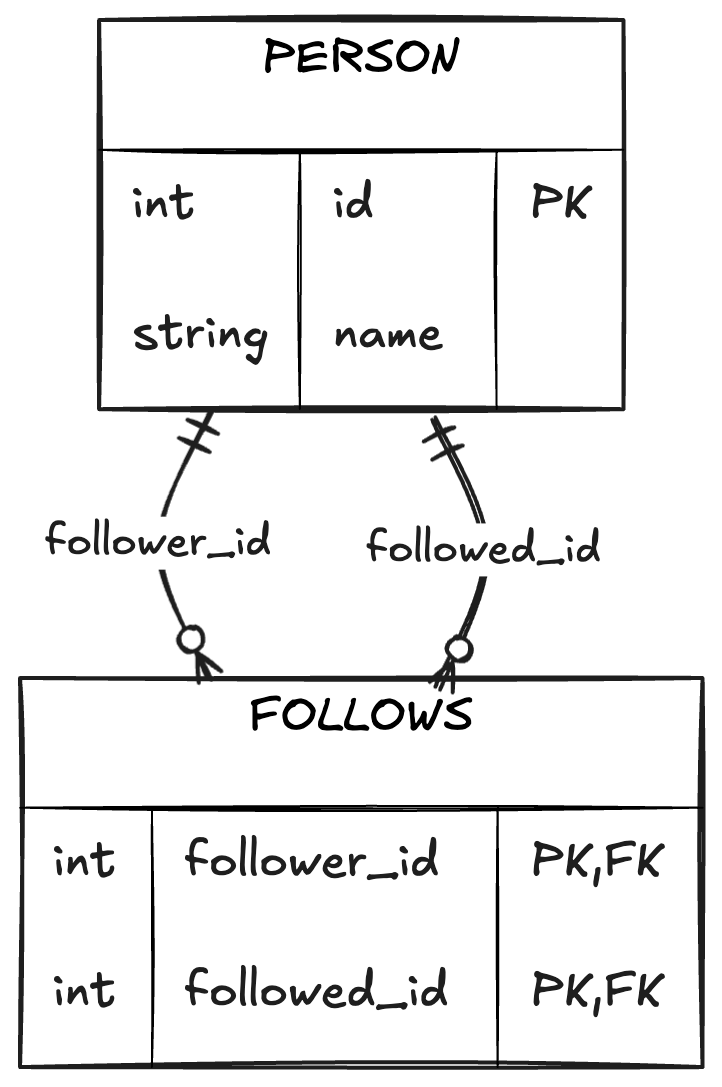
Once you run the above script, you should have a dataset and two tables as shown below:
2. Define the Property Graph (DDL)
This step tells BigQuery how these relational tables are connected. It doesn’t duplicate data; it creates a logical graph view.
CREATE OR REPLACE PROPERTY GRAPH social_network.MyGraph
NODE TABLES (
  social_network.Person KEY (id) LABEL Person
)
EDGE TABLES (
  social_network.Follows
  SOURCE KEY (follower_id) REFERENCES Person (id)
  DESTINATION KEY (followed_id) REFERENCES Person (id)
  LABEL follows
);
Visualization of the Property Graph Structure:
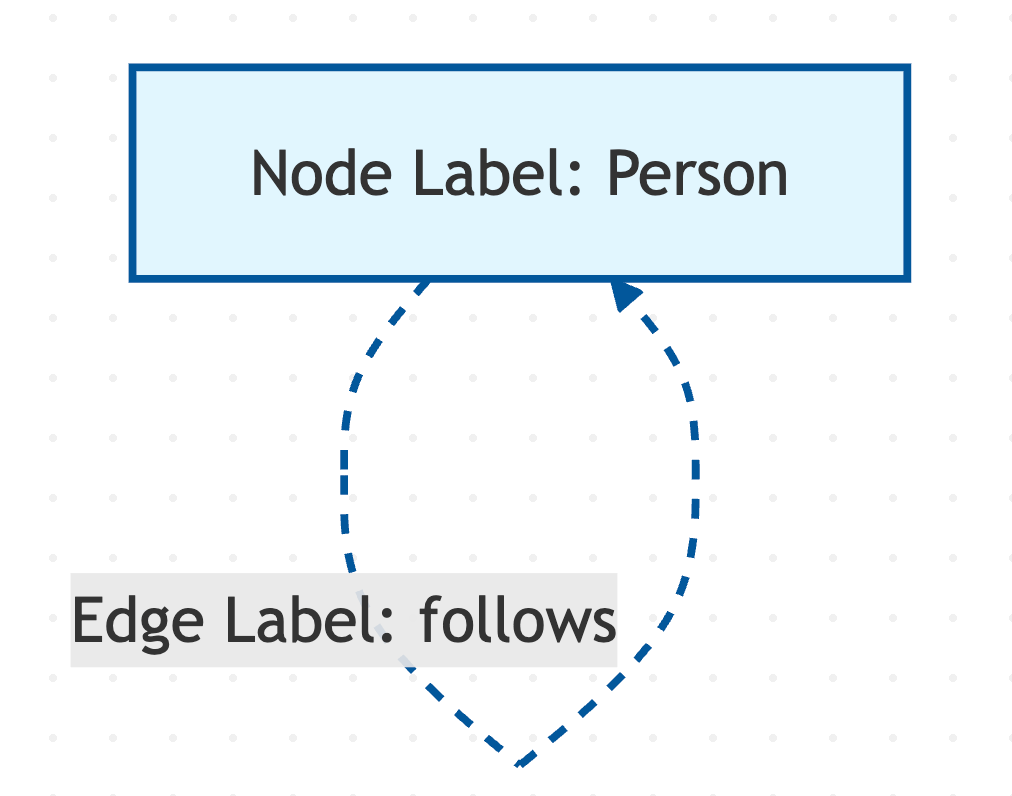
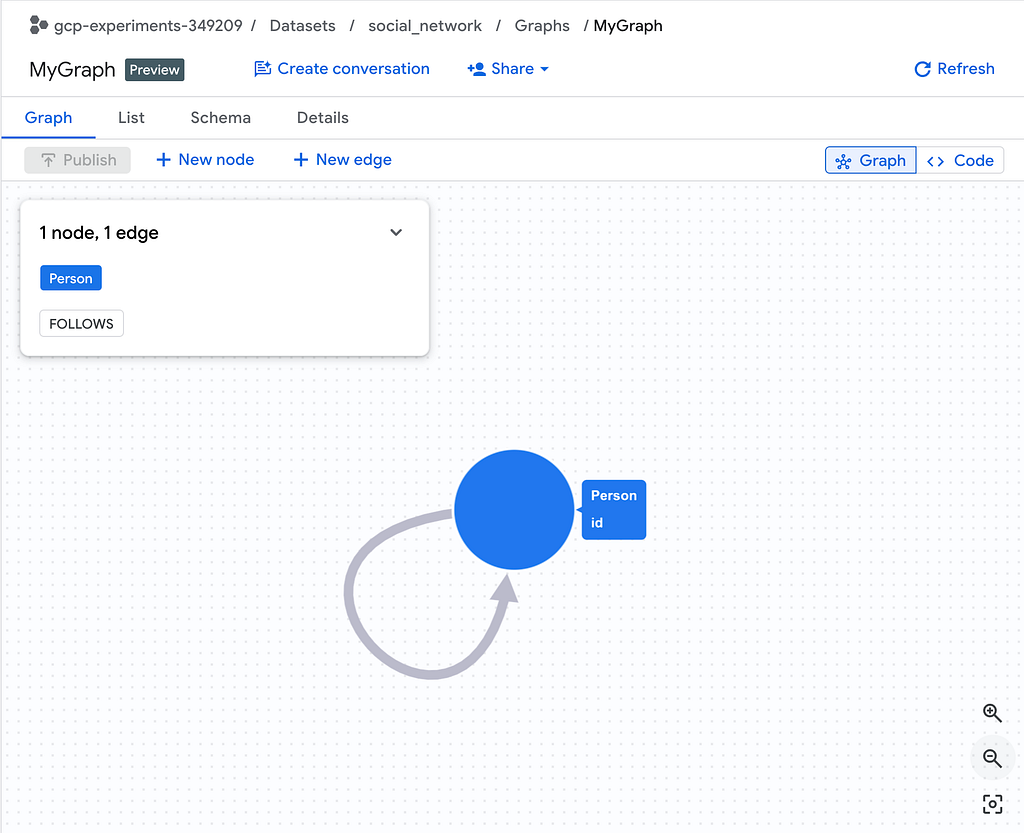
Once you run the above script, you will get a message as shown below:

Click on the Go to graph button. You should see a similar graph shown as below:
3. Query Your Graph (GQL)
Now you can use the new GQL syntax to find relationships. This query finds “friends of friends” (2-hop connections) starting from Alice.
GRAPH social_network.MyGraph
MATCH (a:Person)-[:follows]->(b:Person)-[:follows]->(c:Person)
WHERE a.name = 'Alice'
RETURN c.name AS friend_of_friend;
The result is Charlie as you would expect.

Visualization of the matched query path:
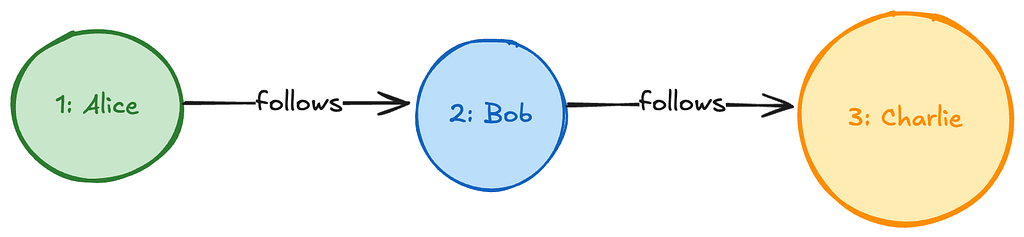
Notice the MATCH syntax? In standard SQL, this "friends of friends" query would require joining the Follows table twice and the Person table three times. In GQL, it’s a single visual path.
Do share any other resources that you find in your journey to learning more about BigQuery Graph.
The Practical Guide to BigQuery Graph: Resources, Codelabs, and GQL Examples was originally published in Google Cloud – Community on Medium, where people are continuing the conversation by highlighting and responding to this story.
Source Credit: https://medium.com/google-cloud/the-practical-guide-to-bigquery-graph-resources-codelabs-and-gql-examples-c88e8ed67a54?source=rss—-e52cf94d98af—4
About the Author