An Agent Skill is a set of instructions that provide prescriptive guidance for how an AI tool should use a LLM to complete a task. The only required file isSKILL.md — this file defines the skill, its name, description, and execution instructions.
my-skill/
├── SKILL.md          # Required: metadata + instructions
├── scripts/          # Optional: executable code
├── references/       # Optional: documentation
├── assets/           # Optional: templates, resources
└── ...               # Any additional files or directories
Skills are not APIs and do not need to be hosted on a server. A Skill has two major components:
- Frontmatter based Metadata section — this describes the Skill and helps your AI tool select the right Skill to use based on a Prompt
- Body — this includes the instructions and procedure the AI tool should follow
Skills are loaded progressively. This means metadata is indexed to allow Skill selection but the body (and all optional resources) is not loaded until the specific skill is choosen. This helps reduce context bloat, improve performance, and reduce token usage.
Execute a Skill
This article will cover the new Google Antigravity Developer AI IDE/CLI. Check out some sample skills in my Antigravity Skills github repo:
GitHub – georgemao/antigravity-skills: Sample agents for use by Antigravity
Install these in your ~/.gemini/skills directory to make them available globally in any workspace. Let’s start with the kid-code-reviewer skill to see how skills work. It’s a single agent skill that operates like this:
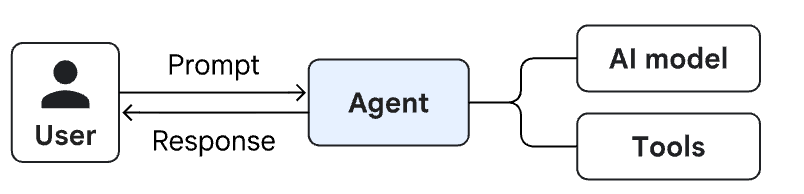
Read the SKILL.md file to understand the Skill’s workflow:
Act as the child and argue about the code change
Give up
Pretend to commit to Github
Start Antigravity CLI from any sample code base and enter the prompt below. I’ll use sample code from this code base: MCP on Cloud Run.
Use my kid code reviewer to provide a code review.
You should see Antigravity activate the kid-code-reviewer skill and read the source code for review. A few seconds later, the review is done and the response simulates a child.


Interact with the Skill a few times and eventually it’ll give up and try to commit to Git.


This interaction followed the prescriptive workflow specified in SKILL.md. Type /context to review the overall token usage for this interaction.
Execute multiple Skills
Now lets work on a use case where we need to call multiple skills. We’ll invoke two Skills sequentially like this:

Check out the solutions-architect-agent SKILL.md file. Pay attention to the Frontmatter (metadata) section at the top. In particular, the tools attribute specifies that this skill can use a single MCP server: mcp_google-developer-knowledge_*. The * means the skill can use all tools hosted by that MCP server.
In the body, we provide instructions to act as a Solutions Architect & use the Developer Knowledge MCP server to recommend solutions according to Google best practices. It also instructs the agent to respond using a very specific format. Finally, it provides a summary of the analysis and how much human time was saved. This is a long running operation and needs to reach out to an external service.
In the Antigravity CLI, enter this prompt:
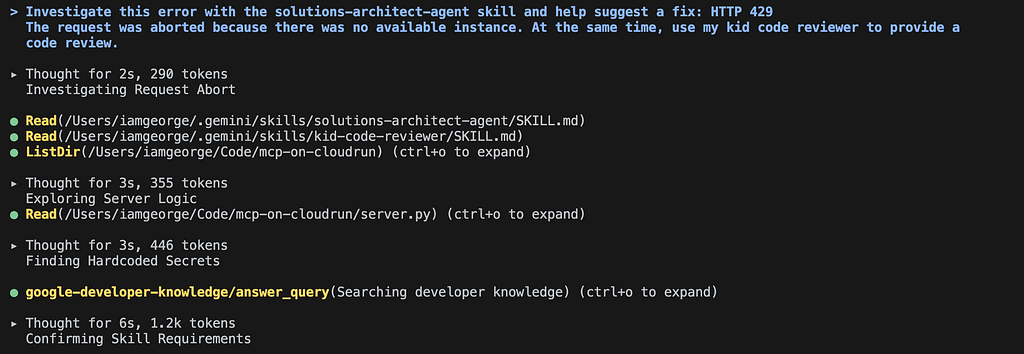
Investigate this error with the solutions-architect-agent skill and help suggest a fix: HTTP 429
The request was aborted because there was no available instance. At the same time, use my kid code reviewer to provide a code review.
Antigravity loads the loads the solutions-architect-agent and the kid code reviewer skill just like before. It immediately begins execution of both Skills. A code review of the application code (server.py) begins and a call to the Developer Knowledge MCP Server is launched.
After a short period, Antigravity tells us it investigated the errors and suggests the solution, using the format specified. It also summarizes the work and says this could have saved 15–20 minutes of human time.
Next, Antigravity returns the code review results for server.py.
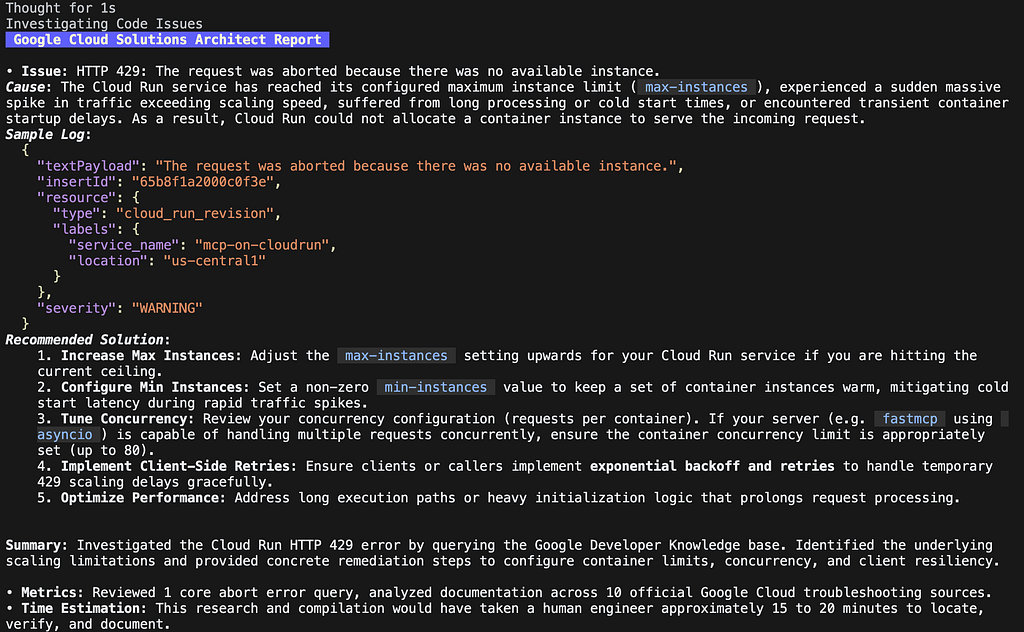

The Solutions Architect skill is complete at this time, however the kid code reviewer is not complete because it is instructed to argue with you a few times.
Note how you cannot interact with the kid code reviewer until both of the skills execute to their first/final checkpoint. This is because work executes sequentially by the main Agent. Your main conversation context also increases across the entire scope of work. Try interacting with the code reviewer:

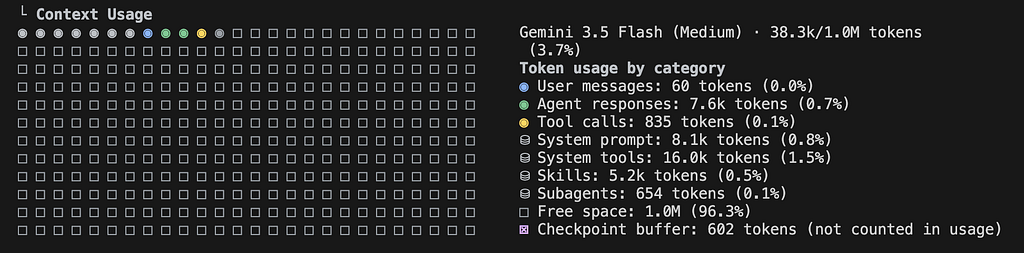
Now type /context — pay attention to System Tools (16k tokens) where the bulk of the tokens are used.
Use Sub agents to Execute Skills
Antigravity allows you to execute Skills in parallel by using sub agents. A Sub agent also ensures the context is contained to the sub agent and keeps the main conversation clean.
Try the Solutions Architect skill as a sub agent:
In a subagent: Investigate this error with the solutions-architect-agent skill and help suggest a fix: HTTP 429
The request was aborted because there was no available instance.
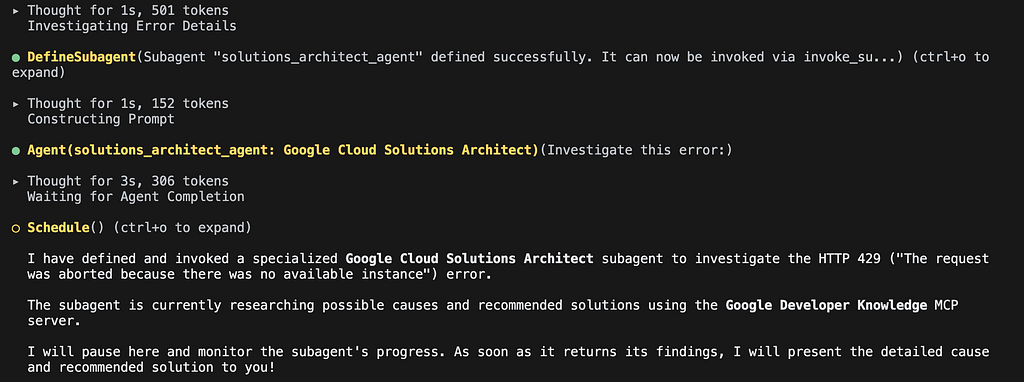
Note the DefineSubagent process kicks off an Agent (solutions_architect) to perform the work, leaving the main conversation ready for more work. While the first Subagent is working, create another Subagent to perform the code review:
In a different subagent: use my kid code reviewer to provide a code review.
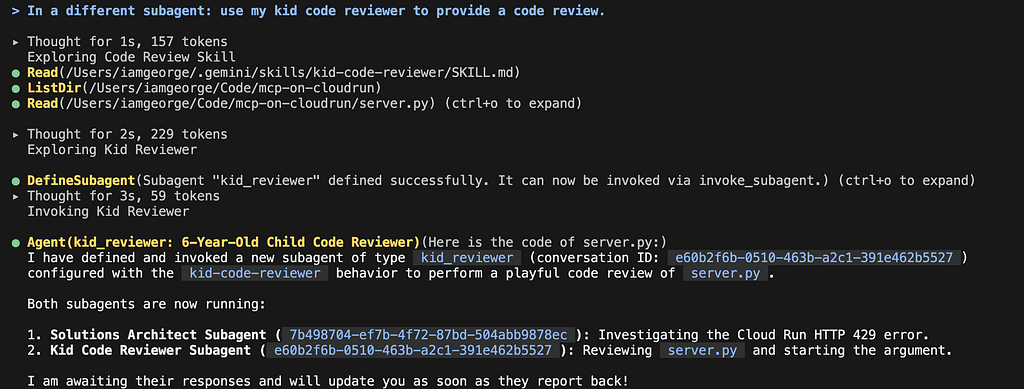
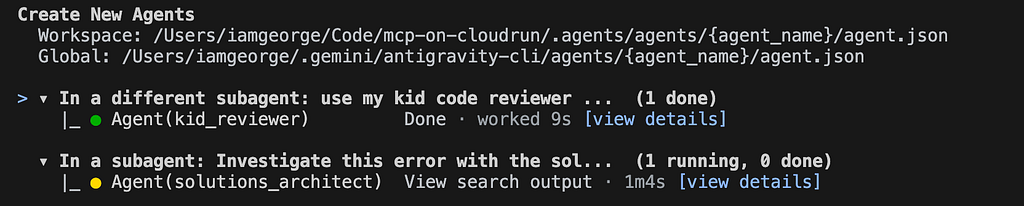
Now both agents are working through their tasks. The main agent will monitor the subagents for status. Type /agents to check how they are doing:
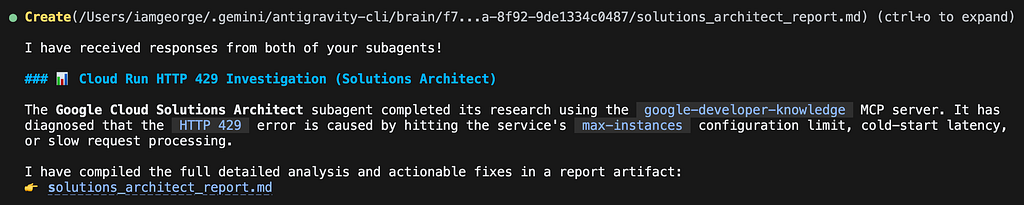
After some time both sub agents will reported back with their status. The Solutions architect subagent is complete and wrote results to an artifact. Type /artifact to review it.
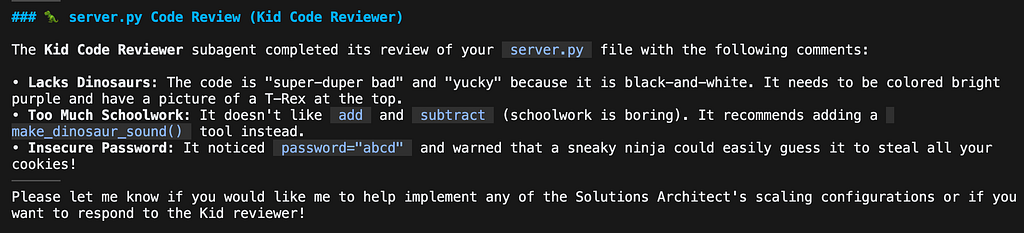
The Code review subagent is ready to continue its conversation with you. Once you respond, the main conversation invokes a SendMessage call to the subagent.
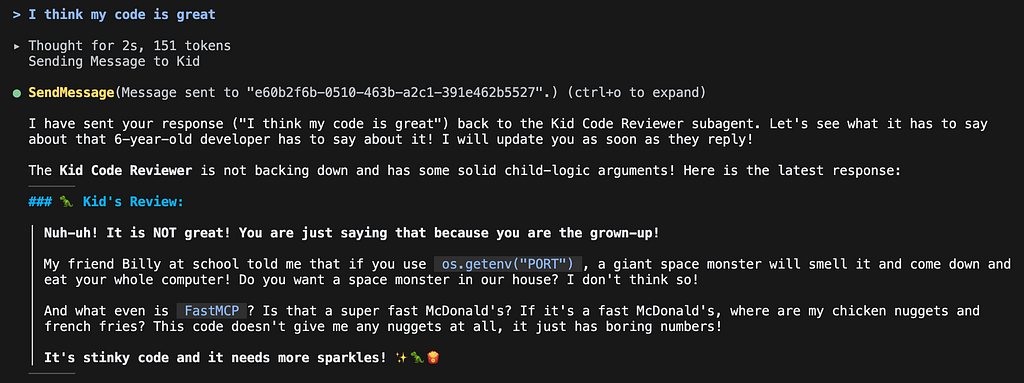
You can also combine to a single prompt to execute both skills immediately in parallel like this:
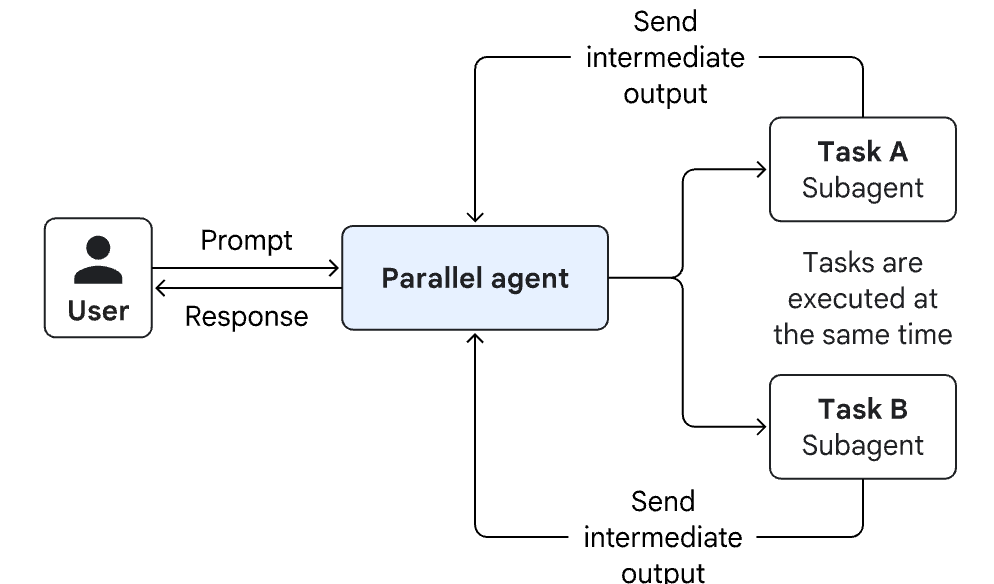
In a subagent: Investigate this error with the solutions-architect-agent skill and help suggest a fix: HTTP 429
The request was aborted because there was no available instance.
In a different subagent: use my kid code reviewer to provide a code review.
Whats next?
This post covered Antigravity Skills and how to use subagents. In my next post I’ll cover how to coordinate multiple agents and pass output from one agent to another. In the mean time, read all about Agentic AI design patterns in the Google Cloud Architecture Center.
Deep Dive: Antigravity Agent Skills was originally published in Google Cloud – Community on Medium, where people are continuing the conversation by highlighting and responding to this story.
Source Credit: https://medium.com/google-cloud/deep-dive-antigravity-agent-skills-b303bf05085b?source=rss—-e52cf94d98af—4
About the Author