Are you tired of chaotic digital workflows and slow iteration cycles? Let’s fix that.
As the documentation boldly states, “You’re using 10% of Claude Code. Seriously.”. In this video, we are breaking down the **Claude Code Cheat Sheet.pdf** to help you eliminate bottlenecks, automate your pipeline, and significantly speed up your AI-assisted development.
Whether you are building complex n8n automation pipelines or just trying to iterate faster on your IT consultancy projects, mastering these commands is the key to true efficiency.
**🛠️ What You’ll Learn:**
* **Essential Keyboard Shortcuts**: Master general controls and mode switching to navigate the CLI efficiently.
* **Slash Commands Explained**: Learn how to use session, config, and tool commands.
* **Task Management**: Discover how to use the `/effort` command to set task effort levels ranging from low up to max.
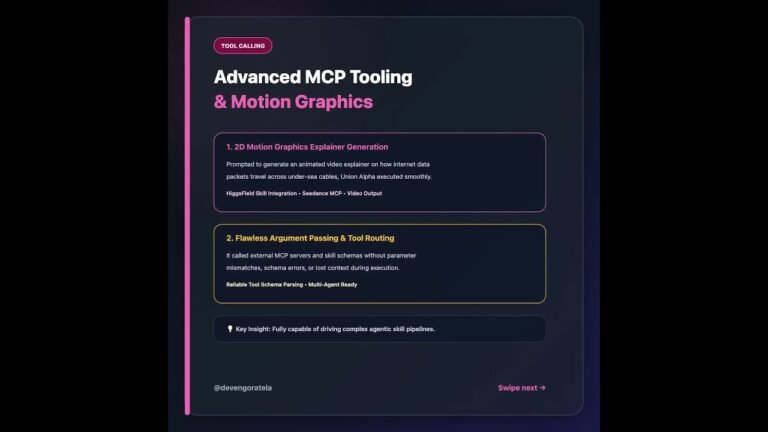
* **MCP Servers Integration**: Discover how to add and manage local or remote MCP servers.
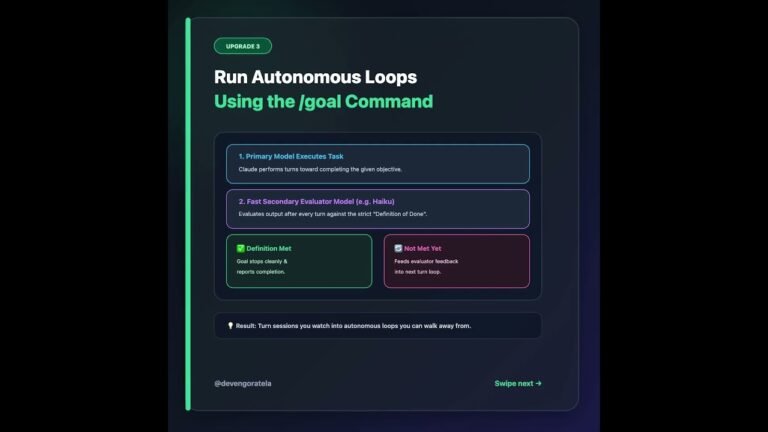
* **Advanced Workflows**: Optimize your process using Plan Mode, Git Worktrees, and Voice Mode.
**🔔 Don’t forget to Subscribe!**
Hit the bell icon so you never miss an update on the latest AI automation tools and workflow optimization strategies.
#ClaudeCode #AIAutomation #CodingProductivity #TechTips #contentcreator #viralvideos
Video Source
About the Author