Stop mixing up Claude plugins and skills. They solve two completely different problems for your AI agent workflow.
Most developers treat plugins and skills as interchangeable. That leads to bloated context windows, broken integrations, and inconsistent agent execution. 🛠️
Here is the cleanest mental model to structure your agent architecture:
### 🔌 Claude Code Plugins = System & Tool Capabilities
Plugins expand **WHAT** your agent CAN do across your environment.
• MCP Servers (Databases, Web Search, GitHub, Slack)
• Custom CLI Commands & Shell Utilities
• Event Lifecycle Hooks (auto-formatting, linting, safety triggers)
• Global System Configuration & Environment Adapters
👉 **Rule of Thumb:** Build a Plugin when you need to give your agent a new tool or system integration.
### 📚 Claude Code Skills = Procedural Guidance & Playbooks
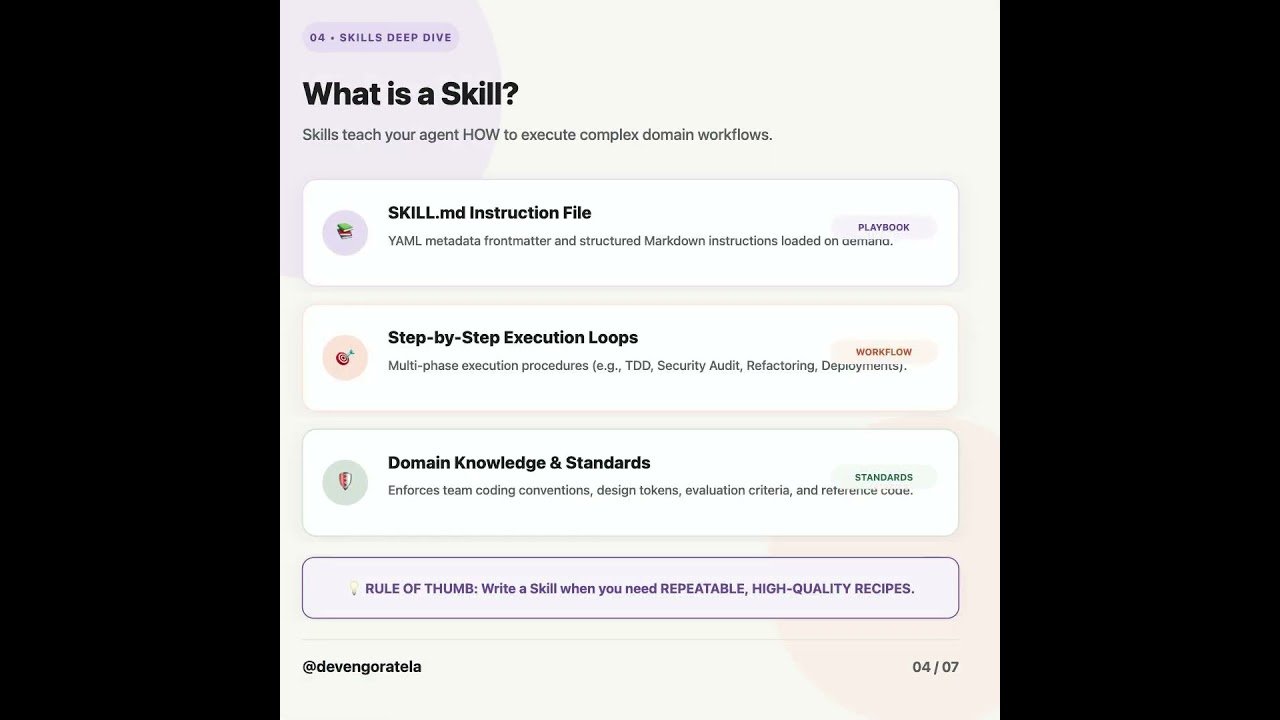
Skills teach your agent **HOW** it SHOULD execute complex workflows.
• `SKILL.md` instruction files & metadata triggers
• Step-by-Step Playbooks (TDD, Security Audits, Code Reviews)
• Domain Rules & Architecture Conventions
• Verification Loops & Evaluation Gates
👉 **Rule of Thumb:** Write a Skill when you need repeatable quality and step-by-step reasoning.
Which one are you building more of right now—Plugins or Skills? Let me know in the comments below! 👇
♻️ **Repost** if this breakdown cleared up the architecture for your engineering team.
➕ **Follow** Deven Goratela (https://www.linkedin.com/in/devengoratela/) for practical AI engineering patterns every week.
#ClaudeAI #AIEngineering #LLMOps #DeveloperTools #AIWorkflow #ClaudeCode #Automation #SoftwareEngineering
Video Source
About the Author