Google Cloud Model Garden: How to Enable Request-Response Logging for Claude Models-as-a-Service (MaaS) in us-east5 Region
Unlock deeper insights into your Claude model usage by routing telemetry data to BigQuery.
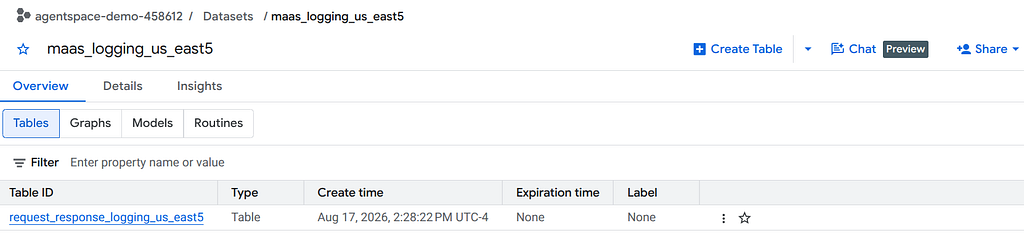
Create a Dataset and Table in BigQuery
Request-Response logs will be stored in BigQuery.
- Create an empty dataset and table. You do not need to define the schema. It will be created automatically.
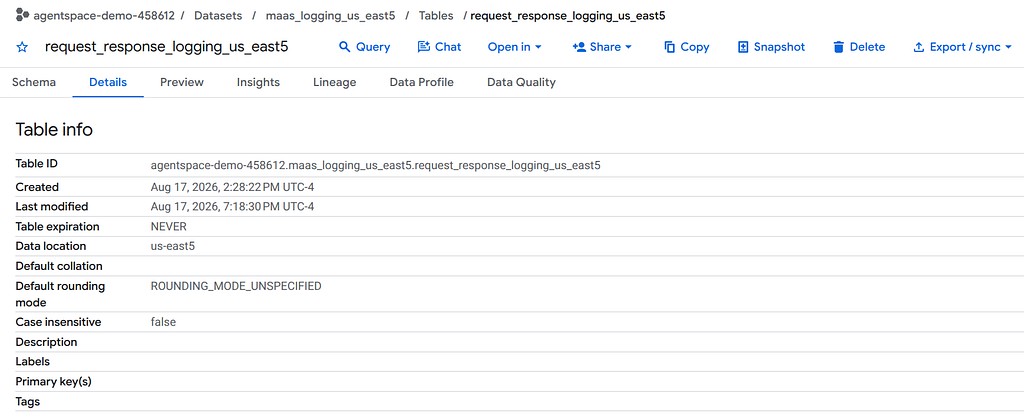
2. Get the Table ID so you can construct the BigQuery URI in the next step. This should be in the form: PROJECT_ID.DATASET_NAME.TABLE_NAME
Enable Request-Response Logging
Enabling Request-Response Logging is done through a REST API.
- Create a configuration file called request.json. This will contain all the parameters to send to the API.
- samplingRate: 1.0 — means that 100% of requests will be logged
- enableOtelLogging:true — enables Open telemetry logging in addition to the default request-response logging
{
  "publisherModelConfig": {
    "dataSharingEnabledProvider": "ANTHROPIC",
    "loggingConfig": {
      "enabled": true,
      "samplingRate": 1.0,
      "bigqueryDestination": {
        "outputUri": "bq://PROJECT_ID.DATASET_NAME.TABLE_NAME"
      },
      "enableOtelLogging": true
    }
  }
}
2. Enable logging by sending a POST command.
When constructing the URL, there are a couple variables to check:
- Service Endpoints
- Publishers
- Claude Model Names
One mistake I made was using the incorrect Model name string. Once I corrected the string, I saw logs.
curl -X POST \
     -H "Authorization: Bearer $(gcloud auth print-access-token)" \
     -H "Content-Type: application/json; charset=utf-8" \
     -d @request.json \
     "https://us-east5-aiplatform.googleapis.com/v1beta1/projects/<project-id>/locations/us-east5/publishers/anthropic/models/claude-4-5-haiku:setPublisherModelConfig"
3. Confirm configuration
 curl -X GET \
     -H "Authorization: Bearer $(gcloud auth print-access-token)" \
     "https://us-east5-aiplatform.googleapis.com/v1beta1/projects/<project-id>/locations/us-east5/publishers/anthropic/models/claude-4-5-haiku:fetchPublisherModelConfig"
Output:
{
  "loggingConfig": {
    "enabled": true,
    "samplingRate": 1,
    "bigqueryDestination": {
      "outputUri": "bq://agentspace-demo-458612.maas_logging_us_east5.request_response_logging_us_east5"
    },
    "enableOtelLogging": true
  },
  "dataSharingEnabledProvider": "ANTHROPIC"
}
Generate Requests-Responses for Testing
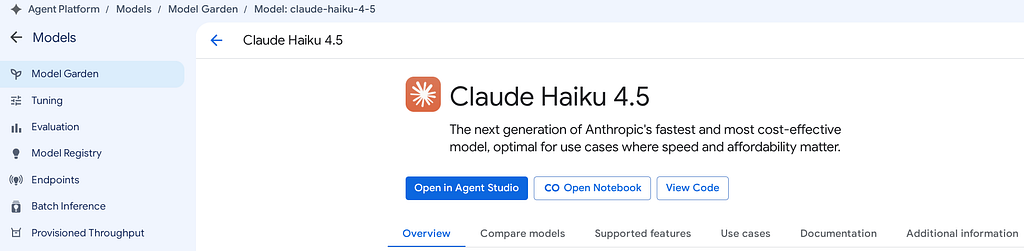
In the model garden, select the Claude model you enabled. There is an option “Open Notebook” to open a pre-made jupyter notebook.
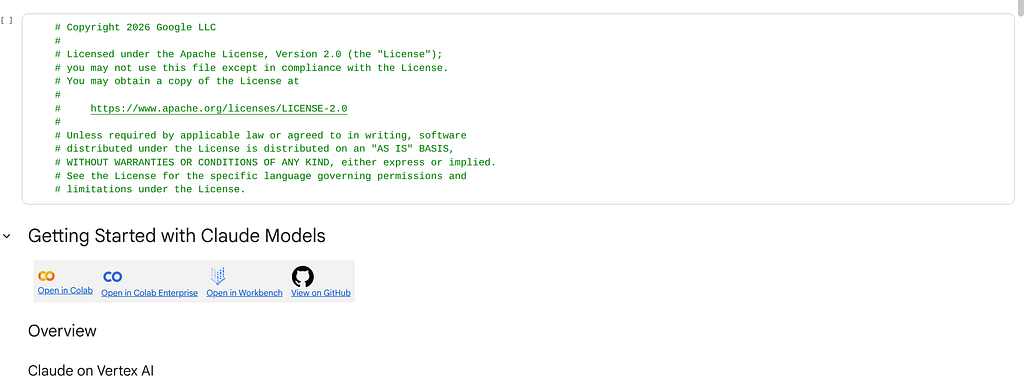
You can use this to generate requests-responses for testing.
Verify Logging
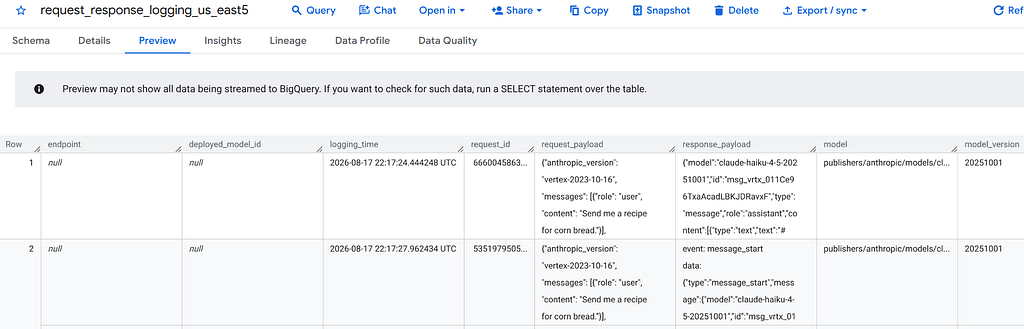
- Check BigQuery. Request-Response logs should appear in the table.
Summary
This example showed how to enable request-response logs for Claude Haiku 4.5 with an endpoint in us-east5 region.
This logic can be extended to enable logs for other MaaS models in the Model Garden in other regions by changing some variables. All the logs will be stored in Bigquery. Since the logs are stored in BigQuery, you visualize the logs or export them to an external system.
This data can be combined with other data sources to get a complete picture of your model Usage.
Resources
- Anthropic’s Claude on Google Cloud models
- Log and share requests and responses
- Request predictions with Claude models
- Method: models.setPublisherModelConfig
Google Cloud Model Garden: How to Enable Request-Response Logging for Claude Models-as-a-Service… was originally published in Google Cloud – Community on Medium, where people are continuing the conversation by highlighting and responding to this story.
Source Credit: https://medium.com/google-cloud/google-cloud-model-garden-how-to-enable-request-response-logging-for-claude-models-as-a-service-e3156b3d7fcd?source=rss—-e52cf94d98af—4
About the Author