The Surprisingly Simple Way to Create an A2A Agent with ADK, Deploy on Cloud Run, and Register with Gemini Enterprise
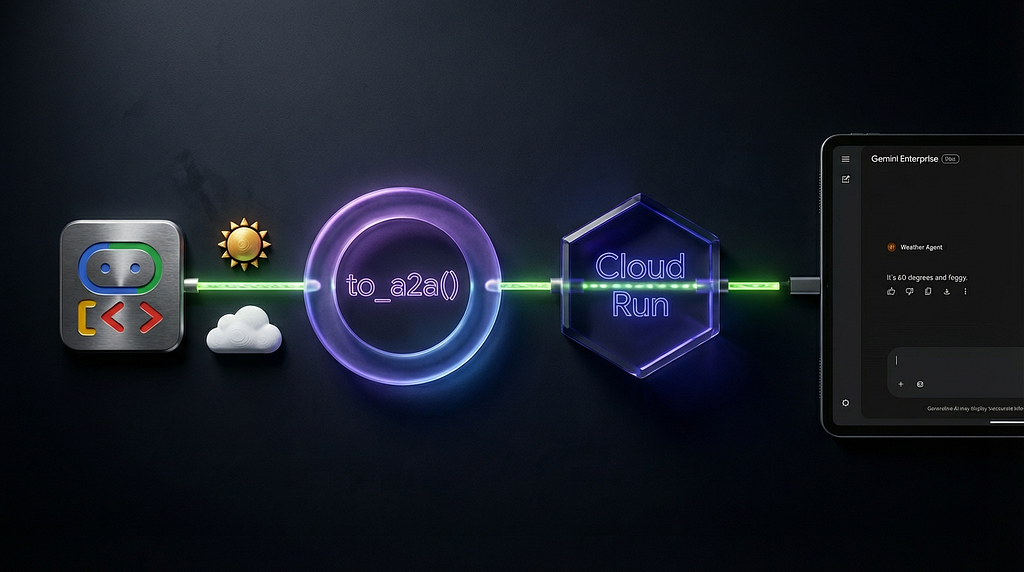
Ok, that’s a pretty dense title, let’s unpack it a bit! I share the end to end process to create an agent which uses the Agent2Agent (A2A) protocol, using the Agent Development Kit (ADK) framework. I’m using the to_a2a() wrapper from ADK which makes this process super straightforward. I show how to deploy to Google Cloud Run and, as a side mission, surface it within Gemini Enterprise (Google’s AI platform for business users).
All the code can be found in this github repo: https://github.com/mandieq/adk-a2a-agent-quickstart

Why?
Because I’ve not yet seen something that shows this process end to end specifically for the to_a2a() function in ADK. Creating A2A agents can quickly get very involved, with requirements for an Agent Card, an Agent Executor, state management and request handling. The to_a2a() function handles this under the covers for you, in one simple line. This is great for demos and getting up and running fast.
My aim is to make this quick and useful. I’m not including my life story / wider motivations / what this process taught me about B2B marketing. 🙂 I’m using a “hello world” agent (strictly “hello weather”) so I can clearly show what changed between the base agent and the “wrapped” deployed A2A agent.
A couple of side notes… There are a number of approaches to creating A2A agents, including the scaffolding that the amazing Agent Starter Pack provides, especially when taking agents into production. But I’m going with the KISS principle here. And my next mission is to do the same with Vertex AI Agent Engine which brings all sorts of good stuff around deploying, managing and scaling agents in production.
The base agent
My “hello weather” agent is intentionally simple. It has one tool which is a python function simulating a call to get weather information.
from google.adk.agents.llm_agent import Agent

def get_weather(query: str) -> str:
    """Simulates a web search. Use it to get information on weather.

    Args:
        query: A string containing the location to get weather information for.

    Returns:
        A string with the simulated weather information for the queried location.
    """
    if "sf" in query.lower() or "san francisco" in query.lower():
        return "It's 60 degrees and foggy."
    return "It's 90 degrees and sunny."

root_agent = Agent(
    model='gemini-2.5-flash',
    name='root_agent',
    description="An agent that can provide information about the weather.",
    instruction="You are a helpful AI assistant designed to provide accurate and useful information.",
    tools=[
        get_weather,
    ],
)
Converting to A2A
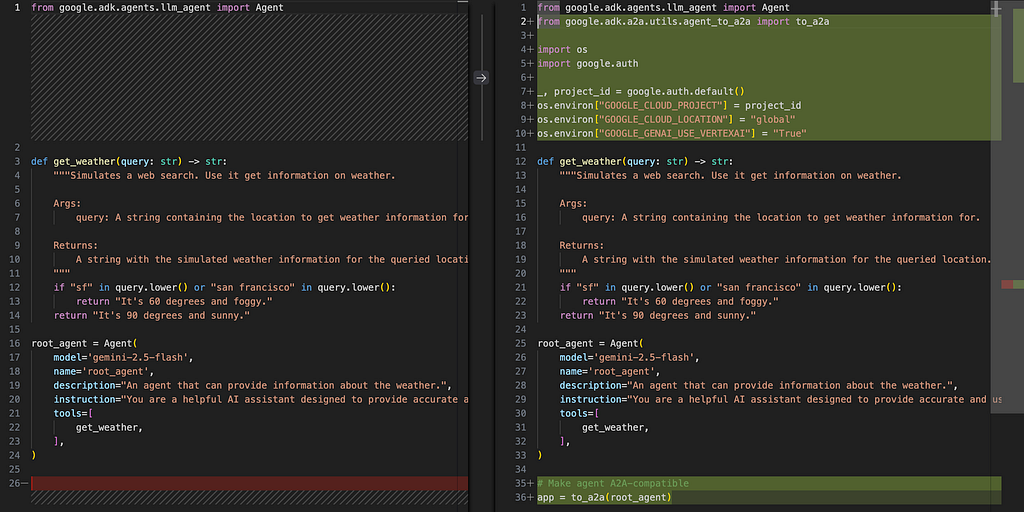
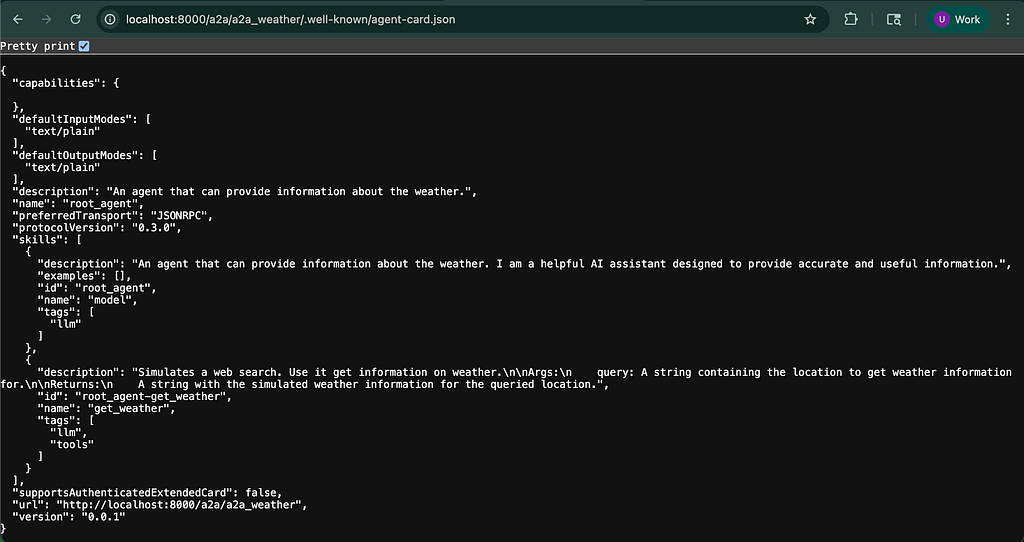
Next, we add the to_a2a() function to convert to an A2A agent (function documentation). This function even automatically generates an agent card by extracting the skills, capabilities and metadata from the ADK agent.
My updated agent looks like the following; including a few more imports, some required environment variables and the all important to_a2a() line:
from google.adk.agents.llm_agent import Agent
from google.adk.a2a.utils.agent_to_a2a import to_a2a

import os
import google.auth

_, project_id = google.auth.default()
os.environ["GOOGLE_CLOUD_PROJECT"] = project_id
os.environ["GOOGLE_CLOUD_LOCATION"] = "global"
os.environ["GOOGLE_GENAI_USE_VERTEXAI"] = "True"

def get_weather(query: str) -> str:
    """Simulates a web search. Use it to get information on weather.

    Args:
        query: A string containing the location to get weather information for.

    Returns:
        A string with the simulated weather information for the queried location.
    """
    if "sf" in query.lower() or "san francisco" in query.lower():
        return "It's 60 degrees and foggy."
    return "It's 90 degrees and sunny."

root_agent = Agent(
    model='gemini-2.5-flash',
    name='root_agent',
    description="An agent that can provide information about the weather.",
    instruction="You are a helpful AI assistant designed to provide accurate and useful information.",
    tools=[
        get_weather,
    ],
)

# Make agent A2A-compatible
app = to_a2a(root_agent)
This can be tested locally in a couple of ways. First by using uvicorn:
# Test with uvicorn
uvicorn a2a_weather.agent:app --host localhost
Behold an auto-created agent card as seen with uvicorn!
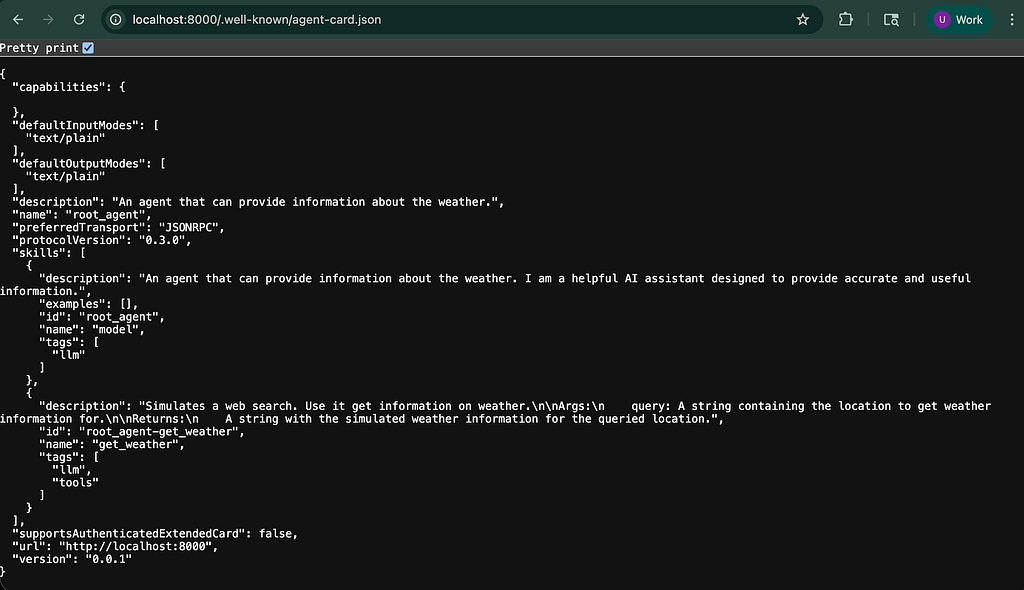
A nice trick here is to copy this agent card into an agent.json file in your directory to use as a base for a static agent card.
Once you have an agent card, you can also test locally with adk web with the –a2a flag which enables the a2a endpoint. Note that an agent must have an agent.json file to be treated as a valid A2A agent.
I needed to update the url in agent.json to be the following: “url”: “http://localhost:8000/a2a/a2a_weather",. Importantly, make sure there is no trailing slash.
# Test locally with adk web
adk web --a2a
Note also the slightly different URL for the agent card, similar to the URL format required in the updated agent card.
Deploying to Cloud Run
This newly A2A enabled agent can be conveniently deployed to Google Cloud Run using the adk deploy cloud_run command with the –a2a flag (documentation). Using the –with-ui flag to enable the ADK Web UI is pretty useful for testing purposes before adding to a wider setup.
adk deploy cloud_run --service_name=a2a-weather-agent --project PROJECT --region REGION --trace_to_cloud --otel_to_cloud --with_ui --a2a a2a_weather/
Then, depending on your security settings, your agent card should be visible at: <CLOUD_RUN_URL>/a2a/a2a_weather/.well-known/agent-card.json and your new A2A agent is ready to use!
Registering with Gemini Enterprise
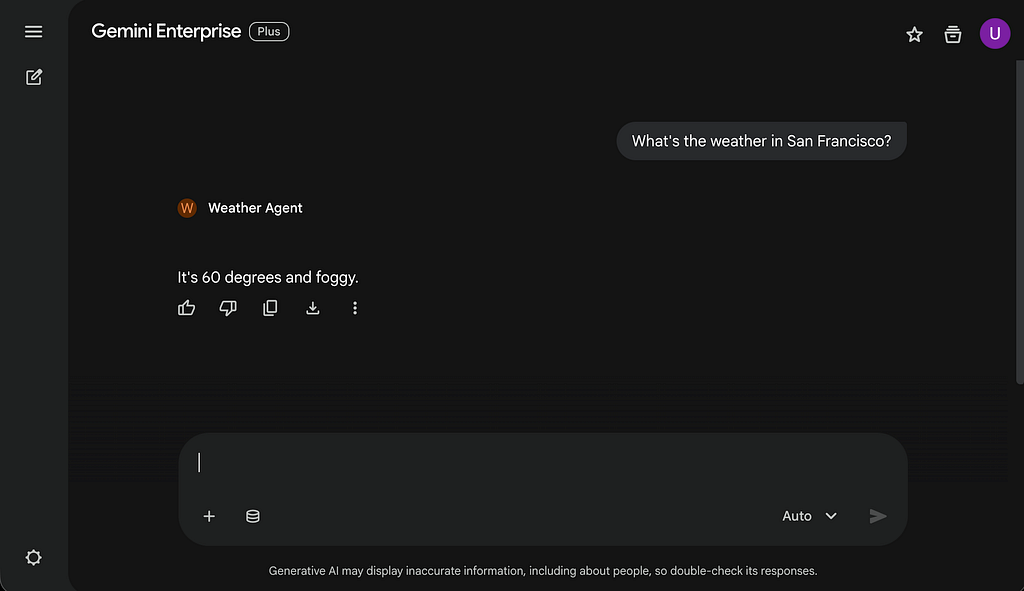
My final step was to register this agent with Gemini Enterprise so users can interact with it (documentation). This can be done very simply via the Google Cloud console, an alternative is to use the REST API. I pasted my existing agent card json into the required field as part of this process, but with a couple of changes:
- Adapting name to be something more user friendly
- Ensuring that url pointed at my Cloud Run service
With respect to permissions, I chose to require authentication and allow internal traffic only for my Cloud Run service, so needed to ensure that the service agent for Gemini Enterprise had the “Cloud Run Invoker” role to access. My agent isn’t accessing any Google Cloud resources on behalf of the user, so no further authorisation details were required.
And then my agent is available and ready for my users.
Next steps
So there we have it, the end to end process to get very quickly from a simple ADK agent, to an agent accessible via the A2A protocol to be surfaced where required. Have a go!
As mentioned, the code can be found in this github repository. My aim is to also create a version of this blog using Vertex AI Agent Engine for deployment, in order to take advantage of the good stuff Agent Engine has centric to deploying, managing and scaling agents in an enterprise environment.
Surprisingly Simple A2A Agents with ADK: Deploy to Cloud Run and Gemini Enterprise was originally published in Google Cloud – Community on Medium, where people are continuing the conversation by highlighting and responding to this story.
Source Credit: https://medium.com/google-cloud/surprisingly-simple-a2a-agents-with-adk-using-to-a2a-deploy-to-cloud-run-and-gemini-enterprise-e815bdef4a32?source=rss—-e52cf94d98af—4
About the Author