Setting up a GCP landing zone from scratch — a step-by-step approach for DevOps engineers new to GCP.
Let’s consider a familiar situation: a company has decided to move part of its IT to Google Cloud. They assigned the job to a DevOps engineer — not a GCP expert, but someone with enough knowledge and experience to set up and deploy services on GCP. Sound familiar? Thousands of companies have been exactly in this position — and thousands more will be.
Here we describe an approach to setting up Google Cloud for a small company — a startup, for example — or for a single system within a large company, using Merlin Studio (https://site.merlin-studio.cloud). We assume the company has no strict regulatory requirements (such as HIPAA or GDPR), but the company does care about following best practices and leaving room for seamless extension in the future.
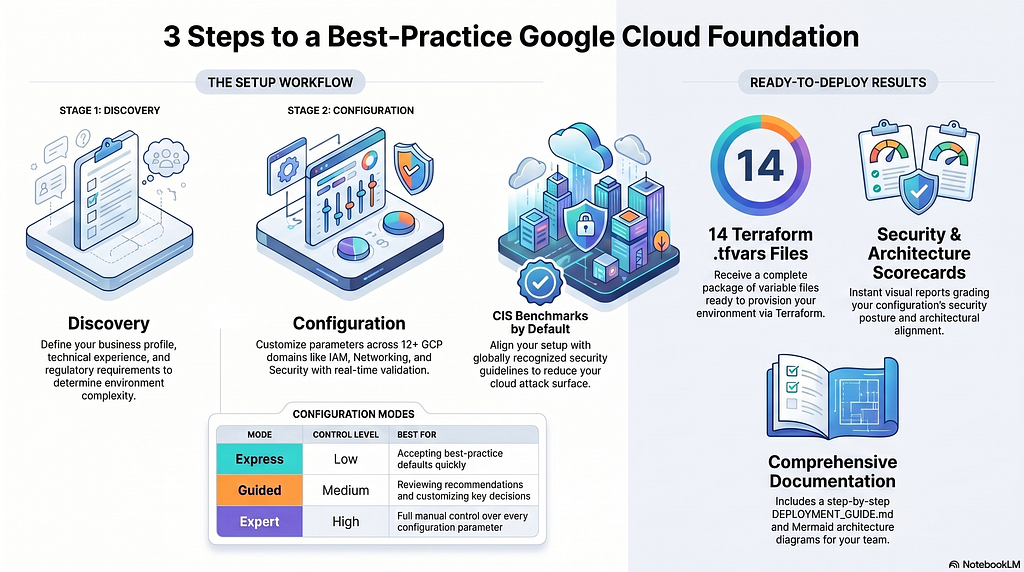
The setup process with Merlin Studio consists of three stages:
- Discovery — defining business requirements and conditions
- Configuration — setting parameters for each GCP section
- Generation — producing a package of Terraform tfvars files, schemas, documentation, and guides
Discovery
At this stage you tell Merlin what you want it to build: what your company does, how big it is, how experienced your cloud team is, whether you have any regulatory requirements, whether you need connectivity to an on-prem datacenter or another cloud, and so on.
Merlin has no access to your environment and does not validate the accuracy of your answers — but it stores all your information encrypted, separately for each customer. So if you provide accurate data about your company, it will save you the effort of manual edits before deployment.
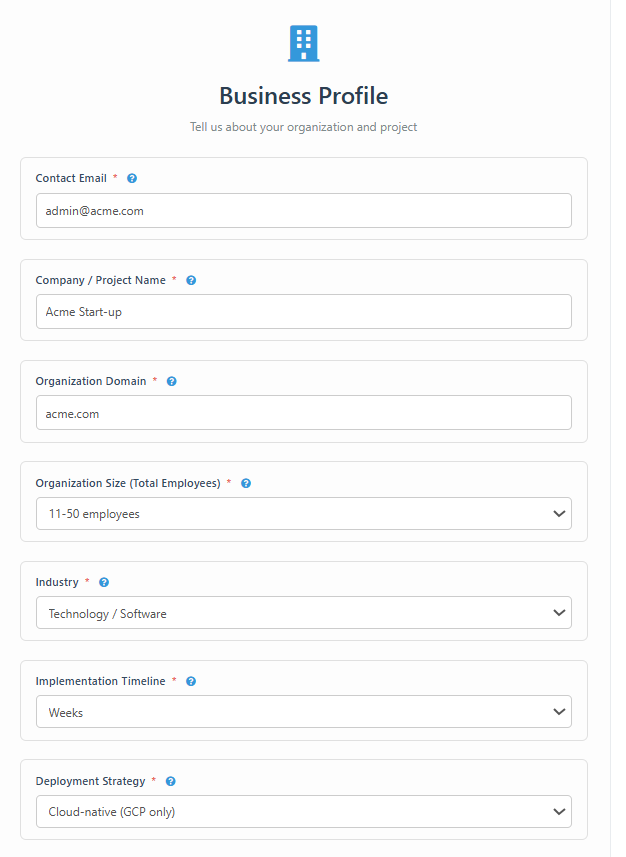
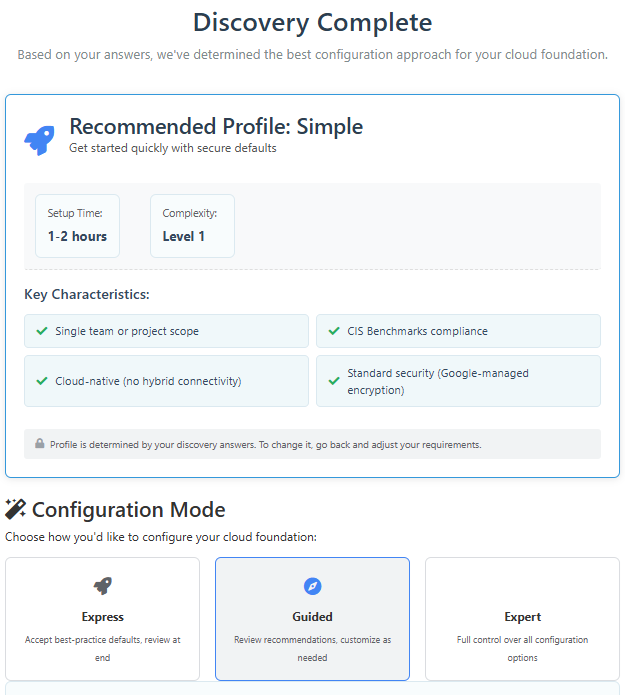
As shown in the screenshots, our example covers a small company — a startup — with no specific requirements.
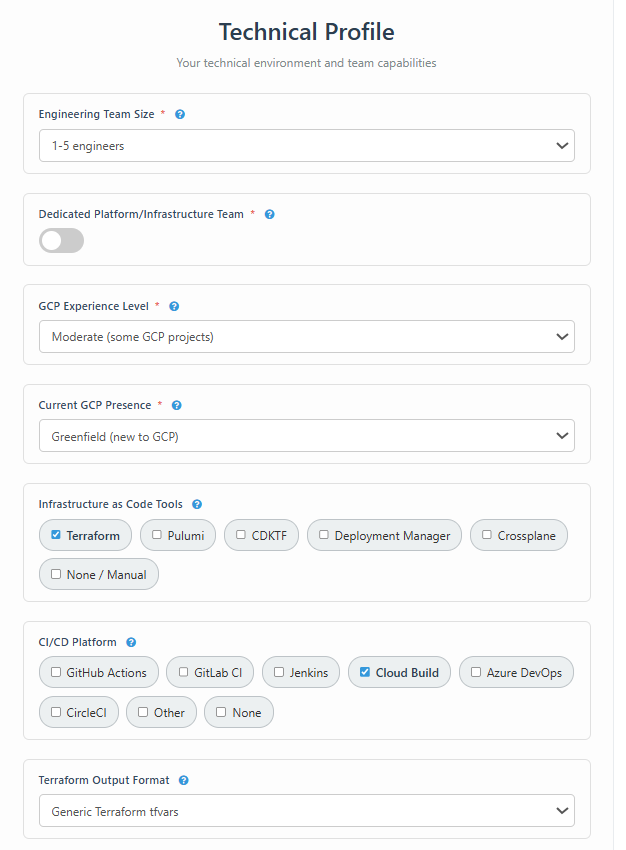
Among the technical requirements, pay attention to Terraform Output Format — either “Generic Terraform tfvars” or “FAST (Cloud Foundation Fabric).” FAST is a solid Terraform framework, but it requires effort to set up and maintain. For this reason, we chose tfvars — simpler and more suitable for small companies or projects.
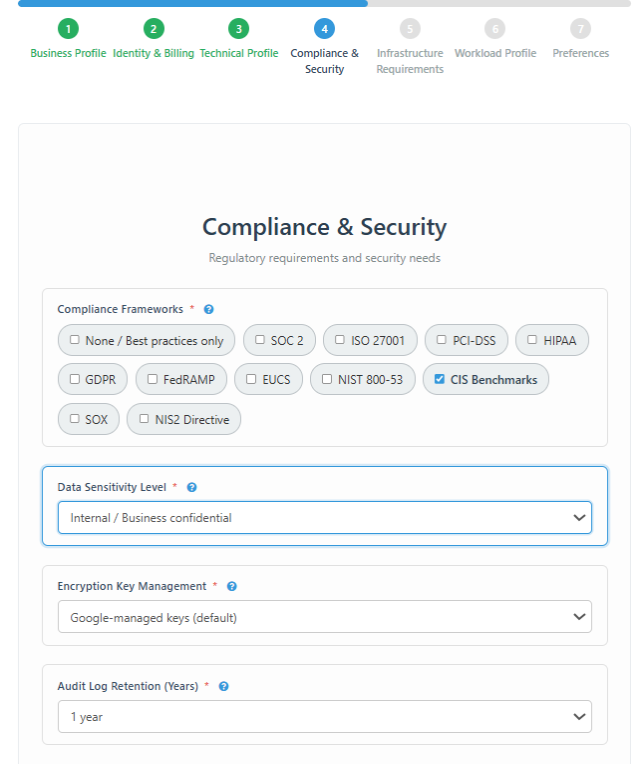
Merlin is able to produce scripts for landing zones that meet the requirements of a set of EU and US compliance frameworks. In our example we assume the company has no specific regulatory requirements, but we still recommend aligning the GCP setup to Google best practices — specifically, CIS Benchmarks. The CIS (Center for Internet Security) Benchmarks are a set of globally recognized configuration guidelines designed to reduce the attack surface of cloud environments. They are vendor-neutral, widely adopted, and free to use. The CIS recommendations are labeled on the configuration screens, but you are not required to accept all of them.
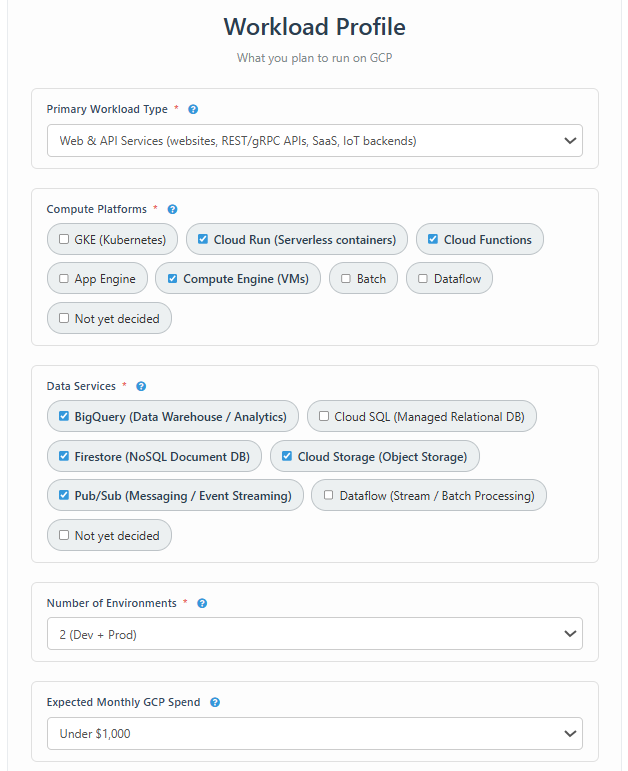
Based on the information provided during Discovery, Merlin sets the default configuration parameters, determines the profile complexity, identifies which configuration sections are required, and recommends a configuration mode: Express (accept best-practice defaults), Guided (review recommendations, customize as needed), or Expert (full control over all options). You can change the configuration mode at any time, but to change the profile you must return to the Discovery stage.
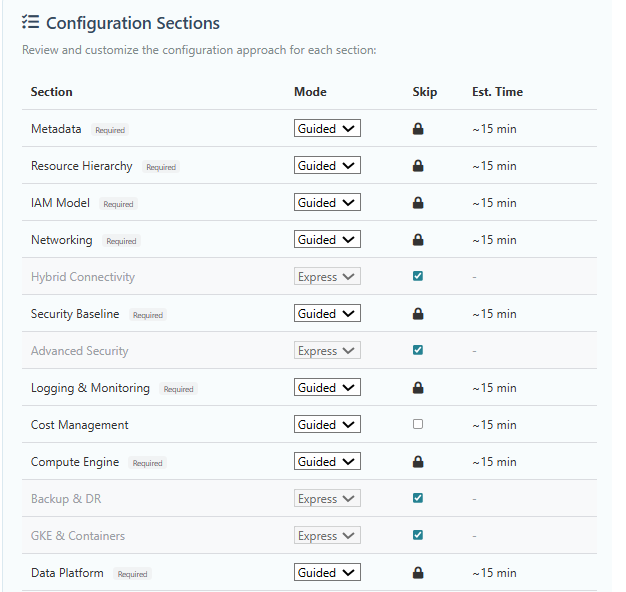
In our example, Merlin recommended the Simple profile and activated 12 configuration sections. To illustrate the key architectural decisions, we selected Guided mode.
Configuration
Configuration is organized into sections, each covering a specific GCP domain — IAM, Networking, Security, and others. For our startup example, Merlin activated 12 sections. A sidebar lets you navigate between sections in any order — completed sections are marked, so you always know where you stand. You can focus on the sections relevant to your setup and leave the rest at their default values.
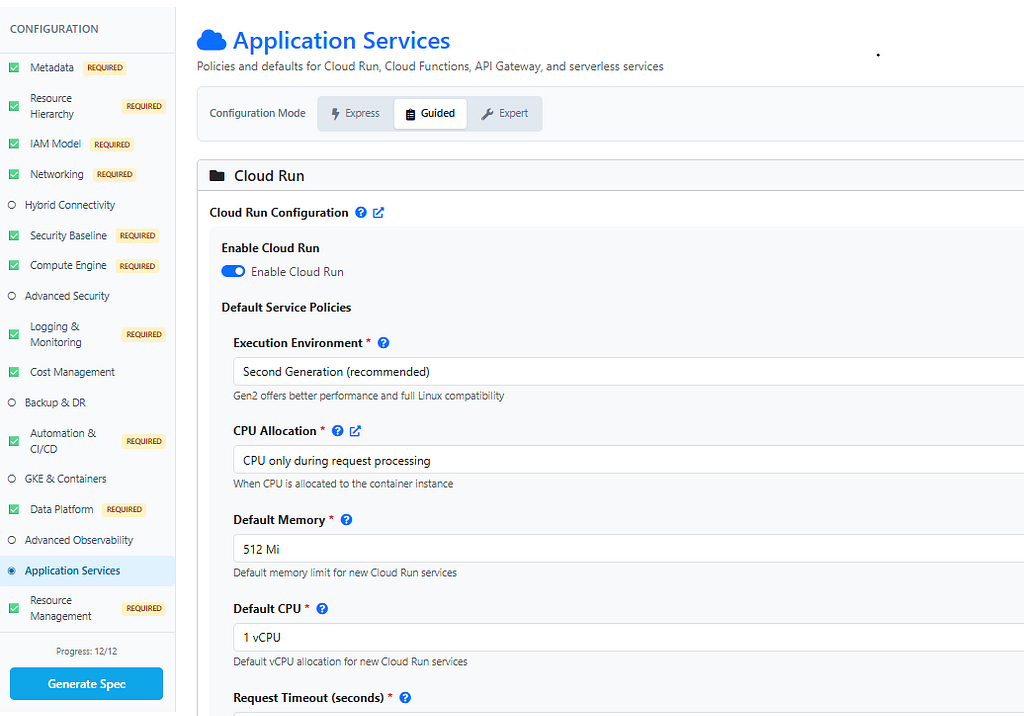
Setting up a GCP environment requires tens, sometimes hundreds of parameters. Merlin makes this as straightforward as possible:
- Most fields have default values, set based on data collected during Discovery.
- Almost every field has a help panel with a short explanation, a link to the relevant Google documentation, and an optional LLM prompt.
- Fields required by compliance frameworks (CIS Benchmark in our case) are marked with a badge — red for mandatory, orange for recommended.
- Merlin validates field values in real time and warns about errors and invalid inputs.
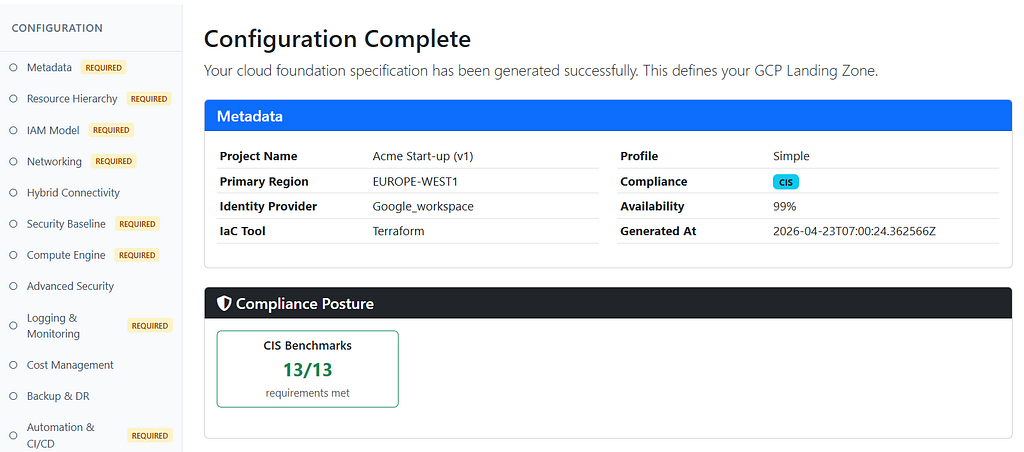
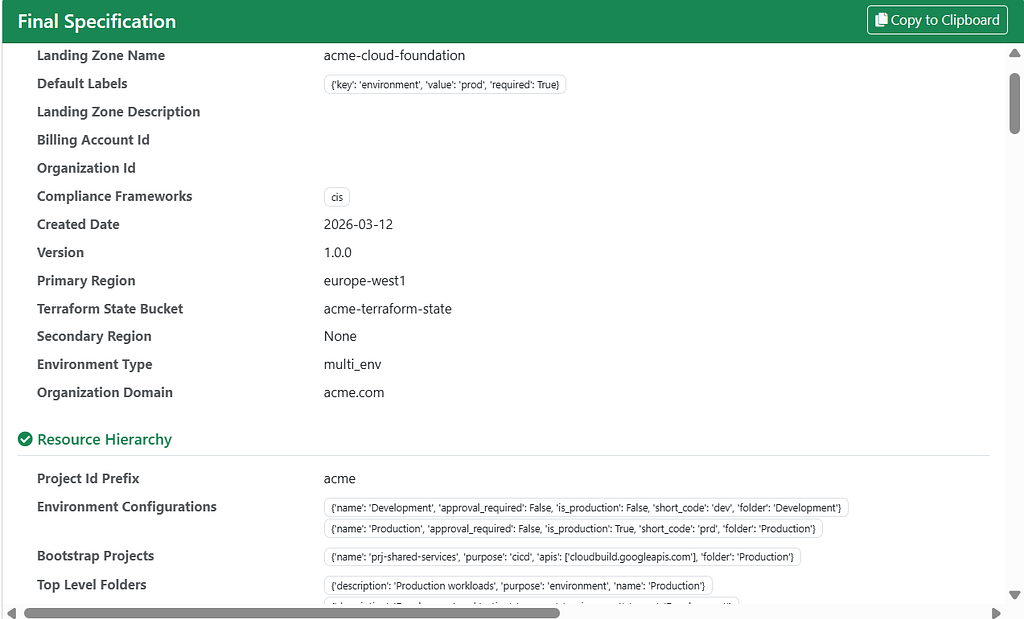
Once you finish all configuration steps, click Generate Spec to produce a JSON document summarizing all configuration parameters. This step also performs cross-section validation, surfacing any errors and unmet requirements. If you are satisfied with the configuration, proceed to the next stage.
Generation
In the final stage, Merlin produces the artifacts for setting up your GCP environment. Clicking the Generate Artifacts button starts the process. In our case, the output includes documentation, security scorecards, architecture diagrams, and 14 Terraform-related files (12 .tfvars and 2 JSON metadata files) used to provision the GCP environment.
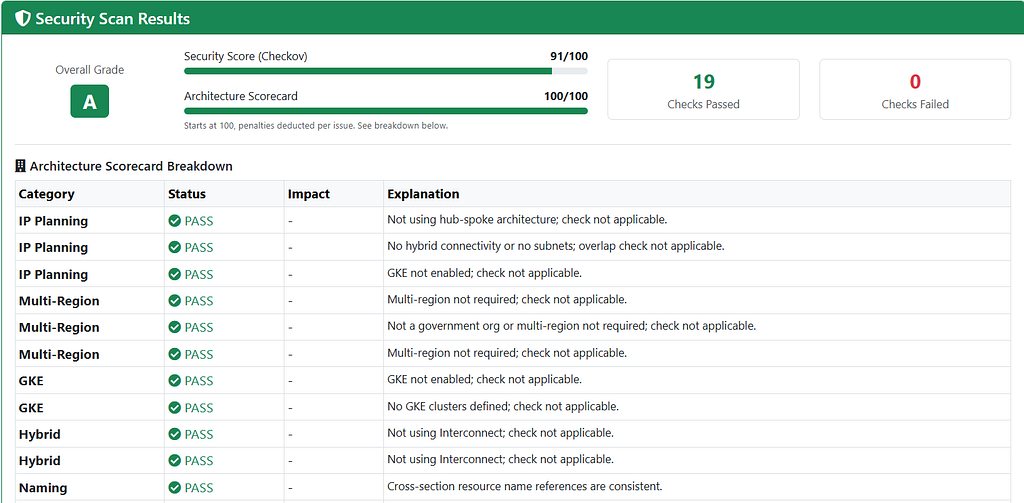
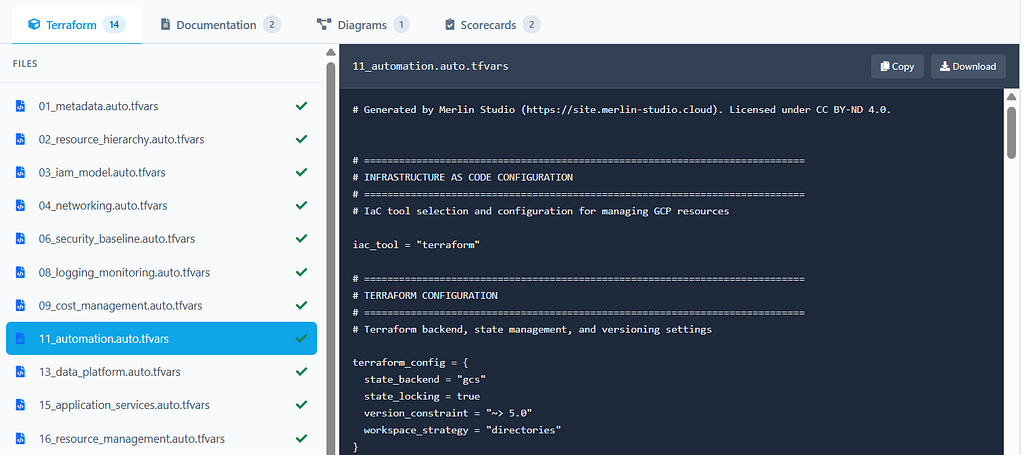
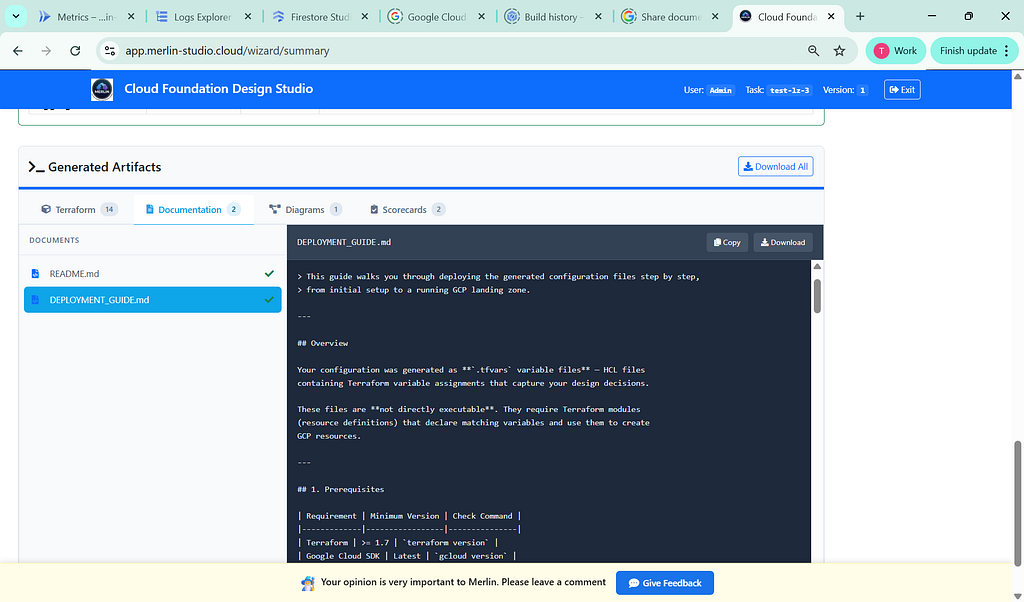
In our example, we showed how a DevOps engineer without deep GCP expertise can set up a landing zone from scratch in a single interactive session. Starting from business questions and simple configuration choices, you end up with 14 tfvars files, architecture and security scorecards, Mermaid diagrams, and a step-by-step DEPLOYMENT_GUIDE.md aligned with CIS Benchmarks.
Merlin does not replace learning GCP. You still need to understand what you deploy, review the generated code, and adapt it to your environment. But instead of starting from an empty folder, you start with a working foundation that follows best practices. Your time goes into understanding the decisions, not rediscovering them.
A complete set of files — including Terraform configurations, documentation, scorecards, and architecture diagrams — can be found at github.com/Merlin-Studio/Startup-Example.
This is the second article in our GCP Landing Zone series. The first article — Setting Up a GCP Landing Zone for Organizations with Strict Regulatory Requirements — covers the same approach for healthcare and other regulated industries.
How to Start Your Google Cloud from the Right Foot was originally published in Google Cloud – Community on Medium, where people are continuing the conversation by highlighting and responding to this story.
Source Credit: https://medium.com/google-cloud/how-to-start-your-google-cloud-from-the-right-foot-734ebbacff55?source=rss—-e52cf94d98af—4
About the Author