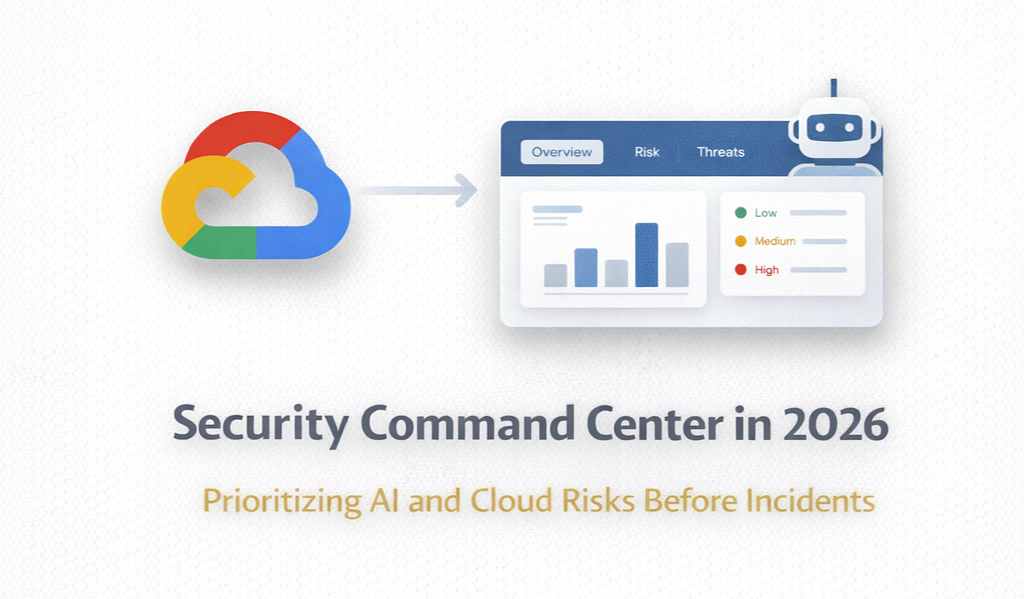
How to Use Security Command Center in 2026 to Detect AI and Cloud Risks Before They Become Incidents
A finding matters more when you know what it can lead to next.
Security teams do not lose to cloud risk because they lack dashboards.
They lose because they see isolated findings instead of attack paths, business context, and AI-specific exposure.
Security Command Center becomes far more useful in 2026 when you use it as a decision layer, not just a findings inbox.
The shift matters because Security Command Center is no longer only about misconfiguration scanning. With organization-level activation, Google positions AI Protection as a way to manage the security posture of AI workloads, maintain an organization-wide AI asset inventory, analyze AI-specific risks and vulnerabilities, and apply a unified dashboard across projects. At the same time, Risk Engine simulates attack paths, and AI threat detections now extend into agentic workloads deployed on Vertex AI Agent Engine. That combination changes SCC from a place where findings accumulate into a place where remediation can be prioritized.
Start with inventory, not alerts
A team cannot protect what it cannot enumerate. AI Protection’s first practical value is that it gives you an organization-wide AI asset inventory across models, datasets, endpoints, Vertex AI resources, Cloud Storage, and BigQuery, then surfaces that context in the AI Security dashboard. That matters because most AI incidents are not born as “AI incidents” in a vacuum. They emerge from ordinary cloud problems attached to AI assets: overexposed storage, weak service-account boundaries, missing controls on endpoints, or risky notebook configurations.
This is the first mindset change: do not begin by triaging whichever alert happens to be freshest. Begin by asking which AI assets matter, which projects own them, which data they touch, and which security controls should already be true before production. If you skip that step, every later detection becomes harder to interpret because you are reacting without a stable model of the workload you are trying to defend.
Use frameworks to define “secure enough” before the incident
AI Protection becomes more valuable when it is anchored to a framework rather than to ad hoc review. Google’s built-in Google Recommended AI Essentials — Vertex AI framework is designed exactly for this purpose: a prescriptive set of preventative and detective controls, with the resulting compliance assessment displayed automatically on the AI Security dashboard when AI Protection is activated. The framework covers concrete controls such as blocking the default VPC network for Vertex AI Workbench instances, blocking public IP addresses, restricting default service accounts, enabling secure boot, enabling integrity monitoring, enforcing CMEK on multiple Vertex AI asset types, and enabling idle shutdown.
That is why mature teams should treat frameworks as a policy baseline, not as audit decoration. A finding matters more when you can compare it against an explicit expected state. In practice, this lets SCC answer a much better question than “what is wrong?” It starts answering “what is violating the platform contract for AI workloads, and where should we intervene first?”
Separate posture signals from attack signals
One reason Security Command Center can feel noisy is that not every important signal means the same thing. Google’s own Risk documentation makes a sharp distinction here: attack paths and attack exposure scores represent what a hypothetical attacker could do if they gained access to your environment, not proof that an attack is in progress. For actual attacks, Google points you to THREAT-class findings from services like Event Threat Detection and Container Threat Detection.
This distinction is where many teams become more mature almost immediately. Misconfigurations, toxic combinations, chokepoints, and attack paths are decision-support signals. They tell you where your environment is exposed and how an attacker could chain those conditions together. Threat findings are operational signals. They tell you something suspicious may already be happening. If you mix those categories mentally, you either underreact to real attacks or overreact to theoretical exposure. SCC becomes more valuable when you intentionally use both.
Use Risk Engine to move from severity to consequence
Severity alone is often a poor prioritization mechanism. Security Command Center’s Risk Engine exists precisely because a medium-severity issue on a path to a high-value resource can matter more than a louder but isolated finding. Google documents attack exposure scores and attack paths as simulations of what attackers could reach if they gained access, and the Issues layer groups notable risks discovered through virtual red teaming and rule-based detections. Those issues can come from toxic combinations, chokepoints, predefined security graph rules, and correlated threats.
That is the architect-level use of SCC: not “sort by severity and work downward,” but “sort by consequence, reachable blast radius, and business importance.” A toxic combination is useful because it tells you that multiple individually understandable weaknesses now form a path to something you care about. A chokepoint is useful because fixing one place might collapse multiple attack paths at once. That is the difference between findings management and security decision-making.
Add AI-specific threat detection, not just generic cloud detection
The 2026 change that makes this topic timely is that Google is pushing SCC further into AI-specific detection. Security Command Center includes general AI-related threat detections through Event Threat Detection, including detections for dormant service account activity in AI services, new AI API methods, new geographies for AI services, and anomalous service-account impersonation patterns tied to AI admin or AI data access. Those are not niche signals; they are the kinds of patterns that often appear before teams realize an AI workload is being misused.
For agentic systems, Google has gone further. Agent Engine Threat Detection, currently documented as Preview, is a built-in SCC service for AI agents deployed to Vertex AI Agent Engine Runtime. It generates findings in near real time, monitors runtime threats such as malicious binaries, malicious libraries, reverse shells, and attack tools, and uses control-plane detectors to analyze audit logs and Agent Engine logs for threats such as data exfiltration attempts, excessive permission denials, suspicious token generation, port-scanning behavior, and unauthorized service-account API calls. Google also highlighted at RSAC 2026 that AI Protection now integrates with Vertex AI Agent Engine to detect agentic threats such as unauthorized access and data exfiltration attempts by agents.
The practical implication is important: if your AI roadmap includes agents, then your detection model cannot stop at “watch the model endpoint.” You need runtime and control-plane monitoring for the agent environment itself. SCC is becoming more interesting precisely because it pulls those signals into the same place where cloud exposure, posture drift, and identity risk already live.
Use the dashboard as an index, not as the destination
Google’s Overview experience now includes an AI security view alongside risk domains like vulnerabilities, identity, data, and threats. That is useful, but the dashboard should be treated as an entry point, not as the final product. Its role is to help you locate the riskiest issues, surface active threats, and navigate into the evidence that explains why a finding matters. In Premium and Enterprise tiers, the Overview page surfaces top issues, simplified attack paths, and related evidence; the Issues page then becomes the place where you investigate clusters of meaningful risk rather than single raw findings.
This is exactly how SCC becomes a decision layer. The dashboard tells you where to look. The framework tells you what “good” should have looked like. Risk Engine tells you what an attacker could chain together. Threat detection tells you what might already be happening. And the asset inventory tells you whether the affected resource is just another project artifact or part of a production AI system tied to sensitive data.
The operating model for 2026
If you are serious about using Security Command Center well in 2026, the operating model is straightforward. First, activate SCC at the organization level so AI Protection and risk features can aggregate across projects. Second, use the AI Security dashboard and AI asset inventory to understand what you are actually defending. Third, anchor your expected state in the AI Essentials framework or a customized derivative of it. Fourth, use attack exposure, issues, toxic combinations, and chokepoints to prioritize remediation by consequence. Fifth, monitor THREAT findings and AI-specific detections, especially if you are deploying agents on Vertex AI Agent Engine.
Security teams do not need another place to collect alerts. They need a system that connects AI assets, cloud controls, threat detections, and attack paths tightly enough that remediation becomes obvious. That is why Security Command Center matters more now. In 2026, its real value is not that it shows you more findings. Its value is that, when used correctly, it helps you decide what matters before the finding becomes an incident.
🙏 If you found this article helpful, give it a 👏 and hit Follow — it helps more people discover it.
🌱 Good ideas tend to spread. I truly appreciate it when readers pass them along.
📬 I also write more focused content on JavaScript, React, Python, DevOps, and more — no noise, just useful insights. Take a look if you’re curious.
How to Use Security Command Center in 2026 to Detect AI and Cloud Risks Before They Become… was originally published in Google Cloud – Community on Medium, where people are continuing the conversation by highlighting and responding to this story.
Source Credit: https://medium.com/google-cloud/how-to-use-security-command-center-in-2026-to-detect-ai-and-cloud-risks-before-they-become-62331c391b6b?source=rss—-e52cf94d98af—4
About the Author